1
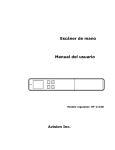
1.3 Top View 2 3 4 1 5 Item 7 6 Name Description 1 System indicator light Green LED indicates scanning or being charged./Red LED indicates a warning status. 2 LCD display Displays preview pictures and settings menus. Up arrow 3 Power/Scan button 4 Down arrow 5 6 Back arrow 7 Battery compartment Enters Menu screen from [Scan Ready] screen. Navigate “backward” through images and menu options. Press to turn on the scanner. Press to start or end a scan. Accept option choice in Menu and Preview options. Press and hold for 3 seconds to turn off the scanner. Enters Display mode from [Scan Ready] screen. Navigate “forward” through images and menu options. Return to previous screen or exists from Display mode or Menu option. Slide to remove the cover. 1-2