1
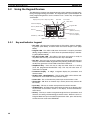
Using the Front Panel Keypad
2-5-2
Section 2-5
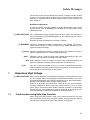
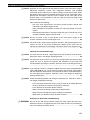
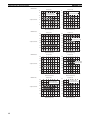
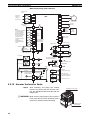
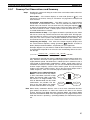
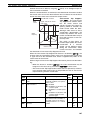
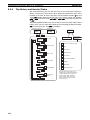
Keypad Navigation Map
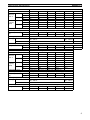
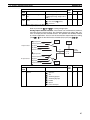
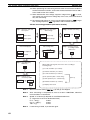
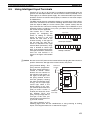
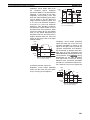
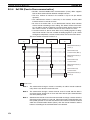
The MX2 Series inverter drives have many programmable functions and
parameters. Chapter 3 will cover these in detail, but you need to access just a
few items to perform the powerup test. The menu structure makes use of
function codes and parameter codes to allow programming and monitoring
with only a 4-digit display and keys and LEDs. So, it is important to become
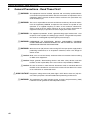
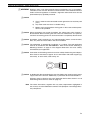
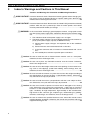
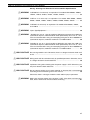
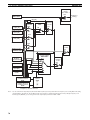
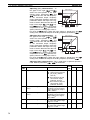
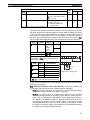
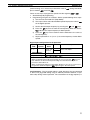
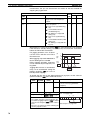
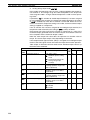
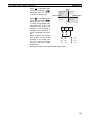
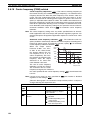
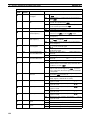
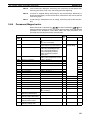
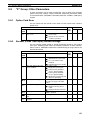
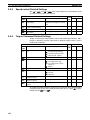
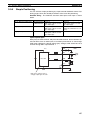
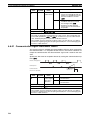
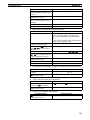
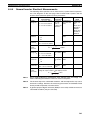
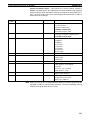
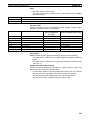
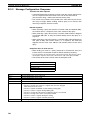
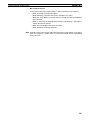
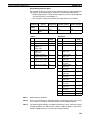
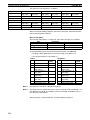
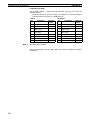
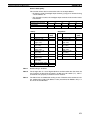
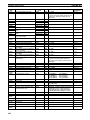
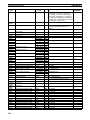
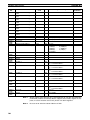
familiar with the basic navigation map of parameters and functions in the diagram below. You may later use this map as a reference.
Func. code display
Group "d"
: Moves to data display
Func. code display
D001
D002
0.00
Func. code display
: Jumps to the next group
d104
Group "F"
Func. code display
Save
F001
50.00
F002
50.01
F004
Data display (F001 to F*03)
Data does not blink because of real time synchronizing
: Saves the data in EEPROM and returns to func. code display
Group "A"
: Returns to func. code display without saving data.
Func. code display
A001
A002
00
01
A165
Group "b"
b001
Group "C"
C001
Group "H"
H001
Group "P"
P001
Group "U"
U001
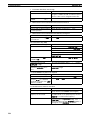
Data display
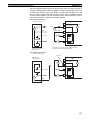
When data is changed, the display starts blinking, which means that
new data has not been activated yet.
: Saves the data in EEPROM and returns to func. code display
: Cancels the data change and returns to func. code display.
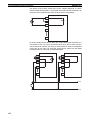
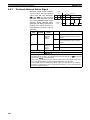
Press the both up and down key at the
same time in func. code or data display,
then single-digit edit mode will be enabled.
Refer to page 56 for further information.
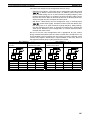
Note Pressing the
key will make the display go to the top of next function
group, regardless the display contents. (e.g. A021 –>
–> b001)
49