1
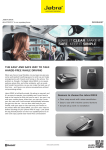
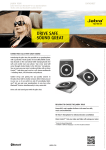
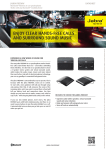
B E A G F D C A Answer/end button B Status light C On/off switch D Charging socket E Volume control FMicrophone G Integrated visor clip QUICK START GUIDE CHARGING YOUR HEADSET Use the USB cable to connect Jabra Drive to the car charger. It takes approximately 2.5 hours to fully charge Jabra Drive. TURNING YOUR HEADSET ON AND OFF Slide the on/off switch into the ”I” position to turn it on and the ”0” position to turn it off. PAIRING HEADSET WITH YOUR PHONE Turn the in-car speakerphone on and it will automatically be in pairing mode: Activate Bluetooth® on your phone Search for Bluetooth devices and select Jabra Drive Press “OK” on the phone and if necessary confirm with PIN code 0000 USING YOUR HEADSET Answering or ending a call Tap the answer/end button on your in-car speakerphone to answer/end a call. Easy Voice Guidance** Easy voice guidance informs you about your connection and low battery status. Mute/Un-mute an active call To mute an active call long press volume down until you hear a special sound indication for mute. To un-mute an active call long press volume down until you hear a special sound indicating that the speakerphone is no longer muted. Playback of music, podcast and directions from GPS applications* If your phone supports A2DP audio streaming then you can transfer music, audio from GPS application or any other type of audio from your phone to Jabra Drive. Advanced Multiuse Jabra Drive can be connected to two mobile devices at the same time. Visit www.jabra.com/jabradrive for full user manual. FEATURES AND SPECIFICATIONS Designed for intuitive use and great sound In-car cigarette lighter adapter charger with additional USB cable so you can also charge it from your PC L 4.09 x W 2.20 x H 0.70 in (L 104 x W 56 x H 18 mm) Up to 20 hours of talk time and 30 days standby time Weight – 3.38 oz (100 g) Datasheet_NA_Jabra_Drive_10/12 Easy Voice Guidance (Connected and Low Battery)** Transfer your music, audio from a GPS application or any other type of audio from your Bluetooth device to Jabra Drive using A2DP Clear sound with Bluetooth 3.0 + eSCO Features: answer/end calls, mute, reject calls*, last number redial*, auto pairing and auto off * Device & network dependent ** Available ONLY in English JABRA.COM