1
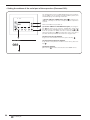
Index
Precautions and Safety Standards ............................................................................................... 5
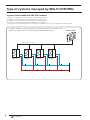
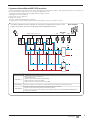
Type of systems managed by MULTI CONTROL ......................................................................... 6
Systems without additional VMF CRP modules .................................................................................................... 6
Systems with additional VMF CRP modules ......................................................................................................... 7
VMF CRP 1 connections (3-way valves and probes management) ..................................................................... 8
VMF CRP 2 connections (supplementary resistance management on DHW)...................................................... 9
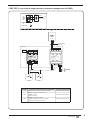
VMF CRP 3 connections (remote control management) .................................................................................... 10
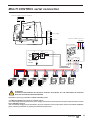
MULTI CONTROL serial connection ........................................................................................... 11
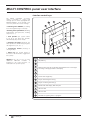
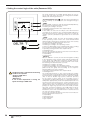
MULTI CONTROL panel user interface ....................................................................................... 12
Interface control keys.......................................................................................................................................... 12
Structure of MULTI CONTROL menus ........................................................................................ 13
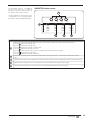
Main MULTI CONTROL display.................................................................................................... 14
Main MULTI CONTROL screen ........................................................................................................................... 14
MONITOR mode screen ..................................................................................................................................... 15
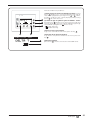
BASIC use procedures................................................................................................................. 16
System ON/OFF .................................................................................................................................................. 16
Entering MONITOR mode ................................................................................................................................... 16
Entering menu selection ..................................................................................................................................... 16
Browsing and choice of a menu ......................................................................................................................... 16
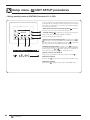
UNIT SYNOPTIC menu procedures............................................................................................. 17
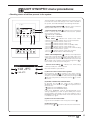
Checking status of chillers present in the system .............................................................................................. 17
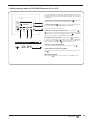
Reading of characteristic parameters of chillers ................................................................................................ 18
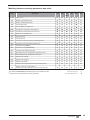
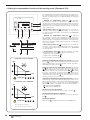
Matching between operating parameters and units ........................................................................................... 19
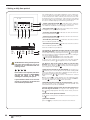
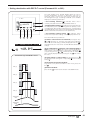
Setting a daily time period .................................................................................................................................. 20
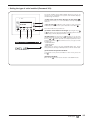
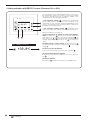
DOMESTIC HOT WATER SYNOPTIC menu procedures ............................................................ 21
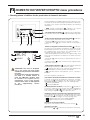
Checking status of chillers for the production of domestic hot water................................................................. 21
Setting a daily time period for the production of domestic hot water ................................................................. 22
Setting the anti-Legionella cycle ......................................................................................................................... 23
User manual -
Date time MENU procedures ....................................................................... 24
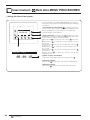
Setting the time of the system ............................................................................................................................. 24
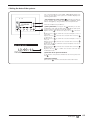
Setting the date of the system ............................................................................................................................ 25
User manual -
SEASON MENU procedures ........................................................................ 26
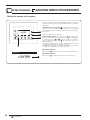
Setting the season of the system ........................................................................................................................ 26
User manual -
DISPLAY MENU procedures ........................................................................ 27
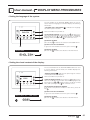
Setting the language of the system .................................................................................................................... 27
Setting the visual contrast of the display ............................................................................................................ 27
Setting the screen saver ..................................................................................................................................... 28