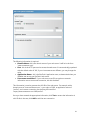
1
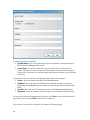
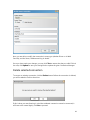
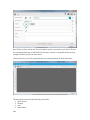
Type [link to the Type table]: this field is automatically populated with the value "Attachment Format". *Code: this is the actual code that is used by your organization for record-keeping. A record with an External ID of "Portable document format" may, for example, have a Code value of "PDF". You may find it simple to use the Windows file extension as the "Code" value for an Attachment Format record. Remarks: any further remarks that are necessary to describe this record may be entered in this field. *Security Code [link to the Security Code table]: this is the Security Code of the record. For more information on the Add method, see the Add method chapter. Modify Attachment Format record This method will allow you to modify the selected record; if more than one record is selected, any modified field values will be applied to all selected records simultaneously. Once a record is modified, you will need to confirm the changes, which will then overwrite the current information in the database. For more information on the Modify method, see the Modify method chapter. Delete Attachment Format record This method will allow you to delete the selected record; if more than one record is selected, the Delete method will apply to all selected records. Once a record is deleted, it cannot be recovered. For more information on the Delete method, see the Delete method chapter. Clone Attachment Format record This option allows you to clone an existing Attachment Format record. Cloning is beneficial when a record that is about to be created will be similar to an existing record. With cloning, you will only need to specify the points of difference from an existing Attachment Format record. For more information on the Clone method, please see the Clone method chapter. Search This option allows you to restrict the Attachment Format records displayed in the main list view. There are two options for creating a search — either a Search by Metadata, or a Search by Boolean query. Searching may be used to restrict the number of 163