1
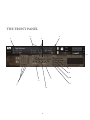
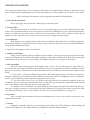
THE FRONT PANEL KEY:
This manual presumes that you have already used Kontakt. If the main Kontakt window is unfamiliar to you
please consult your Kontakt manual or the Native Instruments site. They explain it better than we ever could:
http://www.native-instruments.com/#/en/products/producer/kontakt-player/
1. Front Panel/ Ostinatum.
These tags toggle you between the 2 main pages of the front panel.
2. Voices & Max.
The left numeral refers to how many voices are currently being processed in the Kontakt engine. Max.
Refers to the maximum number of voices assigned to this instance of Kontakt. If you’re experiencing dropouts,
clicks or crackles you may want to have a look at these two numbers. If the “voices” numeral creeps up and
equals the “max” numeral you may want to increase your voice ceiling (the max setting).
3. Articulations.
Both displays active, toggle switches your current articulation. Remember these can also be toggled via
key switches which are arranged (from left-to-right): Longs , Pizzicato, Spiccato, Staccato, Artificial Harmonics
Long, Artificial Harmonics Short.
See page 9 for descriptions of these articulations.
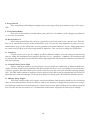
4. Samples Load Status.
Again, if you’re hearing clicks or crackles or if your sample is cutting out erratically check that the rightmost bar is illuminated. This signals that all the samples for your patch are fully loaded. If the lefter-most panel
is illuminated the patch has yet to start loading, the middle, the patch is in the process of doing so.
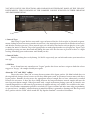
5. Mic Controllers
One of the most exciting aspects of the Spitfire range. C(lose) T(ree) A(mbient) mics. Above these letters are the mic cut buttons that dial the mic signals in or out, this will unload or load the samples needed to
keep your system lean. Above the cut buttons are fader controls that allow you to mix the mic signals to your
liking.
C - Close mics, a selection of ribbon and valve mics placed for optimum focus close to the instruments.
This mic control is great to add in for added definition and at times a bit of “rounding of sound”, in isolation it
can be a way of achieving a more intimate or pop-music style sound.
T - Tree. This refers to the “Decca” tree of three mics placed above the conductor’s podium. In the case
of Albion; 3 priceless vintage Neumann M50s. These are placed to give the ultimate sound of the band, the hall
and are the default mic position that loads in with each patch.
A - Ambient. A set of condenser mics placed high up in the gallery away from the band. This mic position gives a massive amount of stereo spread and room sound over the band. Great mixed in with the other
mics but also ideal fed to your Ls & Rs speaker sends for true surround information (see page 23).
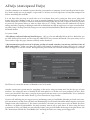
6. Dynamics
This is a visual representation of what your modulation wheel is up to. You can also reassign this controller from this fader.
7. Vibrato
Mapped to controller CC#24 (you can remap in many DAWs by CTRL clicking or right clicking and
“learn new assignment). This Xfades between performances with and without vibrato.
9.