1
Infinitely Expandable
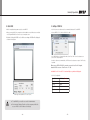
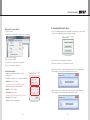
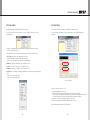
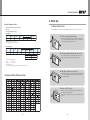
5.2. Start MSCS
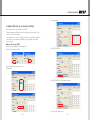
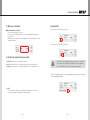
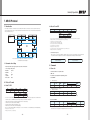
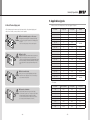
5.3. Setting of COM Port
••MSCS is an application program needed to control MPDP.
••Com Port connects or disconnects the communication between PC and MPDP.
••When you execute MSCS for your product at the installation screen, it will create a new folder
at C:/Program File/MSCS and an icon on your computer screen.
••Connect MPDP to PC Com Port via RS-232C cable.
••By double clicking the MSCS icon, the initial screen image of MSCS will be displayed
as shown in the picture.
••Go to MSCS Menu -> Communication and set Com Port. Click 'Connect' using mouse or
press 'Ctrl+C' using keyboard.
••In order to disconnect communication, click 'Disconnect' using mouse or press 'Ctrl+D' using
keyboard.
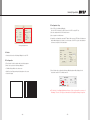
When you use USB-to-RS-232C converters, you need to set Com Port again,
because MSCS uses one of Com Port no. 1 to 30.
※Available Com Port on the PC is automatically recognized and displayed.
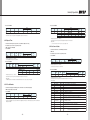
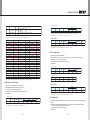
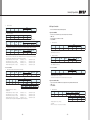
••Com Port Configuration
Baud Rate
115200bps(Fixed)
Data Bit
8Bits
Parity
None
Stop Bit
1Bit
Flow Control
None
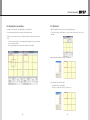
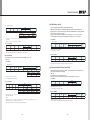
Main Image of MSCS (Multi Screen Control system)
※ To install MSCS, you need the account for the administrator.
Caution
※C
heck whether Windows Firewall or anti-virus program prohibits the
access of MSCS to the IP address of the display.
- 26 -
- 27 -