1
NewsCaster VT2
Operation
Option Settings
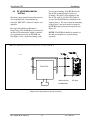
1. Frequency Direct - This optional
operating mode allowing the frequency to be
changed without conventional use of a
channel. It can be toggled “On” or “Off”.
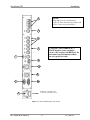
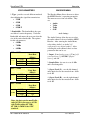
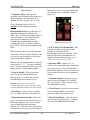
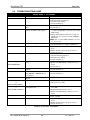
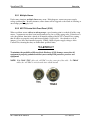
Button (Front Panel) to toggle between the
two different types of antennas. (Refer to
Figure 28.)
To use Frequency Direct (when it is
enabled) use the following procedure:
In the Default Screen, move the cursor to
underline the frequency, and press the
“ENT” key. Use the left and right arrows to
select the digit(s) to edit, and the up and
down arrows to change the value(s).
Continue this procedure until the entire
frequency has been set. When complete,
press “ENT” to have the new frequency take
effect.
If the frequency entered is outside the band
of operation, the entry will be discarded, and
an error message showing the valid region
of operation will be displayed.
In this mode, the channel number is replaced
with asterisks “****”. To return to channel
mode, select the channel with the cursor and
change it to the desired channel number.
2. Start in Standby - This option either
places the unit in Standby Mode after
booting-up (Yes), or places the unit into
Transmit Mode after booting-up (No).
Caution: if the power to the unit is
interrupted for any reason, the unit will not
return to transmit without user intervention.
3. Save Preset - allows the user to enable
(Yes) or disable (No) the saving of Presets.
4. Directional Antenna Only - allows the
user to select between the system usage of a
Directional Antenna only (Yes), or system
usage of both Directional and Omni
antennas (No). When the latter selection has
been chosen, the user must use the Antenna
M17-0002-01A Rev 0.0
60
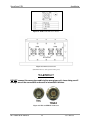
Figure 28: Antenna Button
5. P & T (Pan & Tilt) Position Pots - This
parameter indicates to the Control unit
whether or not the Pan & Tilt
Potentiometers have been installed. If the
Pan and Tilt control potentiometers are
installed, then this option must be set to
“YES”, otherwise it is set to “NO”.
6. Elevation THD - enables (Yes) or
disables (No) a threshold range in which the
elevation can travel. It is used to halt the
Pan function when the selected elevation has
been exceeded in order to avoid equipment
damage.
7. Nucomm Antenna - allows the user to
choose between Nucomm (Yes) and NSI
(No) type antennas. This is factory set per
the configuration ordered.
8. Video Present - allows the user to choose
between Standby Mode, or color bars
generation when video signal is lost.
9. Show Nextel Menus - allows the user to
choose between displaying (Yes) or hiding
(No) the Nextel BAS Relocation menu.
User Manual