1
8.0 WARRANTY
2.0 OPERATION
ELECTROMATIC Equipment Co., Inc. (ELECTROMATIC) warrants to the original purchaser that this product is of merchantable quality and confirms in kind and quality with
the descriptions and specifications thereof. Product failure or malfunction arising out of
any defect in workmanship or material in the product existing at the time of delivery thereof which manifests itself within one year from the sale of such product, shall be remedied
by repair or replacement of such product, at ELECTROMATIC’s option, except where
unauthorized repair, disassembly, tampering, abuse or misapplications has taken place, as
determined by ELECTROMATIC. All returns for warranty or non-warranty repairs and/or
replacement must be authorized by ELECTROMATIC, in advance, with
all repacking and shipping expenses to the address below to be borne by the purchaser.
THE FOREGOING WARRANTY IS IN LIEU OF ALL OTHER WARRANTIES,
EXPRESSED OR IMPLIED, INCLUDING BUT NOT LIMITED TO, THE WARRANTY
OF MERCHANTABILITY AND FITNESS FOR ANY PARTICULAR PURPOSE OR
APPLICATION. ELECTROMATIC SHALL NOT BE RESPONSIBLE NOR LIABLE
FOR ANY CONSEQUENTIAL DAMAGE, OF ANY KIND OR NATURE, RESULTING
FROM THE USE OF SUPPLIED EQUIPMENT, WHETHER SUCH DAMAGE
OCCURS OR IS DISCOVERED BEFORE, UPON OR AFTER REPLACEMENT OR
REPAIR, AND WHETHER OR NOT SUCH DAMAGE IS CAUSED BY MANUFACTURER’S OR SUPPLIER’S NEGLIGENCE WITHIN ONE YEAR FROM INVOICE
DATE.
Some State jurisdictions or States do not allow the exclusion or limitation of incidental or
consequential damages, so the above limitation may not apply to you. The duration of any
implied warranty, including, without limitation, fitness for any particular purpose and
merchantability with respect to this product, is limited to the duration of the foregoing
warranty. Some states do not allow limitations on how long an implied warranty lasts
but, not withstanding, this warranty, in the absence of such limitations, shall extend for
one year from the date of invoice.
ELECTROMACTIC Equipment Co., Inc.
600 Oakland Ave. Cedarhurst, NY 11516—USA
Tel: 1-800-645-4330/ Tel: 516-295-4300/ Fax: 516-295-4399
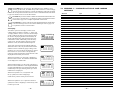
The TI-007 interacts with the operator through the membrane
keypad and the LCD display. The functions of the various keys
on the keypad are detailed below, followed by an explanation of
the display and its various symbols.
ALRM
CAL
IN
MM
DIFF
SEND
SCAN
ON
OFF
The Keypad
This key is used to turn the TI-007 on and off. When theTI-007 is turned
ON
ON, it will first perform a brief display test by illuminating all of the segments
OFF
in the display. After one second, the tool will display the internal software
version number. After displaying the version number, the display will show “0.0000”
(or “0.000” if using metric units), indicating the tool is ready for use.
The TI-007 is turned OFF by pressing the ON/OFF key. The tool has a special memory
that retains all of its settings even when the power is off. The tool also features an autopowerdown mode designed to conserve battery life. If the tool is idle for 5 minutes, it will
turn itself off.
The CAL key is used to enter and exit the TI-007’s calibration mode. This
CAL mode is used to adjust the sound-velocity value that the TI-007 will use when
calculating thickness. The tool will either calculate the sound-velocity from a
sample of the material being measured, or allow a known velocity value to be entered
directly. Refer to page 7 for an explanation of the two CAL functions available.
IN
MM
The IN/MM key is used to switch back and forth between English and metric
units. This key may be used at any time, whether the tool is displaying a
thickness (IN or MM) or a velocity value (IN/µs or M/s).
The UP arrow key has two functions. When the TI-007 is in calibration mode,
this key is used to increase numeric values on the display. An auto-repeat
function is built in, so that when the key is held down, numeric values will
increment at an increasing rate. When the TI-007 is in measurement mode, this key is
used to select between three different modes of measurement ( echo-echo, interface-echo,
or auto ). Refer to page 6 for an explanation of the calibration procedure and to review the
various measurement modes.
SCAN
The SCAN key switches the SCAN measurement mode on and off. Refer to
page 8 for an explanation of the SCAN measurement mode.
The DOWN arrow key has two functions. When the TI-007 is in the CAL
mode, this key is used to decrease numeric values on the display. An auto-repeat
function is built in, so that when the key is held down, numeric values will
decrement at an increasing rate. When the TI-007 is not in calibration mode, the DOWN
arrow key switches the display backlight between three available settings. OFF will be displayed when the backlight is switched off. AUTO will be displayed when the backlight is
set to automatic mode, and ON will be displayed when the backlight is set to stay on. In
the AUTO setting, the backlight will illuminate while the TI-007 is making a measurement
and turn off after several seconds to conserve battery life.
– 14 –
–3–