1
Page 3
2.1.7
File name: fflyusb.h
This file is the C Header file which enables applications (API calls) to access the DLL functions
correctly.
This header file includes 3 other header files:
1. x10err.h: This defines Firefly X10 error codes.
2. x10serl.h: This defines constants relating to Firefly X10 serial communications.
3. x10io.h: This defines constants relating to Firefly X10 input/output.
These files tell what functions are available to the developers, and how they should be called. You
must include it in your program file.
2.1.8
File name: unlockio.lib
This module provides advanced security features that will prevent other people running your game
code. The complexities of this procedure are hidden to you.
This library file must be linked into your project in order to use it and to benefit from these security
features.
2.1.9
File name: unlockio.h
This file is the C Header file that enables you to benefit from the security features described above (in
unlockio.lib).
When the X10 is first plugged in and initialised it is in a locked state and is not functional. Before the
X10 can be used it must first be unlocked. The unlockio library provides two functions to achieve this:
BOOL UnlockX10( FireFlyUSB * FireFly );
This function unlocks the X10 and is used in all provided demonstration programs. It returns TRUE if
no problems were encountered during the unlock process and FALSE otherwise. If the X10 was
previously unlocked then this function will simply return.
BOOL UnlockX10Recheck( FireFlyUSB * FireFly );
This function is provided as an alternative to UnlockX10(). The UnlockX10Recheck() function differs
from UnlockX10() in that it always attempts to unlock the X10. If the X10 was previously unlocked and
UnlockX10Recheck() is called (using the incorrect unlockio library) then the unlock process will fail and
the X10 will re-lock itself.
A final function is provided in the unlockio library:
BOOL VerifyX10UnlockLibrary( FireFlyUSB * FireFly );
This function ensures that the unlockio library is correctly linked to the fitted X10. It does not attempt to
unlock or re-lock the X10. The function returns TRUE if the unlockio library matches and FALSE
otherwise.
You must include unlockio.h in your program file.
2.1.10 Development Kit Uninstall
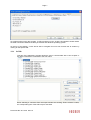
In order to uninstall the software follow these steps:
•
•
•
•
Start Menu>Control Panel>Add/Remove Programs.
Select “Firefly X10 Development Kit”
Click Remove.
When asked to confirm, click Yes.
Document No. 80-17424 Issue 5