1
4.2.2 Live mode after connect .......................................................................... 32
4.2.3 Display Infoline ...................................................................................... 32
4.3
LOADING AND SAVING OF PROFILES .................................................................... 33
4.4
CAMERA SETTINGS ....................................................................................... 34
4.4.1 Framerate, exposure time and frame size .................................................. 34
4.4.1.1 „Low Light“ modus ........................................................................................ 34
4.4.1.2 Max Shutter ................................................................................................. 35
4.4.1.3 Changing frame size ...................................................................................... 35
4.4.2 External signals ..................................................................................... 37
4.4.2.1 Trigger input ................................................................................................ 37
4.4.2.2 Enable Sync in.............................................................................................. 37
4.4.2.2.1 Framerates of master and slave camera .................................................... 38
4.4.2.3 ARM or “Sync out” signal................................................................................ 39
4.4.2.3.1 Sync out activated ................................................................................. 39
4.4.2.3.2 ARM activated ....................................................................................... 39
4.4.2.4 Display input ports ........................................................................................ 39
4.4.2.5 Convert Analog Values (EoSens Cube cameras only) .......................................... 39
4.4.3 Advanced settings .................................................................................. 41
4.4.3.1 Black level ................................................................................................... 41
4.4.3.2 Gain............................................................................................................ 42
4.4.3.3 Linear oder logarithmic .................................................................................. 42
4.4.4 „Quad Mode“ (for black and white EoSens Cube6 / mini1 cameras only)......... 43
4.4.4.1 Check camera temperature............................................................................. 43
4.5
RECORD SETTINGS ....................................................................................... 44
4.5.1 Standby after record end......................................................................... 46
4.5.2 Record until end of buffer (single mode) .................................................... 46
4.5.2.1 Without trigger “Record until end” ................................................................... 46
4.5.2.2 Recording while trigger is active ...................................................................... 47
4.5.2.3 Fixed number of frames per trigger (burst trigger) ............................................. 48
4.5.3 Record in ring mode (circular).................................................................. 49
4.5.3.1 Trigger modes .............................................................................................. 49
4.5.3.1.1 Trigger with external signal ..................................................................... 49
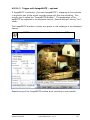
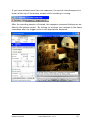
4.5.3.1.2 Trigger with ImageBLITZ – optional.......................................................... 50
4.5.3.1.2.1 ImageBLITZ parameters................................................................... 51
4.5.3.1.2.1.1 Pixel value difference (“Gray difference2) ...................................... 51
4.5.3.1.2.1.2 Relative object size (“Rel. Object size”) ........................................ 51
4.5.3.1.2.1.3 ImageBLITZ reference frame ....................................................... 51
4.5.3.1.2.1.4 ImageBLITZ window colors.......................................................... 51
4.5.3.2 Multi sequence mode - optional ....................................................................... 52
4.5.3.3 Auto Save .................................................................................................... 54
4.5.3.3.1 Start an autosave session ....................................................................... 55
4.5.3.3.2 Stop an autosave session........................................................................ 55
4.5.3.3.3 Show the saved frames .......................................................................... 55
5
ARRANGE A SCENE ....................................................................................... 56
5.1
RECORDING IN NON CIRCULAR MODE .................................................................. 56
5.2
RECORDING IN CIRCULAR MODE ........................................................................ 56
5.2.1 Start recording ...................................................................................... 58
5.2.2 Stop recording ....................................................................................... 58
5.3
PLAYBACK OF A SEQUENCE .............................................................................. 59
5.3.1 Edit and save a sequence ........................................................................ 60
5.3.2 Select a sequence for playback and storage ............................................... 60
5.4
OPEN STORED IMAGES ................................................................................... 60
6
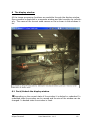
THE DISPLAY WINDOW ................................................................................ 61
6.1
6.2
6.3
6.4
6.5
DOCK/UNDOCK THE DISPLAY WINDOW ................................................................ 61
FIT TO WINDOW/DISPLAY ORIGIN SIZE ................................................................ 62
MINIMIZE/MAXIMIZE THE WINDOW .................................................................... 62
SHOW/HIDE THE TOOLBAR .............................................................................. 62
ZOOM...................................................................................................... 62
HiSpec Director2
User Manual Ver. 1.1.0
3