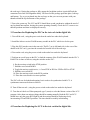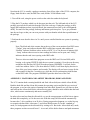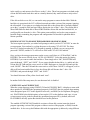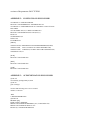
1
Note that the LCU is actually a package consisting, from left to right, of the CP581 computer, the
floppy /hard disk drive unit, the IRIG time card, and the 3COM ethernet card.
1. Turn off the rack, using the power switch on the outlet box under the keyboard.
2. Plug the LCU package which is to be the spare into the rack. The left-hand side of the LCU
package goes into the seventh slot from the left of the card cage. Getting the package to fully
engage the backplane sockets is quite difficult; the connectors have little or no self-alignment
ability. You must feel the package, both top and bottom, push into place. Try to get you hands
into the card cage so that you can exert pressure with your thumbs at both the top and bottom of
the package.
3. Perform the tests describe above in 2A. until you are satisfied that the test system is operating
properly.
Note: The black and white counter data at the top of the screen monitors four IRIG errors.
“TmOut” (time out) indicates that the IRIG card did not respond when addressed.
“BadDat” indicates bad data values such as a BCD 7,8, or 9 in the tens of minutes field.
“ Jump” indicates that successive time readings had values too far apart, and “NoSig”
indicates that the card is not syncing to the IRIG cable.
There are also two stand-alone programs to test the IRIG card. Get into DOS (while
booting, or by typing VERTEX while the test system is running). Go to the root directory
and then to the directory BC630AT. Run the program 630DEMO1. It will ask for the
card’s base address. Enter 0. (The base address is 200H). It will then display the time in
days of the year, hours, minutes, and seconds. The display will read zeros (except for the
sub-seconds) for the first 5 seconds or so, while the card is synchronizing with the data
on the IRIG cable. The program 630DEMO2 provides other tests of the card.
APPENDIX 1 PLATFORM AND LABTEST PROGRAMS, DISKS AND FILES
The LCU contains both a rotating hard disk and fixed silicon disk (non-volatile silicon RAM).
Both the hard disk and the silicon disk contain the operating version and the lab test version of
the program, so we have the option of running from either disk. Normally we will chose to boot
and run from the silicon disk which, with no moving parts, should be more reliable than the hard
drive, which rotates continuously and must eventually fail.
In order to boot and run from the silicon disk, we use the setup program to tell the bios to ignore
the hard disk completely, as if it does not exist. With this setup, the silicon disk automatically
becomes the C: drive and there is no D: drive. During program development, we set the bios up
to recognize the hard disk; it becomes C: and silicon disk becomes D:. In this “standard pc”
mode, we load programs on the silicon disk by writing to D:. But in the ‘silicon disk only’ mode,
these programs are then accessed from C:. As a result, all the disk references and path statements