1
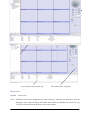
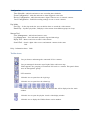
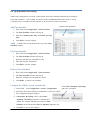
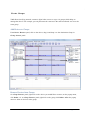
VMS Main Window
The user interface was designed for ease-of-use to offer quick, easy access to cameras and recording
in the system.
MENU
Toolbar
View Devices and
Electronic Map
View operation log and alarm log
Video Display
Play bar
PTZ control and view groups
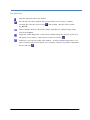
Menu items
System - Switch users.
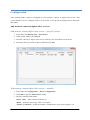
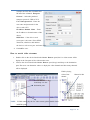
View - Different panels can be displayed in the main window by selecting your preference from the
dropdown menu. VMS can display the Toolbar, Device Browser, Map Browser, Alarm List, Log
List, PTZ console and Group Browser on the main window.
Page 5 of 18