1
g7 Absolute Gravity Data Acquisition and Processing Software
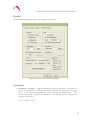
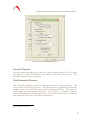
Note that in earlier version of the g Software, this was known as the “Datum
Height”.
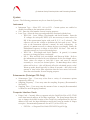
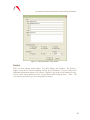
Laser
•
•
•
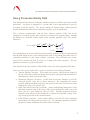
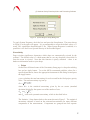
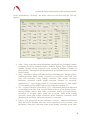
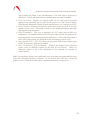
WEO 100
o By selecting “Lock Detection” and connecting the “Laser Lock” signal from
the back of the WEO 100 controller (or the WEO 200) to CH 7 of the SIM (or
older Patch Panel units), the software will ignore drops that occur while the
laser is unlocked. The software will then try another drop immediately until
the laser is locked. The software will then process drops it until it “catches
up” with the desired drop interval.
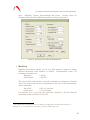
o “Automatic Peak Detection” determines the locked peak by checking the input
voltage on the Patch Panel Laser input channel. g uses the measured voltage
on Channel 3 to determine which peak (DEFG or GHI) was valid during the
drop. If for some reason the voltage in Channel 3 is invalid, the user can still
deselect Automatic Peak Detection and manually enter the wavelength from
the pull-down menu.
o “Modulation Frequency” includes the modulation frequency entered in the
System Laser Setup page in the equation of motion. This option should
always be selected when using a WEO 100 laser.
WEO 200
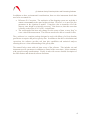
o By selecting “Lock Detection” and connecting the “Laser Lock” signal from
the back of the WEO 100 controller (or the WEO 200) to CH 7 of the SIM (or
older Patch Panel units), the software will ignore drops that occur while the
laser is unlocked. The software will then try another drop immediately until
the laser is locked. The software will then process drops it until it “catches
up” with the desired drop interval.
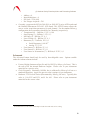
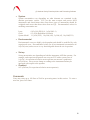
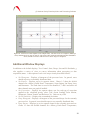
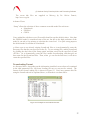
ML-1
o For ML-1 or AL-1 lasers, the user can select the red or blue wavelength, or
select Alternate. In Alternate mode, the software will send an impulse signal
through the digital output of the patch panel and switch between the two
modes between each set. Blue lock sets will be displayed in blue on the Sets
view while Red lock sets will be displayed in Red. Note that in normal
situations it is highly recommended to use Alternate Mode. The software
automatically takes an average of the red sets, an average of the blue sets, and
then the resultant average of these values. It is the average of the blue and red
wavelengths that is stable over long time periods (many months).
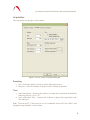
Seismometer
This enables the compensation of the seismometer data when used on the FGL Prototype
instruments.
15