1
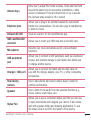
Burst shot
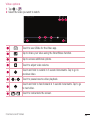
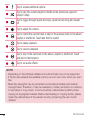
Allowsyoutotakemultipleshotsquickly.Touchandhold .
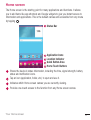
Gallery
TheGalleryapplicationpresentsthepicturesandvideosinyourstorage,includingthose
you'vetakenwiththeCameraapplicationandthoseyoudownloadedfromthewebor
otherlocations.
1 Tap > > toviewtheimagesstoredinthestorage.
2 Tapanalbumtoopenitandviewitscontents.(Thepicturesandvideosinthealbum
aredisplayedinchronologicalorder.)
3 Tapapictureinanalbumtoviewit.
NOTE:
• Depending on the software installed, some file formats may not be supported.
• Some files may not play properly due to their encoding.
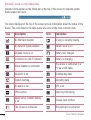
Viewing pictures
TheGallerydisplaysyourpicturesinfolders.Whensomeappssaveapicture,afolderis
automaticallycreatedtocontainthepicture.
Picturesaredisplayedbythedatetheywerecreated.Selectapicturetoviewitfull
screen.Scrollleftorrighttoviewthenextorpreviousimage.
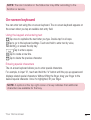
Zooming in and out
Useoneofthefollowingmethodstozoominandoutonanimage:
• Double-tapanywheretozoominandout.
• Spreadtwofingersapartonanyplaceinthepicturezoomin.Pinchintozoomout.
48
Camera and Video