1
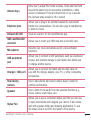
< Date & time > UseDate×ettingstosethowdateswillbedisplayed.Youcanalsousethese settingstosetyourowntimeandtimezoneratherthanobtainingthecurrenttimefrom themobilenetwork. < Accessibility > UsetheAccessibilitysettingstoconfigureaccessibilityplug-insyouhaveinstalledon yourdevice. TalkBack AllowsyoutosetuptheTalkBackfunctionwhichassistspeoplewithimpairedvisionby providingverbalfeedback.TaptheTalkBackswitch atthetoprightcornerofthe screentoturniton.TapSettingsatthebottomofthescreentoadjusttheTalkBack settings. Font size Allowsyoutochangethesizeofthetext. Invert colors Checkmarktoinvertthecolorsofthescreenandcontent. Color adjustment Setstoviewthescreenwithgreatercolorcontrast.Taptheswitch toturniton. Thentapthescreenanddragacrossthescreeninanydirectionuntilyouseethecolor contrastyouwanttouse. Touch zoom Allowsyoutozoominandoutbytriple-tappingthescreen. Screen shade Dimsthescreen'sbacklight. Accessibility shortcut Activatethisfeaturetoallowyoutoquicklyenableaccessibilityfeaturesintwosteps. Text-to-speech output Setsthetext-to-speechpreferredengineandspeechratesetting.Alsoplaysashort OFF ON OFF 66 ON Settings