1
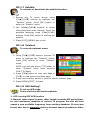
via DVB-T menu option “Auto Search”. 3. Auto: when signal is weak, after certain seconds AFS period time, for the continuous reception of current TV program the unit will first search a new available frequency from existing database. If none was found, unit will automatically perform channel search procedures after user-defined tuning period time. 1. Browse TV menu using [CH]/[CH] button and press [OK] button to enter “AFS Setting” 2. Press [VOL] button and use [CH]/[CH] to scroll up/down the options. 3. Select one by pressing [OK] button or exit the setting by pressing [MENU]/[EXIT] button. 4. After adjusting, press [MENU]/[EXIT] button to leave “AFS Setting” menu. *What is AFS? AFS or Auto Frequency Switch is a smart feature that allowing user to watch a channel when moving between 2 cities/areas where the channel is broadcasted in different frequencies. For example, channel “ABC” in city A is broadcasted in frequency 474MHz. In city B, this channel “ABC” is broadcasted in frequency 490MHz. With this feature, when user moving from city A to city B or vice versa, user can keep watching the channel “ABC” without having lost the signal neither performing auto search to find the new frequency in city B. 28