1
Quick Installation
Guide
SG60KTL
PV Grid-connected Inverter
SG60KTL-QIEN-Ver13-201501 Version: 1.3
SG60KTL Quick Installation Guide
This guide provides a general instruction of the installation procedures of SG60KTL.
In no case shall this guide substitute for the user manual or related notes on the
device.
Make sure to read over, fully understand and strictly follow the detailed
instructions of the user manual and other related regulations before installing
the equipment.
Any violation could result in personal death or injury or device damage.
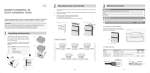
1 Unpacking and Inspection
Step 1 Remove the backplate and
fasteners from the packaging.
Step 2 Inspect the inverter for visible
damages and check the
completeness of the delivery
contents according to the
inner packing list.
Contact your supplier if any of the contents is missing. SG60KTL is
unavailable if any damage is detected.
1
A
B
C
D
×12
E
2
F
Item
Name
A
B
C
Inverter
Backplate
Inverter cap
D
Documents
E
F
Expansion bolts
Fasten set
G
Fix screw
H
DC connector
G
H
Description
--Used to fix the inverter to the installation site.
For better weather-proof function of the inverter.
Quality certificate, packing list, product test report, CD
and quick user manual
Six units to fasten backplate to concrete wall.
Six units to fasten backplate to metal frame.
Two M4×16 screws to fix the inverter with the
backplate.
Twelve pairs MC4 terminals for PV connection.
2 Mounting Inverter onto the Wall
y Select the installation location and regulate the clearances of multiple inverters,
referring to the user manual.
y Move the inverter to the installation site with the help of another person or the
lifting device by means of the handles.
y Install the inverter onto wall as following procedures.
a)
Fix the backplate on the wall with appropriate fixing sets.
b)
Assemble the top cap of the inverter.
c)
Mount the inverter onto the backplate and secure it with M4 screws.
3
*Supplement
If the installation location is higher, the inverter can not be directly linked to the
backplate, please perform following steps to lift the inverter to the level of the fixed
backplate or adjacent place.
Step 1 Screw two M12-screwed lifting rings to the screw holes on top of the
inverter.
M12-screwed lifting ring is a standard component. It is not within the
scope of delivery. Please purchase from the market if needed.
Step 2 Lead the rope (with sufficient load-carrying capacity) prepared beforehand
through the two lifting rings to lift the inverter. Inverter is lifted to the level of
the fixed backplate or adjacent place.
Please keep the inverter balance during the whole process of inverter
lifting. Inverter may hit the wall or other obstacles if otherwise.
4
3 Electrical Connection
Death hazards due to high voltage existing inside the inverter!
Make sure that all the DC and AC cables to the inverter are not live before you
start the electrical work.
Do not turn on the AC side or DC side circuit breaker until all inverter electrical
connections have completed.
3-1 Open the Connection Cabinet
Loose the six screws on the front cover of the connection cabinet and remove the
front cover to see the internal layout of the connection cabinet.
5
3-2 Cables Selection
y AC Cable
No.
Description
Remark
A
External diameter of the cable: 37~44 mm
C
Protective layer
Length of insulation
stripped off
Insulation layer
D
Cross section of AC cables
B
to
be
24 mm
Range: 25-70mm2; recommended value:
50 mm2
The following table gives the recommended max. length of the AC cables based
on the cross-section of the AC cables.
Cross-section of the AC cable (mm2)
Max. length of the AC cables (m)
25
35
50
0-50
50-100
>100
y DC Cables
Cross-sectional
area
Cable
External
diameter
Max.
withstand
voltage
Max. input current for
each PV string
4~6mm2
12AWG~10AWG
6~9mm
1000V
12A
y Second PE Cable
Cross-sectional area(mm2)
10AWG…8AWG
6mm²
Recommended conductor size(mm2)
9AWG
6mm²
y RS485 communication cables
Shielded twisted pair cables or Shielded twisted pair Ethernet cables.
6
3-3 AC Connection
Pull the cables and connect L1/L2/L3/N/PE cables ends to the corresponding
terminal blocks.
*Supplement
When the specification of AC cable protective layer you have selected is less than
the recommended external diameter (37~44 mm), you need to wind the AC cable
around by sealing strip in the form of spiral.
If the specification of AC cable protective layer is less than the
recommended external diameter and no sealing strip is used, there may
have moistures inside the inverter and unrecoverable damage the
inverter.
The sealing strip is within the scope of delivery.
Step 1 Wind the AC cable around in the form of spiral
Wind the AC cable around for one or two layers according to the
diameter of the protective layer.
External
diameter of
the AC cable
Number of layers
Length of the sealing
strip winded around
the AC cable
25mm~29.9mm
30mm~36.9mm
2
1
80mm~100 mm
80mm~100 mm
7
80
m
m
~1
00
m
m
Use the sealing strip to wind the AC cable around in the form of spiral as shown in
the Fig.3-1.
Fig. 3-1 Wind around the AC cable in the form of spiral
*Pictures here are indicatively only. The AC cable and sealing strip in kind prevail.
•
Before winding, the surface of the AC cables that will be winded by
sealing strip should be wiped clean.
•
When you wind the second layer, please press the sealing strip
in-between the gaps of that of the first layer.
•
Please ensure there is no obvious gap of the spiral seams. The gap width
should be less than 1.0mm.
•
To prevent the sealing strip tilt, it is suggested to use cable ties or rope to
fasten the ends of the sealing strip.
•
When the diameter of AC cable protective layer is less than 25mm, you
should wind the AC cable around for three layers.
Step 2 Insert the AC cable into the junction box, through the AC cable glands as
shown in the Fig.3-2. The exposed length of sealing strip should be the half
of the length that the sealing strip winded around the AC cable.
8
Fig. 3-2 Insert the AC cable into the junction box
3-4 DC Connection
Step 1 Check the connection cable of PV string for the correct polarity and that the
open-circuit voltage does not exceed the inverter input limit 1000V, even
under the lowest operating temperature.
• Check the positive and negative polarity of the PV cells. After
confirmation, you can insert the DC connectors into the input terminals
on the bottom of the inverter.
• For the same MPPT, reverse connection of a single string is prohibited.
A permanent failure of the system or inverter may follow if otherwise.
9
Step 2 Insert the positive and negative DC connectors into the input terminals
on the bottom of the inverter until there is an audible sound.
3-5 Second Protective Earth Terminal
Inverter is equipped with second protective earth terminal as specified in EN 50178.
Position of Second PE Terminals
There is a second PE terminal on one side of the inverter. User can perform PE
connection if necessary.
10
Cable Connection
* Connection parts are not within the
scope of delivery
Item
Name
Description
A
Screw
M6×12mm
B
C
D
E
Lock washer
Washer
Cable socket
Yellow-green
cable
6mm2(9AWG)
3-6 Communication Connection
There are two communication waterproof connection terminal on the bottom of the
inverter. RS485 A/B terminals, RS485 interface and Ethernet interface (optional) are
provided on the configuration circuit board of the junction box. A 120Ω terminating
resistor can be connected between the A and B communication cable through the
dip switch.
11
For RJ45 Connection the pins definitions are shown below.In Ethernet cable, Pin 3
white-green cable defines RS485- B while Pin 6 green cable defines RS485+ A.
3-7 Completing Installation
Inspect before commissioning and reassemble the front cover of the connection
cabinet.
12
4 Commissioning
Before starting SG60KTL, make sure all installation and connections are completed
and verified.
Step 1 Close the AC circuit breaker.
Step 2 Rotate DC switch to “ON” position.
Step 3 Suppose there are sufficient sunlight and enough DC power. PV arrays
initialize and supply DC power to inverter. The LCD display is activated
when DC voltage exceeds inverter startup votlage. If there is a defect on the
display, contact Sungrow.
Button
Operation
Description
Press for less Move upwards or downwards or scroll among set
than 2 seconds values. Hereinafter, it is referred to as “Press j”.
Press for more
Return to the previous menu or cancel the command.
than
two
Hereinafter, it is referred to as “Press ESC”.
seconds
Press for less Move left or right, or turn pages. Hereinafter, it is
than 2 seconds referred to as “Press h”.
Press for more
Enter into the sub-menu or confirm the command.
than
two
Hereinafter, it is referred to as “Press ENTER”.
seconds
Step 4 Press j to choose country
code. Confirm the settings by
Pressing ENTER.
Step 5 Select
the country code
according to the installation
country of the inverter. Each
country
code
represents
corresponding local protective
parameters that have been
preset before delivery. Before
country setting, there is
warning
screen.
Operate
according to the warning
information and press ENTER.
13
Refer to “Protection Parameter Setting” in User Manual for country code explanation.
If the inverter is installed where the country code is not included, please choose
item “Other” and manually set the protection parameters.
Step 6 If the country code set as GR, a Grid
codes page as shown in the right will
appear. Press j to select grid code and
press ENTER to confirm.
If the country code set as DE, a Grid codes page
as shown in the right will appear, where LV
signifying low-voltage grid; MV signifying
medium-voltage grid. Press j to select grid
code and press ENTER to confirm.
If the country code set as TK, a Grid codes page
as shown in the right will appear. Press j to
select grid code and press ENTER to confirm.
If the country code set as TH, a Grid codes page
special for Thailand will appear. Press j to
select grid code and press ENTER to confirm.
If the country code set as Other, a Grid codes
page as shown in the right will appear. Press j
to select grid code and press ENTER to
confirm.
Step 7 If the country selected is not the
abvementioned 5 countries, enter the
next step directly.
14
Step 8 After selecting the Grid Code, there will
be a “Pro-stage” type selection screen and
then corresponding sub-menu will come
up. For detailed information, please refer
to “Protection Parameter Setting” in User
Manual.
Step 9 Set the inverter time as per local time.
Incorrect time setting will affect the data
logging. Press h to move the cursor and
Press j to set the specific time and date.
Press ENTER to confirm setting.
Step 10After configuring all parameters, there
will be a “setting confirmation” screen.
Check whether all above-mentioned
parameters are correct. Confirm by
Pressing ENTER. Cancel by Pressing ESC
and reset.
Step 11Inverter will enter into startup process.
Observe the status of LED indicators and
the LCD main screen. If commissioning
succeeds, the “RUN” indicator will be on d
“Run” will be displayed on the “State” area.
If commissioning fails, the “FAULT” indicator will be on and “Fault” will
occur on the display. Press j to view “current fault” information. Remove
the existing fault and then repeat the commissioning procedures.
15
Sungrow Power Supply Co., Ltd.
Add: No.1699 Xiyou Rd.,New & High Technology Industrial Development Zone, 230088,Hefei, P. R. China.
Post Zip: 230088
Web: www.sungrowpower.com
Tel: +86 551 6532 7834/6532 7845
E-mail: [email protected]
Fax: +86 551 6532 7856
Specifications are subject to changes without advance notice.