1
•
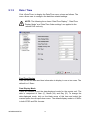
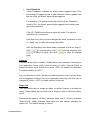
Weekend Start/End
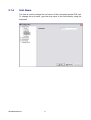
Weekend Start Time indicates the specific day and time that a
weekend begins, for example, FRI 18:00. The Weekend End Time
indicates the specific time and day that a weekend ends, for example,
MON 06:00. Time is indicated in 1-minute increments.
Note that the value you have set indicates when the regular Day and
Night scheduling ends, and Weekend recording begins.
5.3.2
Preset Configuration
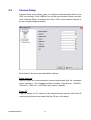
<Preset Config> is used to select the preset recording quality and frame rate.
Different default recording quality levels are offered for users to choose from:
<Best Quality>, <Standard>, <Extended Record>, <Event Only>, and
<ezRecord>.
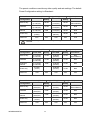
According to various Record modes, the preset configuration options for
normal and event status are described in terms of relative recording rate
(PPS) and recording size for each channel in the below tables.
00P2DG094DSEA1
27