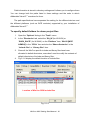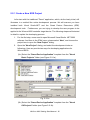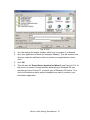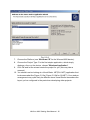
1
2.
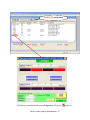
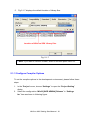
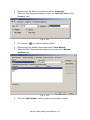
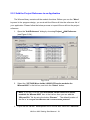
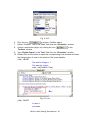
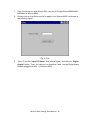
Fig. 5-2-8
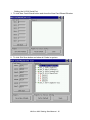
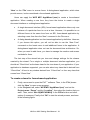
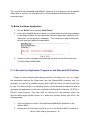
Move your cursor to the top and select the development tool you want by
using the following methods:
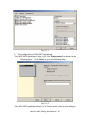
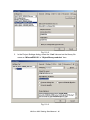
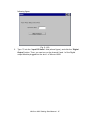
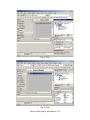
(2a.) In the VB.NET development tool, insert the “Imports Wincon” on the
first line location.
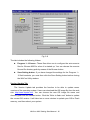
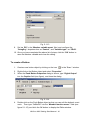
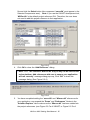
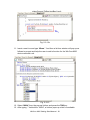
Fig. 5-2-9a
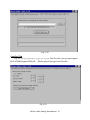
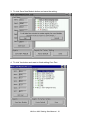
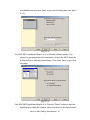
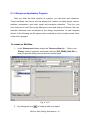
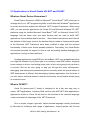
(2b.) In the C#.NET development tool, insert the “Using Wincon;” into the
command line after “using System.Data;” as shown in following figure
5-2-9b.
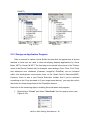
Fig. 5-2-9b
3.
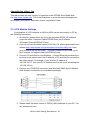
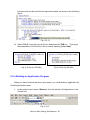
Click the “Form1.vb [Design]*” (or “Form1.cs [Design]*”) tab in the
workspace window above to change the code view window to the form design
window.
4.
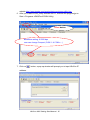
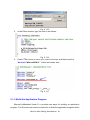
Click the icon
object.
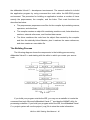
5.
Type “Input DO Value” into the “Text” field from the “Properties” window.
on the “Toolbox” window to create a label text
WinCon-8000 Getting Start Manual-- 57