Download Untitled

Transcript
Tutoriel de PicturesToExe 5.00
* Fixed bug when Ulead DVD MovieFactory or another DVD converter
didn't work with video file of PicturesToExe.
* Improved stability with AVI video output feature
* Fixed bug when random show of slides didn't work in synchronized presentation.
* Fixed one visual bug on the timeline.
* Fixed problem with skipping of sound comments (closely located) in some cases.
PicturesToExe v4.40
+ Added new terrific transition effect: Curling of page
It contains 16 variations and ability to set radius of curling. Horizontal/vertical variations of this effect
work smooth on any PC. (Note: Diagonal variants require a very fast PC. We'll try to optimize this new
diagonal effect in the future.)
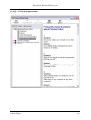
+ Fully reworked "Customize synchronization" window:
> Work with real slides on the timeline.It means that every transition point is exactly linked with a
particular slide.
> Added "Shift points..." feature allows to shift all or selected points.
> Added "Shift all points to right" function moves all points outside the music;
> Added "Insert Slide" button. Now you can insert one or several new slides directly into the timeline.
> Added "Delete Slide" button removes selected transition points and slide(s).
> Added "Replace Main Image" action in popup menu. (Click the right mouse button on a transition
point.)
> Cancel button abolishes all changes with slides (if you mistakenly deleted slides);
> Added a popup menu for transition point(s);
> Multi-select and various actions with several selected transition points;
> And all usual actions with Shift and Ctrl keys;
> Added a transition point of a first slide;
> Improved preview of transition effects;
> Vastly improved a show of waveforms. Just click "Waveform" button and all visible waveforms will be
shown automatically;
> Ability to change a duration of an effect visually. Drag the small grip at the end of the effect strip;
> Press Up/Down keys for the accurate (+/- 10 ms.) moving of the cursor;
> Press Ctrl+Up/Ctrl+Down keys (or < >) to move cursor between slides and strips of effect durations;
> Press Right/Left keys to move between transition points;
> Added "Import Points from Another Project..." function;
> Added "Auto Addition of New Transition Points for New Slides" option. (See "View" popup menu).
Disable it if you prefer to control fully the addition of new transition points;
> Other improvements.
+ Now you can edit personal settings of several selected slides.It means that, for example, it is
possible to set a transition effect
for several slides, but the other personal parameters will be left individual.
+ Alternative Slide list, File panel or Timeline scrolling. Hold Alt key, press mouse button and move the
mouse (as in PageMaker, or in Photoshop).
+ Added "Timeline" button to the main window of PicturesToExe and Ctrl-L hotkey for the same
purpose.
+ Improved the protection of "Expire date" option.
+ Added new kinds of protection: "Expire after (days)" and "Number of runs".
+ Improved Navigation bar:
> Added "Auto hide Navigation bar after <...> seconds" options;
> Added "Hide Navigation bar at startup" option;
+ Improvements in AVI video output:
> It supports personalized background music now. (If you want to set a new playlist starting from a
definite slide.)
> Added "Show safe TV zone" option in Visual editor window. This can be useful for preparing a slide
show for DVD disc.
+ "Display slides in random order" option works for synchronized shows.
+ Added "Don't interrupt sound comment when next slide appears" option. It allows to play sound
comment during several slides. (Project options | Music tab).
+ Added "Random order" function (Alt+R or see popup menu) for the Slide list. It will help to sort all (or
selected) slides in random.
Laure Gigou
10