1
Tutoriel de PicturesToExe 5.00
> Also see our updated examples of presentations created with v3.00
and which use object system (http://www.wnsoft.com/download.htm)
+ You can edit picture's filename now
- Removed support of projects created with PicturesToExe v1.00 - v1.60
+ Updated FAQ
+ And more than 40 other changes!
PicturesToExe v2.30 (June 21st, 2000)
+ Fixed bug with closing of presentation if set checked
option <Exit on mouse move> (Project options, <Advanced> tab)
+ And other changes
PicturesToExe v2.25 (June 14th, 2000)
+ Fixed bug with incorrect positioning of the navigation bar
(this bug contain only in v2.20)
+ Added support for Slovenian languge
+ And other changes
PicturesToExe v2.20 (May 25th, 2000)
+ Added support for Hungarian language
+ Now you can add multi-strings comment for slides. To enter text click
small button located at the right from the field where you entered
a comment string earlier. Also you can customize strings interval
and text alignment (see Project options, <Comments> tab or
personal settings for necessary slide - Ctrl+U).
+ Changed e-mail address of technical support to: [email protected]
+ Updated help system and documentation
+ Updated FAQ (added two new questions)
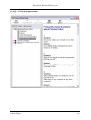
+ Added <Help> and <Exit> buttons to navigation bar (see below)
+ Can customize buttons of navigation bar (see Project options,
<Advanced> tab, <Customize navigation bar...> button)
PicturesToExe v2.15 (April 26th, 2000)
Changes since version 2.10:
* Fixed bug which appear on playing of mp3 file on some sound cards
Changes since version 2.10 beta:
* Fixed several bugs
+ Improved support for Netherlands language
+ Added support for Italian language
+ Improved "About..." window
Changes since version 2.00:
* Fixed several bugs
* We're fixed old bug with staying empty blocks on taskbar after
closing presentation under Windows 98!
+ It's possible to hide mouse cursor during presentation
(see Project options, <Advanced> tab)
+ File panel is more comfortable in use
+ It's possible to remove pictures from image list by <Del> key
+ Added support for Russian and Netherlands languages (if you want to
add your native language, please contact us at [email protected])
+ It's possible to translate texts of messages in the produced presentation
(captions of buttons, labels, etc.) - see Project options, <Messages> tab
+ Added special tools for working with comments: see Main menu, Edit,
<For current comment> and <For all comments>
(to fill comment fields with picture name)
+ Added <Name> button of file panel header to change sort mode
+ Little improvement in panel of drives
+ Added <Exit> button to the startup window of presentation
+ Also <Exit> or <Help> buttons of startup window can be disabled
(see Project options, <Main> tab, <Customize startup window>)
+ Can include more than one audio file for background music
Laure Gigou
21