1
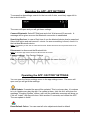
Reset Menu positions. You can reset all menu positions, in case something
happened, to the original settings when you received the device. Your records or
spots won’t be erased.
Credit/Google License : for information only
Factory Settings. With a special pin code setup adjustments for sonar and autopilot
can be done by your distributor.
Installation of the APP
If you got a new android device make sure that you first update Google maps
before you install the APP. If you got this error message
java.lang.NullPointerException Google maps is not updated!
Go to Android settings, menu ‘security’ and enable the option “accept apps from
unknown devices”
The app will create a few directories:
-Sonar where you will find records made of the sonar records
-Bathymetric, where you will find records made for 3d applications
-Documentation
After you have successfull installed the app, you can open it.
The next step is to pair your BT device:
Open the APP settings menu by clicking on the 3 dots in the upper right corner of
your tablet.
Select ‘searching devices’ and wait aprox 30 seconds when the app will show you the
found BT module. Select ‘BaitBoatGPS’ to connect.
Note: Sometimes the first time you won’t read “BaitBoatGPS” but a blank row. Just select this device
and insert pin code 1234
After pairing you can let the APP automatic connect to the BT module, only make
sure the BT module is powered by a battery before the APP is started, otherwise you
will get error messages.
Note: keep the BT module close to the android device: the max distance is 5 meters, but this is
depending on the sensitivity of the android device.
When the BT link is there a short message will be given and in the upper taskbar the
app-icon is visible.
SONARCOM ALL IN APP
Pagina 11