1
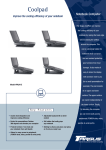
Coolpad Flo™
13. Optimize your phone’s Battery life
Battery settings
Prolong your phone battery life by turning off apps that aren’t being used or aren’t needed.
Go to
> Device > Battery.
Here you may monitor how apps, other data and your phone system all consume battery power.
Turn off Wi-Fi, Bluetooth or GPS with the Settings app.
For the GPS setting, go to
> Personal > Location services.
Turn off Navigation or Maps when not in use.
Dim your phone’s screen brightness:
> Device > Display.
Consider turning off auto-sync for all apps.
> Accounts > Google. account-name.
Note: If auto-sync is turned off, you must manually sync to check emails, and notifications
will no longer pop up.
47