1
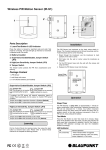
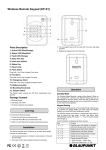
Wireless Door Contact (DC-S2) Parts Description 1. LED indicator (Inside) 2. Learn/Test Button Press the button to transmit a learn/test code and enter Test mode for 3 minutes. The LED will light up whenever Door Contact is triggered under Test mode 1. The Door Contact should be mounted on the door/window frame, while the magnet should be mounted on the door/window as shown in the picture below. The Door Contact has Rib Mark on one side to mark the position of the internal magnetic switch. The Rib Mark must be aligned with the magnet when mounted, the gap between the Door Contact and the magnet should be no more than 15 mm. 3. Supervision Enable/Disable Jumper Switch (JP2) 2. Drill holes into the wall using the knockouts as template, then fix the Door Contact base onto the wall with the screws and plugs provided. Alternatively, you can also use the double side adhesive tape provided to glue the Door Contact on the frame. 4. Battery Comparment 3. Replace the Door Contact cover onto the base. 5. Tamper Switch The Tamper switch protects the Door Contact from unauthorized removal from mounted surface. Frame Door/ Window 6. Battery Insulator 7. Knockouts 8. Rib Mark 9. Magnet Package Content 1 x Door Contact 4 x wall plugs and screws 2 x adhesive pads 2 x 1.5V AAA alkaline batteries (pre-installed) Supervision Enable/Disable Jumper Switch (JP2) Jumper On Jumper Off When mounting the Door Contact, please take note of the following points: The jumper link is inserted connecting the two pins if the jumper link is removed or parked on one pin. Mount as high as possible If enabled, the PIR sensor will transmit supervision signal to Control Panel periodically for the sensor to monitor PIR sensor condition. Jumper set to ON = supervision function is Disabled (Default) Jumper set to OFF = supervision function is Enabled Do not aim a PIR sensor at this window Do not mount on metallic surface Operation Test Mode Learning Put the Control Panel into learning mode, then press the learn button to transmit learn code. Please refer to Control Panel manual to complete learn in process and device mounting. Installation The Door Contact has 2 knockouts on the inside of the back cover where plastic is thinner for wall mounting. Press the Test Button to enter Test mode for 3 minutes. Under Test mode, the LED indicator will light up every time the Door Contact is triggered. LED Indicator Off On (2 seconds) Normal Operation - When Tamper Switch is triggered - Movement detection under low battery, tamper triggered, or Test mode. Battery The Door Contact uses 2 x 1.5V AAA alkaline batteries as its power source. It also features low battery detection function to notify the Control Panel when battery voltage is low. When the Door Contact is on low battery, follow the procedure below to change the batteries. 1. Open the Door contact cover. 2. Remove the old batteries. 3. Press the learn button several times to fully discharge. 4. Insert the new batteries observing correct polarity. 5. Replace the cover. Specification Environmental Condition -10°C to 40°C, relative humidity 85% non-condensing. Radio 433 MHz FCC Statement This device complies with Part 15 of the FCC Rules. Operation is subject to the following two conditions: (1) This device may not cause harmful interference, and (2) This device must accept any interference received, including interference that may cause undesired operation. FCC Caution: To assure continued compliance, any changes or modifications not expressly approved by the party responsible for compliance may void the user's authority to operate this equipment. (Example - use only shielded interface cables when connecting to computer or peripheral devices).