1
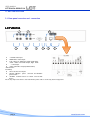
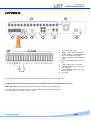
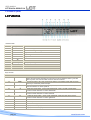
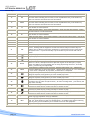
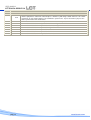
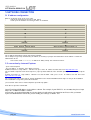
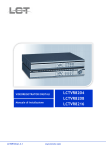
USER MANUAL LCTVR6104-8208-8216 2.2 Head-on panel LCTVR6104 Indication LED N° Symbol function 1 POWER 2 HDD Hard Disk reading / writing 3 LOCK Key locked 4 REC Recording on 5 PLAY Play Power – Standby 6 Status of remote control 7 IR 8 SEQ Start receiving form remote control Auto jump among stations 9 PTZ PTZ Control on 10 NET Network connection 11 ALARM Alarm output on Keys function N° Symbol Function 12 ESC press the ESC key will exit from lower level menu to upper level menu until fully exit from the menu status including the info menu;in case of password status ,press the ESC key after exit from the main menu will lock the machine. 13 MENU 14 Under the menu status , select items upwards ,under the PTZ control status , control the ball machine to rotate upwards. 15 Under the menu status , select items downwards ; under the PTZ control status , control the ball machine to rotate downwards. 16 Under the menu status , select items leftwards ; under the PTZ control status , control the ball machine to rotate leftwards. 17 Under the menu status , select items rightwards ; under the PTZ control status , control the ball machine to rotate rightwards. At running status, enter the menu setting status; at lock status (lock light up),press this key to remind for password input. 18 - Value down for the selected item. 19 + Value up for the selected item. 020 Confirmation key. 21 1 key1; 1 channel display 22 2 Key 2; channel 2 display pag.10 www.hrcctv.com