1
Pocket
Pro II
User Manual / Operating Instructions
Battery Installation
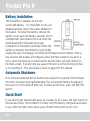
The PocketPro II operates on a 9-volt
ALKALINE battery. It is important to only use
alkaline batteries due to the power demand of
the buzzer. To install the battery, remove the
battery cover, push the battery securely into its
compartment, and replace the cover. Note the
white decal which indicates the proper
orientation of the battery terminals. When the
battery is inserted, the PocketPro II will briefly
display the sign-on message, including the firmware revision number. After a
few seconds, the display will change to show the main screen. If you are in a
hurry, press the menu up or down buttons and the timer will jump directly to
the main screen. If at any time you suspect the unit is not functioning normally, try resetting it. This procedure is listed on page 9 of this manual.
Automatic Shutdown
If no shots are detected and no buttons are pressed for a period of ten minutes,
the timer will power down automatically. This will prevent battery discharge in
the event it is not turned off after use. To wake up the timer, press the SET/ON
button.
Quick Start!
If you want to get started right away, all you have to do is press the start button on
the side and shoot. The PocketPro II comes from the factory configured and ready
to run. After the timer shuts down, press the SET/ON button to turn it on.
2/11