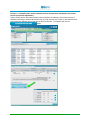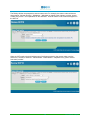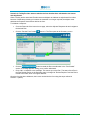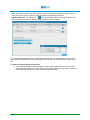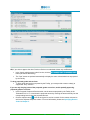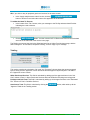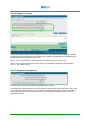
1
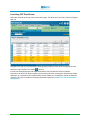
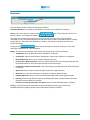
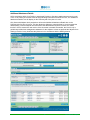
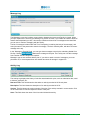
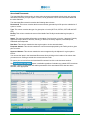
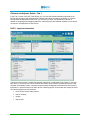
INSURER USER MANUAL Chapter 7 Using Decision Support – Plans November 2015 Chapter 7: Using Decision Support–Plans OVERVIEW The HCAI Plan Review is designed to assist in the process of reviewing and applying approval decisions to the OCF-18 and OCF-23. This section describes how to work with plans (OCF-18 and OCF-23) in HCAI. Regardless of which plan you are reviewing, the HCAI Plan Review includes the Summary tab—a quick overview of the plan and associated documents—and the plan itself, organized in a manner similar to the paper OCFs. Depending on the roles you have been assigned in the system, you can link and unlink Claimants, reassign Adjusters, search for and apply reason codes, exchange messages with a Facility, make approval decisions on plans, and view the Explanation of Benefits (EOB). Some of the HCAI functions used in decision support are explained more fully in Chapter 5: Common Functionality. SPECIFYING REASON CODES........................................................................................................................ 2 NOTIFICATIONS AND ERROR MESSAGES........................................................................................................ 2 PRINTING A DOCUMENT ................................................................................................................................ 2 OCF PLAN REVIEW...................................................................................................................................... 2 OCF-18 Review ..................................................................................................................................... 2 OCF-23 Review ..................................................................................................................................... 2 LAUNCHING OCF PLAN REVIEW ................................................................................................................... 3 SUMMARY TAB............................................................................................................................................. 4 Plan Details ............................................................................................................................................ 5 Additional Attachment Details ................................................................................................................ 6 Message Log ......................................................................................................................................... 7 Activity Log ............................................................................................................................................. 7 Associated Documents .......................................................................................................................... 8 CLAIMANT AND ADJUSTER DETAILS - TAB 1 ................................................................................................... 9 PART 1: Applicant information ............................................................................................................... 9 PART 2: Auto Insurer Information........................................................................................................ 10 Working With the OCF-18 Treatment Plan Confirmation Form ........................................................... 11 Part 12: Proposed Goods and Services .............................................................................................. 11 ADJUDICATING THE OCF-18....................................................................................................................... 12 TOTALLING ................................................................................................................................................ 14 Part 13: Signature of Insurer ................................................................................................................ 15 Initiating Need To Discuss ................................................................................................................... 16 ADJUDICATING THE OCF-23 TREATMENT CONFIRMATION FORM .................................................................. 20 Totalling ............................................................................................................................................... 23 Part 12: Signature of Insurer ................................................................................................................ 24 Part 13: Signature of the Applicant ...................................................................................................... 24 GENERATING AND VIEWING THE EXPLANATION OF BENEFITS (EOB) ............................................................. 26 W ITHDRAW RESPONSE FROM AN ADJUDICATED PLAN .................................................................................. 29 Specifying Reason Codes Reason codes are specified in the final step of every OCF Plan Review in HCAI. To search for a reason code, use the ellipsis buttons ( ) located in the Adjuster Response column of the tables, as well as in the Apply Multiple Reason Codes section below these tables. For instructions on how to search for a reason code, see Chapter 5: Common Functionality. Notifications and Error Messages If any error is detected when you are validating a completed step, a notification appears at the top of the screen in red font with an orange background. A more detailed error description is provided in the header of the section where the error occurs, and a red exclamation mark ( field that contains the error. ) appears next to the Printing a Document You can print plans or invoices by using the button available at the top and bottom of the screen as you navigate through the document. For instructions on how to print a plan, go to Chapter 5: Common Functionality. OCF Plan Review There are two parts to OCF Plan Review in HCAI: 1.) the Review, and 2.) the Adjuster Response. The first includes a read-only review of all the plan information completed and submitted by the Health Care Facility. The online forms have the same structure as the respective paper OCFs. This section does not describe how to review the forms—its focus is to guide you through the online procedure of applying/submitting decisions and to explain how to use the HCAI functionalities. The description of the Summary tab and Tab 1 is common to the OCF Plan Review for each of the forms. The last step, where approval takes place, is described separately for each. Note: The last page of each form has a section for additional comments from the Facility and/or associated Provider(s). OCF-18 Review This consists of seven screens: the Summary page, which is generated automatically when the form is submitted and the six “Tabs” (steps) of the plan which have been completed by the Facility, and are presented in read-only format. Only two of the five steps require any action or response: Tab 1, where Claimant and Adjuster information can be updated; and Tab 5, where decisions are recorded. OCF-23 Review This consists of five screens: the Summary tab, which is generated automatically when the form is submitted, and the four “Tabs” (steps) of the plan which have been completed by the Facility. Only two of the three steps require any action or response: Tab 1, where Claimant and Adjuster information can be updated; and Tab 3, where decisions are recorded. Tabs 2 and 4 are presented in read-only format. 2 Insurer Manual – Chapter 7 Launching OCF Plan Review Select the Plans tab at the top of the Insurer home page. This takes you to the Plans, Work In Progress work list. Navigate to the plan you are interested in working with by locating it in the Work In Progress work list and click on the “Review Form” button next to it. If HCAI has automatically linked the applicant details on the plan with the Insurer’s Claimant information, the OCF Plan Review opens to the Summary tab of the selected plan document by default. Otherwise, you are taken to the Claimant Match screen, where you can attempt to match the Claimant manually. For more information on matching Claimants to plans see Chapter 6: Claim and Claimant Management. 3 Insurer Manual – Chapter 7 Summary Tab The Summary tab is generated automatically upon the submission of a plan by the Facility. It allows for a quick overview of the plan and related documents, while showing the document’s transaction history and its current state. In the upper part of the page, there are three read-only sections as specified by the Facility during the creation of the plan: Claim Identifier. This section contains Applicant Name, Claim Number, Policy Number, and Date of Accident. Return this form to. This section contains information about the insurance company to which the plan has been submitted. Plan Identifier. This section contains the Document Number, which is generated by the system upon the submission of the plan by the Facility; OCF Type; OCF-18, or OCF-23; Date Submitted; Source, which indicates the method used to submit the document (i.e., DEC, PMS, Web); the OCF Effective Date; and Archival Status. Note: The above three sections appear at the top of each step of the OCF Plan Review following the Summary page. 4 Insurer Manual – Chapter 7 Plan Details The Plan Details section contains the following information: Document Number. This number is generated by the system upon submission of the plan. Owner. If you work as part of a team click the button. This inserts your name to the left of the button, and changes the button to . This action is not required by those who do not work as part of a team. Once a User has taken ownership of a plan, the system flags the plan and other Users are able to see that the plan is currently being worked on. This plan is also marked as “locked by” in the Work In Progress work list on the Insurer home page. Clicking on the button removes the flag from the plan, clears your name, and changes the button back to “Take Ownership.” Status. This field shows the status of the current plan, which can be one of the following: Unmatched, when the plan has not been matched to a Claimant. Unassigned, when the plan has been matched to a Claimant but Adjuster is not assigned. Review Required, when you are currently working on the plan. In Discussion, Response Sent, when you initiated “Need to Discuss” and opened the plan from the Submitted work list under the Plans tab of the Insurer home page. In Discussion, Response Received, when if the Facility has responded to the “Need to Discuss” for the plan. Approved, when you have recorded an approval decision against the plan. Declined, when you have recorded a do not approve decision against the plan Partially Approved, when you have recorded a partial approval decision against the plan. Pending, when the plan has been placed in pending status while you await further information required to make a decision on the plan. In Review, Locked by last-name, first-name, when the Take Ownership button is clicked. Privacy. This field is set by the Information Security Administrator (ISA) in the event that the Claimant/Applicant is disputing his/her privacy information pursuant to PIPEDA. 5 Insurer Manual – Chapter 7 Additional Attachment Details HCAI provides the ability for a Facility or associated Provider to flag when attachments are sent by mail or fax. If the Facility or Provider clicks the flag indicating information will follow the OCF, the “Additional Attachment Details” box will display on the Summary tab of the plan or invoice. Only Users with Adjuster level permissions will see the Additional Attachment Details box on the Summary tab of a plan or invoice. This box allows the Adjuster to enter the date he or she received the attachment(s). Once an Adjuster has entered the date the attachments were received, the “SABS timeline” clock is reset and a new version of the document is created. Remember, the clock is only a guide that provides time management assistance for the Adjuster. It does not preclude the Adjuster from making a decision in any timeframe they deem to be in accordance with the SABS guideline. 6 Insurer Manual – Chapter 7 Message Log The Message Log section is where communication between the Insurer and Facility is viewed. When you open a plan for the first time, the Message Log section is blank. If you initiate the “Need to Discuss” feature when adjudicating an OCF, this section contains an historic list of messages and a blank field you can use to continue messaging with the Facility. The list of messages includes Date and Time, Description (containing the body of the message), and Actor (the name of the person who wrote the message). The list is sorted by date, with the most recent message at the top. In the “Message to Provider” field, you can type short messages to send to the submitting Health Care Facility. Clicking attaches the message to the plan. The Facility can view this message from a similar area and respond as required. Message Logs are not archived with the plan. If you wish to retain a record of messages, you must print them out, or cut and paste them into another document for storage in a paper file. Activity Log The Activity Log displays the history of activities associated with a plan, such as submission date, need to discuss, approvals, etc. Date and Time. This field shows the date when an activity recorded in HCAI took place. Description. This field shows the description of an activity recorded in HCAI. Version. This field shows the version number of the plan, if the activity resulted in a new version. Click on the version link to view the respective version of the plan. Actor. This field shows the name of the User who initiated the activity. 7 Insurer Manual – Chapter 7 Associated Documents The Associated Documents section is where other documents associated with the claim are grouped and listed. Each time you open a plan or invoice, HCAI generates a list of documents associated with the same Claimant. The Associated Documents list contains the following data columns: Document #. This column contains the document number generated by HCAI upon the submission of a plan or invoice. Type. This column contains the type of a given plan or invoice (OCF-18, OCF-23, OCF-21B and OCF21C). Facility. This column contains the name of the Health Care Facility that submitted a given plan or invoice. Status. This column contains information on the status of a given plan or invoice – Approved, Partially Approved, Denied, Need To Discuss, Pending, In Review, Locked by Adjuster, Review Required, Submitted and Responded. Date Sent. This column contains the date a given plan or invoice was submitted. Proposed Amount. This column contains the cost of treatment proposed by the Facility under a given plan or invoice. Approved Amount. This column contains the amount approved by the Adjuster for a given plan or invoice. You can sort the items in the Associated Documents list by clicking on the header of the column that you want to sort. Clicking a second time reverses the sort order. To open a plan or invoice from the Associated Documents List click on the document number. The button is available regardless of whether any related OCFs have been archived—clicking on this button will enable presentation of the associated OCFs that have been archived, when appropriate. 8 Insurer Manual – Chapter 7 Claimant and Adjuster Details - Tab 1 In the Tab 1 screen of the OCF Plan Review, you can view the Claimant details as specified by the Facility and compare these details with the Claimant information provided by the Insurer. If you have been granted the appropriate HCAI roles, you can also link, unlink, and update the Claimant. In addition to assigning and reassigning Adjusters, transferring the claim between branches of the Insurer can also be accomplished from this screen. PART 1: Applicant information The left part of this section contains the Claimant Information, as submitted by the Facility. In the right half, there is a section for the Insurer Claimant Information. HCAI links the submitted document to the Claimant automatically if there is a perfect match between the Applicant information and the Claimant information. A perfect match occurs when all of the following pieces of information are exactly the same for both the Applicant and the Claimant: policy number and/or claim number; date of accident; gender; date of birth. 9 Insurer Manual – Chapter 7 PART 2: Auto Insurer Information In this section, you can see the Insurer and Adjuster details as specified by the Facility. If you have sufficient access rights and roles, you can reassign the Claimant to a different Adjuster within your insurance company. To Assign or Reassign an Adjuster: Click the button of the Auto Insurer Information section. A confirmation message appears. If you have saved all your work on the form, click <OK> to proceed to the Claimant Details Screen where the Adjuster assignment can be changed. Click on the dropdown box titled “Adjuster” and select the Adjuster to whom the Claimant is to be assigned, or reassigned and press . 10 Insurer Manual – Chapter 7 Working With the OCF-18 Treatment Plan Confirmation Form In the OCF-18 the information submitted by the Facility that is displayed in Tabs 2 – 4 is read-only and can be reviewed by clicking on the respective Tabs representing each screen. After reviewing the supporting information in the form, approval decisions are made in the Tab 5 screen. You may approve or decline each of the line items proposed by the Facility. If you are declining any of the line items in the plan, you must apply a reason code. To assist you in making your decision, the Associated Documents list for the Claimant displays in the upper part of the Tab 5 screen. It is the same list and functions in the same manner as that on the Summary page. Part 12: Proposed Goods and Services This section contains the line item goods and services proposed by the Facility. The list includes: GS Ref #. The record number of a given good or service. Code. This column contains the CCI or GAP code associated with the good or service, as well as the description. Attribute. The good or service attribute, if applicable. Provider Reference. This column contains the name of the Provider, who will be providing the good or service. Click on the name link to open a separate window and view the Provider details or running your mouse over the name, displays the Provider profession. Quantity / Measure. This column contains the quantity of the good or service to be delivered per visit and the unit of measure for this quantity. Cost. This column contains the cost per good or service unit, as proposed by the Facility. It also has an associated active box, for the User to confirm or modify the amount submitted by the Facility. Total Count. This column contains the total number of goods or services units to be delivered, as proposed by the Facility. It also has an associated active box for the User to confirm, or modify, the amount submitted by the Facility. Total Cost. This column shows the total cost of delivering the goods or services. HCAI calculates this value by multiplying the Unit Cost by the Total Count. Proposed Tax. This column indicates the applicability of HST to the selected goods or services, as proposed by the Facility. There are two associated active boxes for the User to confirm or modify the proposed tax assessment as submitted by the Facility. Adjuster Response. An ellipsis button ( event you decline the item. ) is available to assist in searching for a reason code in the 11 Insurer Manual – Chapter 7 Adjudicating the OCF-18 To record a decision against a plan, you must either approve, or decline, each line item in the table and then validate the decision by submitting a final decision. To approve proposed goods and services: In the Proposed Goods and Services table, confirm and/or modify the values and selections proposed by the Facility in the “Unit Cost,” “Total Count,” ”Proposed Tax” box by entering the amount you wish to approve in each of the associated active boxes below the proposed amount. OR, if you wish to approve the plan as submitted without any modifications, in the “Apply multiple reason codes” section: Click . The screen refreshes with the “Cost,” “Total Count,” and “Proposed Tax” active box are updated automatically to display the same values/selections as proposed by the Facility. To deny proposed goods and services: To deny goods and services proposed by the Facility, you must provide a reason code to support the “deny” decision. If you are only denying some of the proposed goods or services: In the Proposed Goods and Services table, set the amounts proposed by the Facility in the “Cost,” “Total Count,” boxes to “0” by entering the amount directly into the associated active boxes below the proposed amount and uncheck the ”Proposed Tax” box, if necessary. Click the ellipsis button ( ) next to each good or service to search for the reason code and to add it to the Adjuster Response column. 12 Insurer Manual – Chapter 7 OR, if you wish to deny all proposed goods and services for the same reason, in the “Apply multiple reason codes” section: Click the goods and services. to specify the reason code common for all 13 Insurer Manual – Chapter 7 Totalling This section displays a summary of the total cost of the approved line items in the Proposed Goods and Services table. The “Proposed” column shows the amount proposed by the Facility and the “Approved” column shows the amount approved by the Adjuster. The totals are automatically updated each time the button is clicked. Approving or denying all of the line items by using the “Apply multiple reason codes” functionality will automatically update the calculated totals. Credits for expected payment through the Ministry of Health, or other Insurers can be noted here to modify the approved amount. They must be entered with a negative/minus ( - ) sign. 14 Insurer Manual – Chapter 7 Part 13: Signature of Insurer This section is where the User validates the approved or declined line items on the plan by recording an approval decision at the plan level. To record a plan level approval decision: Click on either the , , or buttons. Your selection will be validated against the individual line item decision recorded earlier. A confirmation screen appears advising that your decision has been recorded. Recording an decision requires that all goods and services line items have been individually approved as submitted. A decision requires that some of the line items have been modified, either in “Cost”, “Total Count”, or the applicability of HST, in the associated active boxes. Recording a decision requires that all individual line items total “0” in the “Cost” and “Total Count” associated active boxes. 15 Insurer Manual – Chapter 7 Initiating Need To Discuss The Need to Discuss functionality facilitates the interaction between the Facility and the Adjuster in cases when a discussion over the proposed plan is required. When initiated, it provides a mechanism for the Adjuster User to type text in a message box and send the message to the Facility. Each message item is recorded in the Message Log displayed on the Summary page of the plan. To send a message to the Facility and associated Provider: Write your message to the Facility and/or associated Provider(s) indicating the need to discuss. This message box appears in the bottom of Tab 5 (for OCF 18) or Tab 3 (for OCF 23), Click the button. You then exit the plan Review and return to the Submitted work list on the Plans tab of the Insurer home page. The Facility User can now see the plan in the Submitted work list on his or her home page with the status changed to “In Discussion, Response Required,” and can reply to your message. 16 Insurer Manual – Chapter 7 Scenario 1: Facility/Provider wants to take back a form that has been submitted to the Insurer but has not yet been adjudicated When a Facility and/or associated Provider wants an Adjuster to withdraw a form either because of duplicate processing or because the treatment is no longer required, the Facility or associated Provider must contact the Adjuster and request that the OCF be declined.. The Adjuster will click the button. 17 Insurer Manual – Chapter 7 The Facility will then be prompted to enter a reason code. For example, the reason code could be as shown below, “Adjuster decision – Withdrawn – Withdrawn on behalf of the claimant, provider, insurer or data entry centre – see explanation for who withdrew”. A similar reason code screen also appears in the OCF-23. When an OCF needs to be declined because of duplicate processing, the reason codes could be entered as, “Unable to authorize – administrative –Administrative – Duplicate form, good or service from same provider” 18 Insurer Manual – Chapter 7 Scenario 2: Facility/Provider wants to take back a form that has been submitted to the Insurer and adjudicated When a Facility and/or associated Provider wants an Adjuster to withdraw an adjudicated form either because of duplicate processing or because the treatment is no longer required, the adjuster must withdraw the response first and then decline the form. To withdraw a response: Go to the Plans tab of the Insurer home page, select the Adjuster Response tab and navigate to the desired Plan. Click the “Review Form” button ( ) next to it. The Plan opens at the Summary screen. Click the button beneath the Document Number in the “Plan Details” section. A message appears asking you to confirm withdrawal. Click <OK> in response to this message. This returns you to the Plan. The status of the Plan in the Plan Details section on the Summary page is changed to “Review Required” and the Plan is moved to the Plans, Work In Progress work list. Once the form has been withdrawn, the insurer can decline the form using the steps outlined in Scenario 1 (above) 19 Insurer Manual – Chapter 7 Adjudicating the OCF-23 Treatment Confirmation Form The Summary Tab and Tab 1 are common to all of the plans in HCAI. The information contained within Tab 2 of the OCF-23 is read-only information submitted by the Facility. In the OCF-23, approval decisions are made in the Tab 3 screen. Here you may confirm whether a valid policy of insurance was in place at the time of the accident and then hit submit. Part 9: Guideline Services This section contains the line item list of goods and services as proposed by the Facility. The section contains PAF WAD1 and WAD2, Minor Injury Guideline (MIG) and Supplementary Goods and Services, and the list of Other Pre-approved services (including Radiology). The list includes: Category. PAF, MIG, Supplementary Goods and Services and Other Pre-approved services (including Radiology). Description. This column contains the description of the PAF, MIG and the supplementary goods and services and the x-ray descriptions. Views. This column contains information on the required number of X-ray views. Maximum Fee. This column contains the maximum fee, as per the Superintendent’s guideline. Estimated Fee. This column contains the cost of the pre-approved good or service, which the Facility is billing for. To address an incorrect form submission (e.g., the absence of coverage) for an OCF-23 submitted prior to September 1, 2010, the Adjuster must deny the entire OCF-23 by clicking the button in Part 11. To decline a form that has been received in error that is received after September 1, 2010, go to Part 12, answer “No” to the “policy in force?” question and click . Part 11: Other Goods or Services within the PAF Guidelines Requiring Insurer Approval This section of the OCF-23 will only display for forms created for Claimants who suffered injuries prior to September 1, 2010: GS Ref #. The recorded number of a given good/service. Code. This column contains a CCI or GAP code and the description of the good or service. Attribute. If applicable. Provider Reference. This column contains the name of the Provider, which is a link. Click on the link to open a separate window to view the Provider details (Provider Name, Provider Profession and Registration Number). Quantity / Measure. This column contains the quantity of the good/service to be delivered per visit, as proposed by the Facility and the unit of measure for this quantity. 20 Insurer Manual – Chapter 7 Cost. This column contains the cost per good or service unit as proposed by the Facility. It has an active box for the User to confirm or modify the amount submitted by the Facility. Adjuster Response. The ellipsis box ( ) opens the Adjuster reason code responses. If the full cost is not being accepted, an Adjuster reason response must be selected. To record a decision against a plan, an Adjuster must either approve or decline each line item in the table, and then validate the decision by submitting a final decision. There are different ways of doing this. To approve proposed goods and services: In the Proposed Goods and Services table, confirm and/or modify the values and selections proposed by the Facility in the “Cost“ box/boxes by entering the amount you wish to approve in each of the associated active boxes below the proposed amount. 21 Insurer Manual – Chapter 7 OR, if you wish to approve the other Goods or Services as submitted without any modifications: In the “Apply multiple reason codes” section, click the button (No reason Necessary). The “Cost” boxes are updated automatically to display the same values/selections as proposed by the Facility. To deny proposed goods and services: To deny goods and services proposed by the Facility, you must provide a reason code(s) to support the “deny” decision. If you are only denying some of the proposed goods or services, and/or partially approving proposed goods or services: In the Proposed Goods and Services table, set the amounts proposed by the Facility in the “Estimated Fee” to “0” or less than the proposed amount by entering the amount directly into the corresponding boxes below the proposed amount. Click the ellipsis button ( ) next to each good or service to search for the reason code and to add it to the Adjuster Response column. For more information, please see Specifying Reason Codes in Chapter 5. 22 Insurer Manual – Chapter 7 OR, if you wish to deny all proposed goods and services for the same reason: In the “Apply multiple reason codes” section, click the button to search for and select the reason code applicable to the decision. To initiate the Need To Discuss: In the bottom of the Tab 3 screen, write your message to the Facility and associated Provider indicating the need to discuss. Click the button. You then exit the OCF-23 Review and return to the Submitted work list on the Plans tab of the Insurer home page. The Facility can now see the plan in the Submitted work list on his/her Provider home page, with the status changed to “In Discussion, Response Pending,” and can reply to your message. Totalling This section contains the calculation of all costs; the “Proposed” column shows the amount proposed by the Facility and the “Approved” column shows the amount approved by the Adjuster. The fields in the “Approved” column contain: Other Goods and Services. This field is calculated by adding up all the approved items in the “Unit Cost” column of Part 11: Other Goods and Services within the Guideline Requiring Insurer Approval. Pre-Approved Sub-Total. This field is calculated by adding up all the approved items in the “Estimated Fee” columns of Part 9: Guideline Services. Auto Insurer Total. This field is calculated by clicking the “Approved” fields in the Totalling section. 23 button, which adds up all the Insurer Manual – Chapter 7 Part 12: Signature of Insurer This section contains fields to confirm whether the Insurer requires the Applicant’s signature, whether the policy was in force at the time of the accident, and a button to validate and record the approved or declined plan items in association with Part 11. Select “Yes” to confirm that you waive the applicant’s signature and “No” if you do not. Select “Yes” to confirm that there was a valid policy in force that will correspond to the applicant’s claim, or “No“ if there was not. Part 13: Signature of the Applicant This information is read-only, having been specified by the Facility. In the Signature of Insurer Section you will be asked to confirm that the Policy referred to in Part 2 was in force at the time of the accident. You will answer the question and hit submit to log your decision. If other goods and services were completed in Part 11 you will approve, partially approve or do not approve these items. 24 Insurer Manual – Chapter 7 Successful submission. If there are no errors or incomplete data, your approval decision is submitted. The default confirmation screen then appears. Click the button to return to the Insurer home page. Depending on the decision recorded against it, the plan is moved into the Adjuster Response work list. If there is any invalid or incomplete data, you are returned to the form with: An error notifying you that there are errors; A list of errors, if any, on the current page; The navigation buttons of error-containing steps highlighted in orange. 25 Insurer Manual – Chapter 7 Generating and Viewing the Explanation of Benefits (EOB) The Explanation of Benefits (EOB) can be generated and viewed only after a decision has been recorded against the plan. To generate an EOB: Click the “Review Form” button ( work list under the Plans tab. Click ) next to the plan you wish to open in the Adjuster Response at the top or bottom of any of the steps. The Explanation of Benefits window opens, containing the Claim Identifier, Document Number, Provider Information, Applicant Information, Injuries, Goods and Services, and Reason Codes sections generated automatically based on the current plan. You cannot change this information. 26 Insurer Manual – Chapter 7 There is only one place that can be edited: Tab 2 – Interest payable can be added Tab 4 – Additional Comments field. Select Tab 4, to add additional comments. Click . This saves any changes made to the “Additional Comments” field and saves the document as a draft it will not be viewable to the Facility. Click on , then click , and the document will be available for the Facility to view. Click to go back to the Plan. 27 Insurer Manual – Chapter 7 To print the Explanation of Benefits, click . It is printed as a PDF document. To view an EOB: Click the “Review Form” button ( ) next to the plan you wish to open in the Adjuster Response work list under the Plans tab that has a green check icon ( Click ). at the top or bottom of any of the steps. Note: The Facility is able to see the same information that is in the EOB in an area called “View OCF9” on the Facility’s / associated Provider’s side of HCAI. 28 Insurer Manual – Chapter 7 Withdraw Response from an Adjudicated Plan To withdraw a Plan which you, the Insurer, have already responded. Go to the Plans tab of the Insurer home page, select the Adjuster Response tab and navigate to the desired Plan. Click the “Review Form” button ( Click the button beneath the Document Number in the “Plan Details” section. A message appears asking you to confirm withdrawal. Click <OK> in response to this message. This returns you to the Plan. The status of the Plan in the Plan Details section on the Summary page is changed to “Review Required” and the Plan is moved to the Plans, Work In Progress work list. Any EOB associated with the withdrawn Plan is also withdrawn. ) next to it. The Plan opens at the Summary screen. After one year has passed from its adjudication date, the Plan is automatically placed into a “read-only” state. Once in “read-only”, the Plan can still be printed but no modifications of the Plan in HCAI can occur. 29 Insurer Manual – Chapter 7