1
Specifying Reason Codes
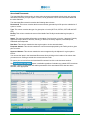
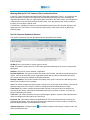
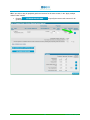
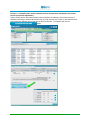
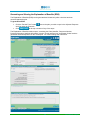
Reason codes are specified in the final step of every OCF Plan Review in HCAI. To search for a
reason code, use the ellipsis buttons ( ) located in the Adjuster Response column of the tables, as
well as in the Apply Multiple Reason Codes section below these tables. For instructions on how to
search for a reason code, see Chapter 5: Common Functionality.
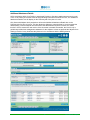
Notifications and Error Messages
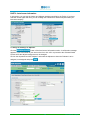
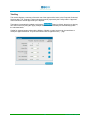
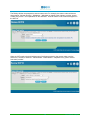
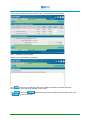
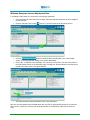
If any error is detected when you are validating a completed step, a notification appears at the top of
the screen in red font with an orange background. A more detailed error description is provided in the
header of the section where the error occurs, and a red exclamation mark (
field that contains the error.
) appears next to the
Printing a Document
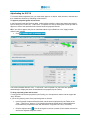
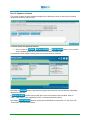
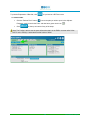
You can print plans or invoices by using the
button available at the top and bottom of the
screen as you navigate through the document. For instructions on how to print a plan, go to Chapter 5:
Common Functionality.
OCF Plan Review
There are two parts to OCF Plan Review in HCAI: 1.) the Review, and 2.) the Adjuster Response. The
first includes a read-only review of all the plan information completed and submitted by the Health Care
Facility. The online forms have the same structure as the respective paper OCFs. This section does not
describe how to review the forms—its focus is to guide you through the online procedure of
applying/submitting decisions and to explain how to use the HCAI functionalities.
The description of the Summary tab and Tab 1 is common to the OCF Plan Review for each of the
forms. The last step, where approval takes place, is described separately for each.
Note: The last page of each form has a section for additional comments from the Facility and/or
associated Provider(s).
OCF-18 Review
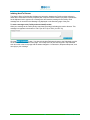
This consists of seven screens: the Summary page, which is generated automatically when the form is
submitted and the six “Tabs” (steps) of the plan which have been completed by the Facility, and are
presented in read-only format. Only two of the five steps require any action or response: Tab 1, where
Claimant and Adjuster information can be updated; and Tab 5, where decisions are recorded.
OCF-23 Review
This consists of five screens: the Summary tab, which is generated automatically when the form is
submitted, and the four “Tabs” (steps) of the plan which have been completed by the Facility. Only two
of the three steps require any action or response: Tab 1, where Claimant and Adjuster information can
be updated; and Tab 3, where decisions are recorded. Tabs 2 and 4 are presented in read-only format.
2
Insurer Manual – Chapter 7