1
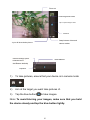
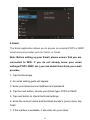
Recording video a) Ensure your device is in video mode: b) Move the camera lens to the target you want to shoot. c) Tap the red button , the system starts to record video. While recording, the red button will display a white diamond. d) Touch the red button when finished recording. Reminder: Images and videos will save automatically. 8. Connecting to WiFi Your device connects to the internet using a built in Wi-Fi antenna 1) Tap the Settings icon. 2) Slide WiFi to the “on” position. 3) The device will auto scan for available WiFi internet connections. 4) Select the WiFi connection you want to use; if the connection requires a password, you will need to enter it. 21