1
1. Playback in a standard video player
(GOM, Quicktimer, Window Media Player)
3) Playback
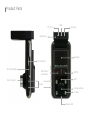
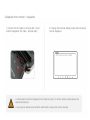
1) Remove a SD Card from B4HD
Open a SD Card slot cover and press softly,
then a SD Card can be removed easily.
Open a removal disc, you can see each folders. And click
files to playback which is stored in each folders.
2) Connect a SD Card to PC
Insert a SD card to SD Card Reader or adapter,
and connect it to PC.
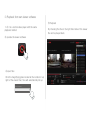
- Each recorded video is saved in below folder automatically.
Normal : Normal (Constant) record
Event : Event record which is detected a shock by shock sensor.
- Motion : Motion record which is detected by motion detection
sensor. (Parking mode)
- GPS Information is displayed in the original viewer.