1
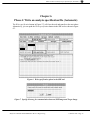
Phase 5: Perform analysis in target image (Automatic)
Chapter 7
Phase 5: Perform analysis in target image (Automatic)
If the Target Image is a different image, you must ensure that the SREAnalyzer module has
been filed in. The filein is in the SRE directory, it is called sre3.st.
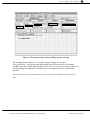
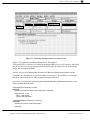
The analysis is done by Do it the following expression: RMAnModel1 analyzeFromFile in the
Target Image. The analyzer reads the specification file (reveng.rev), performs the analysis,
and rewrites the same file with the combined specification and result.
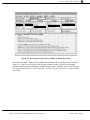
If the Target Image is the same as the SRE Image, you can push the text editor command
Analyze this image to perform the analysis and read the result of the analysis in a single
operation. The SRE tool then automatically transfer to the Edit results phase.
Draft User Manual OOram/SRE Static Reverse Engineering
©Taskon 1998. Page 15