1
17.3. ACCESS CONTROLS
17.2.18
Common Problems
17.2.19
Line Feed Problem
107
Traditionally, Unix and Windows PC differ in the format in which they store
text files. Windows PC places a carriage return character at the end of each
line of a text file, but Unix uses a line feed character. Some Unix applications
won’t recognize the carriage returns added by Windows, and will display a
file as a single line, interspersed with Ctrl-m characters. This appears on the
screen as ˆM. Similarly, some Windows applications need to see carriage return
characters at the ends of lines, and may treat Unix-format files as one long line.
Certificates could potentially have ˆM characters in them, when certificate is
received from Certificate Authority. The easiest way to remove ˆM characters
from the certificate file is to run “tr” from the Terminal. For example:
tr ’\r’ ’\n’ < original certificate.crt > clean certificate.crt
Replace your certificate with the new clean certificate file, and your SSL
enabled website should work correctly.
17.2.20
The issuer is Unknown
Some Certificate Authority credentials are not included in the bundled Certificate Authority Credential file. You can obtain the credential from your Certificate Authority, and append the credential to:
/Library/Tenon/WebServer/Configuration/ssl.crt/ca-bundle.crt
Restart the web server, and the settings will become effective immediately.
17.3
Access Controls
17.3.1
Using Access Controls
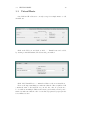
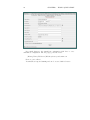
The Access Controls settings can be set for the entire virtual host, a particular folder or an individual file. Sub-folders, and files within folders, inherit the
access settings of the parent folder unless they have individual settings specifically assigned.