1
BASCOM IDE
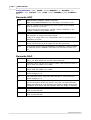
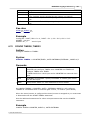
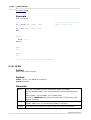
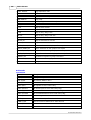
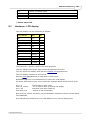
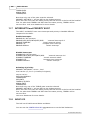
CTRL+F
Find text
CTRL+W
Show result of compilation
CTRL+L
LCD designer
CTRL+X
Cut selected text into clipboard
CTRL+C
Copy selected text into clipboard
CTRL+V
Copy text from clipboard into editor
CTRL+Z
Undo
CTRL+SHIFT+Z
Redo
CTRL+SHIFT+I
Indent block
CTRL+SHIFT+U
Unindent block
47
To select text: Hold the SHIFT key down and use the cursor keys to select text. or
keep the left mouse key pressed and tag the cursor over the text to select.
To select a word, double click on it.
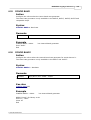
4.23
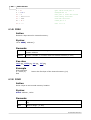
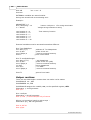
Program Compile
Action
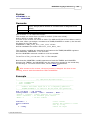
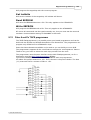
With this option you can compile your current program. Your program will be saved
automatically before it will be compiled.
So if you didn't give it a name, you will be asked for it.
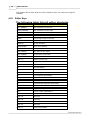
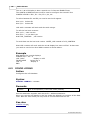
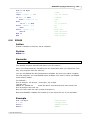
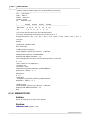
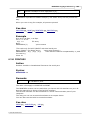
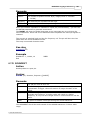
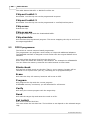
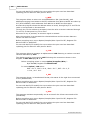
The following files will be created depending on the Option Compiler Settings.
File
Description
xxx.BIN
Binary file which can be burned into EPROM.
xxx.DBG
Debug file which is needed by the simulator.
xxx.HEX
Intel hexadecimal file.
xxx.ERR
Error file. (only when errors are found)
xxx.RPT
Report file.
xxx.SIM
Generated by the simulator to store the variable names of the watch
window and the breakpoints.
xxx.PRJ
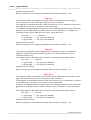
If an error occurs, you will receive an error message and the compilation will end.
The cursor will be set to the line in which the error occurred. The line will be marked
with a red color too. The red marking color will disappear when you compile the
program again.
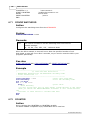
Shortcut
F7
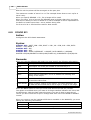
4.24
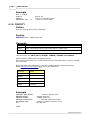
Program Syntax check
Action
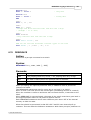
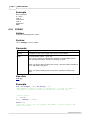
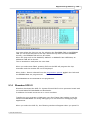
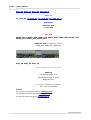
With this option you can check the syntax of your program.
No files are generated with this option.
© 2007 MCS Electronics