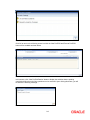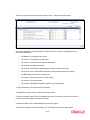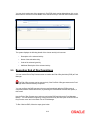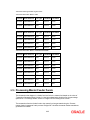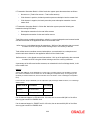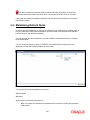
1
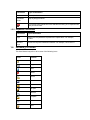
Batch Process Oracle FLEXCUBE Investor Servicing Release 12.0 [April] [2012] Oracle Part Number E51528-01 Batch Process Table of Contents 1. ABOUT THIS MANUAL................................................................................................................................ 1-1 1.1 INTRODUCTION ........................................................................................................................................... 1-1 1.2 RELATED DOCUMENTS ............................................................................................................................... 1-1 1.3 AUDIENCE .................................................................................................................................................. 1-1 1.4 ORGANIZATION .......................................................................................................................................... 1-1 1.5 CONVENTIONS USED IN THIS MANUAL ....................................................................................................... 1-1 1.5.1 General Conventions ......................................................................................................................... 1-1 1.5.2 Keyboard Conventions....................................................................................................................... 1-2 1.6 GLOSSARY OF ICONS .................................................................................................................................. 1-2 1.7 ABBREVIATIONS AND ACRONYMS .............................................................................................................. 1-3 1.8 GETTING HELP ........................................................................................................................................... 1-4 2. END OF DAY ACTIVITIES .......................................................................................................................... 2-1 2.1 INTRODUCTION ........................................................................................................................................... 2-1 2.1.1 End of Day Processes –Workflow...................................................................................................... 2-1 2.1.2 Execution of EOD and BOD Processes ............................................................................................. 2-2 2.1.3 EOD Activities associated with Interfaces......................................................................................... 2-4 2.2 SYSTEM STATUS ......................................................................................................................................... 2-4 2.2.1 Menu Items in End of Day Menu ....................................................................................................... 2-5 2.3 END OF DAY MAINTENANCE ...................................................................................................................... 2-6 2.3.1 Fields in EOD Maintenance Screen .................................................................................................. 2-7 2.4 EXECUTING PRE-END OF DAY OPERATIONS ............................................................................................... 2-8 2.4.1 Fields in Pre-EOD Operations Screen ............................................................................................ 2-11 2.5 EXECUTING END OF DAY OPERATIONS .................................................................................................... 2-12 2.5.1 EOD Functions ................................................................................................................................ 2-13 2.6 EXECUTING BEGINNING OF DAY OPERATIONS ......................................................................................... 2-14 2.7 BRANCH SIGN ON/SIGN OFF..................................................................................................................... 2-15 2.8 END OF DAY LOG REPORT ........................................................................................................................ 2-16 2.8.1 Tax on Commissions ........................................................................................................................ 2-16 2.8.2 Clearing of Payment Instruments .................................................................................................... 2-16 2.9 PROCESSING COMMISSION PAYMENTS FOR VARIOUS ENTITIES ................................................................ 2-16 2.10 EXTRACTION FORM FOR DATA ................................................................................................................. 2-17 2.10.1 Fields in Extraction Form Screen.................................................................................................... 2-18 2.11 EXECUTING EOD OPERATIONS ................................................................................................................ 2-18 2.12 MONITORING ASYNCHRONOUS PROCESSING ............................................................................................ 2-19 2.13 BATCH PROCESSING FOR GUARANTEED FUNDS ....................................................................................... 2-20 2.13.1 Fields in Guaranteed Funds Batch Processing Screen.................................................................... 2-20 2.14 PROCESSING FUND OF FUNDS ................................................................................................................... 2-23 2.15 PROCESSING MASTER FEEDER FUNDS ...................................................................................................... 2-25 2.16 MAINTAINING REFRESH RULES ................................................................................................................ 2-27 3. AGENCY BRANCH PRE-EOD OPERATIONS.......................................................................................... 3-1 3.1 3.2 3.3 INTRODUCTION ........................................................................................................................................... 3-1 SYSTEM STATUS ......................................................................................................................................... 3-1 CHECKS BEFORE EOD EXECUTION ............................................................................................................. 3-2 1. About This Manual 1.1 Introduction Welcome to Oracle FLEXCUBE Investor Servicing ™, a comprehensive mutual funds automation software from Oracle Financial Servicing Software Ltd. ©. This Oracle FLEXCUBE Investor Servicing User Manual helps you use the system to achieve optimum automation of all your mutual fund investor servicing processes. It contains guidelines for specific tasks, descriptions of various features and processes in the system and general information. 1.2 Related Documents The User Manual is organized in to various parts, each discussing a component of the Oracle FLEXCUBE Investor Servicing system. 1.3 Audience This Fund Manager User Manual is intended for the Fund Administrator users and system operators in the AMC. 1.4 Organization This volume of the Fund Manager User manual is organized under the following chapter sequence: 1.5 Chapter 1 About This Manual explains the structure, audience, organization, and related documents of this manual. Chapter 2 Batch Process FMG – End of Day Activities explains various activities that need to be carried out at the end of the day for a FMG module, so that the system is ready for the next business day. Chapter 3 Batch Process AGY – End of Day Activities explains various activities that need to be carried out at the end of the day for an AGY module, so that the system is ready for the next business day. Conventions Used in this Manual Before you begin using this User Manual, it is important to understand the typographical conventions used in it. 1.5.1 General Conventions Convention Type of Information Italic type Functional /foreign terms Names of fields on a screen Validations for fields on a screen References to related Headings/Users Manuals Convention Type of Information For emphasis Numbered Bullet Step by step procedures This symbol when placed before text indicates a warning or an important note that you should read. 1.5.2 Keyboard Conventions 1.6 Convention Type of Information Keys All keys of the keyboard are represented in capital letters. For example, <CTRL>. Shortcut keys All short cut keys are contained in brackets. For example, <ALT+SHIFT>. Glossary of Icons This User Manual may refer to all or some of the following icons. Icons Function New Copy Save Delete Unlock Print Close Re-open Reverse Template Roll-over Hold Icons Function Authorize Liquidate Exit Sign-off Help Add Delete Refer the Procedures User Manual for further details about the icons. 1.7 Abbreviations and Acronyms The following acronyms and abbreviations are adhered to in this User Manual: Abbreviation/ Acronym Meaning ADMIN User Administrator AGY The Agency Branch component of the system AMC Asset Management Company BOD Beginning of Day CDSC Contingent Deferred Sales Charge CGT Capital Gains Tax CIF Customer Information File EOD End of Day EPU Earnings per unit FC-IS Oracle FLEXCUBE Investor Servicing FMG The Fund Manager component of the system FPADMIN Oracle FLEXCUBE Administrator ID Identification IHPP Inflation Hedged Pension Plan 1.8 Abbreviation/ Acronym Meaning IPO Initial Public Offering LEP Life and Endowment Products LOI Letter of Intent NAV Net Asset Value REG The Registrar component of the system ROA Rights of Accumulation ROI Return on Investment SI Standing Instructions SMS Security Management System URL Uniform Resource Locator VAT Value Added Tax WAUC Weighted Average Unit Cost Getting Help Online help is available for all tasks. You can get help for any function by clicking the help icon provided or by pressing F1. 2. 2.1 End of Day Activities Introduction One of the main tasks carried out by the Fund Manager is performing the End of Day (EOD) and Beginning of Day (BOD) activities. These activities perform important functions in the system, and prepare it for the next business day. The system cannot logically close operations at the end of a working day or begin operations on the next business day if the End of Day and Beginning of Day processes are not performed. Typically, only the following users or groups that are authorized to perform the End of Day activities in the Fund Manager component: The Operator or Operator user group The Fund Administrator or the Fund Administrator user group No other user or group will have access to this function 2.1.1 End of Day Processes –Workflow Maintaining the Functions to be executed by the End of Day processes Before you run the End of Day processes at any installation, you must first set up the functions that must be performed by the End of Day processes, through the End of Day Maintenance screen. The End of Day Processing Sequence The End of Day processes in the system follow a certain sequence of events, as explained below: 1. Pre-End of Day checks 2. End of Day processing 3. Beginning of Day processing Pre-End of Day Checks The Pre-End of Day checks will indicate any activities that are pending, that must be executed and completed by the Fund Manager before the End of Day process can be run. These pending activities can be viewed in the Fund Manager Pre-EOD Processing screen. The pre-EOD checks could indicate unauthorized transactions, missing fund maintenance or processing information such as fund prices, exchange rates, signing off branches, and so on. The Fund Manager must complete these activities before the End of Day processes can be run. 2-1 The End of Day Processing After all pending activities indicated by the Pre-End of Day processes have been completed, the End of Day processes can be executed, through the Execute End of Day option in the End of Day menu category of the Fund Manager component. The functions scheduled as part of the End of Day processes are executed according to the sequence defined for them, and the frequency defined for their execution. If a function whose successful execution is critical for the progress of the EOD process fails to execute, the EOD is aborted. The End of Day processes perform important processes such as allocation of transactions, updating the unit holder balances, audit trail activities, running of jobs scheduled through the Scheduler Services, execution of interfaces and so on. Reports scheduled to be generated during the EOD execution are also printed. The Beginning of Day Process After successful execution of all the End of Day processes, the Beginning of Day processes can be executed through the Execute BOD screen, that you can access from the End of Day menu category in the Fund Manager main menu. The Beginning of Day processes set the application date of the system to the next business day. Reports scheduled to be generated during the EOD execution are also printed. After the whole EOD cycle (Pre-EOD, EOD and BOD) has been successfully completed, the system is ready for the next business day. 2.1.2 Execution of EOD and BOD Processes The End of Day and Beginning of Day processes can be performed manually, as well as automatically, as scheduled jobs through the Scheduler Services. Depending upon this mode of operation, the sequence of activities would be as follows: Manual execution Manual execution of the Pre-End of Day processes through the Fund Manager Pre-EOD Processing screen. Pre-EOD cannot be scheduled to run automatically, but must be performed manually. On successful completion of Pre-EOD, manual execution of EOD, through the Execute EOD option in the Fund Manager Batch menu. On successful completion of EOD, manual execution of BOD through the Execute BOD option in the Fund Manager Batch menu. 2-2 Alternatively, the BOD process can be executed immediately after the EOD process is completed, without manual intervention, from the EOD /BOD Execution screen in the Fund Manager Batch menu. Automatic execution 1. Manual execution of the Pre-End of Day processes through the Fund Manager Pre-EOD Processing screen. Pre-EOD cannot be scheduled to run automatically, but must be performed manually. 2. On successful completion of Pre-EOD, automatic execution of EOD through the mandatory EOD task. The execution of EOD can be scheduled as an event-based job that must be run by the Scheduler, when the successful completion of Pre-EOD raises an event in the system. 3. On successful completion of EOD, automatic execution of BOD as an event-based job scheduled through the Scheduler Services. The execution of BOD can be scheduled as an event-based job that must be run by the Scheduler, when the successful completion of EOD raises an event in the system. Therefore, for automatic execution of EOD, you must set up the following event-based jobs through the Scheduler: Execution of EOD. This is an event-based job, scheduled to run when the successful completion of Pre-EOD raises an event in the system. Execution of BOD. This is an event-based job, scheduled to run when the successful completion of EOD raises an event in the system. Also, the following pre-defined tasks will be maintained at installation time for the automatic execution of EOD: Task for the execution of the EOD and BOD event-based jobs. This task will be a mandatory task. If required, the BOD process can be scheduled to run immediately after the EOD, without manual intervention. Task for the execution of report printing during EOD. This task can be scheduled, with the printing of each report forming a job to be executed as part of the task. The reports can be scheduled to be run on EOD or BOD events. If a report is scheduled to be printed as a job based on the BOD, the job must be manually executed after logging out of the Fund Manager module, so that the data as of the required date is obtained. During automatic execution of EOD, the progress of the run can be viewed through the Scheduler Monitor. You must refresh the scheduler monitor frequently to view the status of the job. During EOD, if an event is raised in the system, system extracts a file with the details of the contact person, their phone numbers and the message applicable for the event. The execution and successful completion of each task and job is logged by the system. 2-3 2.1.3 EOD Activities associated with Interfaces The End of Day processes also execute and process any authorized interface that has been defined with an external system, using the Online Execution of Interfaces menu item in the Batch menu category. For a fuller description of this menu item, refer the’ Interfaces’ chapter in the Fund Manager User Manual. 2.2 System Status The status of the Oracle FLEXCUBE Investor Servicing system changes during the course of each business day. At any point during the day, the system may be in one of three possible states: O – Online. This indicates that both components (Fund Manager and Agency Branch) are open for unit holder transactions as well as inquires and report printing. B – Indicates that the Pre-End of Day processes for the Fund Manager have been successfully completed. E – Indicates that the End of Day processes for the Fund Manager have been successfully completed. The normal sequence of operations during a business day would result in changes of state as explained below: Start of a Business Day At the start of a business day, the system is online (status ‘O’), and both the Fund Manager and the Agency Branch are open for the acceptance of unit holder transactions and other operations. Course of a Business Day During the course of a business day, the system is still online (status ‘O’), and both the Fund Manager and the Agency Branch are still open for the acceptance of unit holder transactions and other operations. Agency Branch Pre-EOD When the Pre-End of Day processes are performed at the Agency Branch, the system is still online (status ‘O’), and both the Fund Manager and the Agency Branch are still open for the acceptance of unit holder transactions and other operations. The pre-EOD checks applicable for the branch alone are performed by the system during this phase. This Pre-EOD check mainly comprises of pending activities like authorization of transactions, etc., at an Agency Branch level. Agency Branch EOD When the End of Day process for the Agency Branch is performed, the system is still online (status ‘O’). The Agency Branch is signed off, and only allows inquiries and report printing activities, whereas the Fund Manager is still open for the acceptance of unit holder transactions and other operations. 2-4 Fund Manager Pre-EOD When the Pre-End of Day process is performed for the Fund Manager component, the system is online (status ‘O’) till the successful completion of the pre-EOD. During this phase, the Agency Branch is signed off, and only allows inquiries and report printing activities, whereas the Fund Manager is still open for the acceptance of unit holder transactions and other operations. The pre-EOD checks for the Fund Manager are performed at this time. Upon successful completion of Pre-EOD, the system status changes to ‘B’ (indicating that PreEOD has been successfully completed). Fund Manager EOD When the End of Day process is performed for the Fund Manager component, the system status is ‘B’ (indicating that Pre-EOD is successfully completed) till the successful completion of the EOD. During this phase, the Agency Branch is signed off, and only allows inquiries and report printing activities. The Fund Manager also allows only report printing during this phase, and it is not open for the acceptance of unit holder transactions and other operations. Upon successful completion of EOD, the system status changes to ‘E’ (indicating that EOD has been successfully completed). Fund Manager BOD When the Beginning of Day process is started at the Fund Manager component, the system status is ‘E’ (indicating that EOD is successfully completed). The system date is changed to the next business day during this time. Upon successful completion of EOD, the system status changes to ‘O’, indicating that both the Agency Branch and Fund Manager are now online and open for unit holder transactions and other operations. 2.2.1 Menu Items in End of Day Menu The menu options for the End of Day processes are found in the Batch menu category of the Browser menu Allocation EOD Maintenance Execute Pre-EOD Execute EOD Execute BOD Branch Sign-on/Sign-off Send / Receive Messages Process Broker Commission Payments Extraction Form for Data 2-5 Online Execution of Interfaces For a fuller description of all the activities with respect to Validation and Allocation, refer the ‘Confirmation and Allocation’ chapter in thisr User Manual. 2.3 End of Day Maintenance You can use this screen to view and schedule the functions that must be executed during the End of Day process run at the Fund Manager. You can assign a frequency and a critical status to each function. The functions to be executed by the End of Day Process are set up by the implementers at the time of installation. You cannot add any new functions in this screen or edit any of the functions displayed. You can, however, schedule each function to be executed. You can invoke the ‘EOD Maintenance Detail’ screen by typing ‘UTDEODMT’ in the field at the top right corner of the Application tool bar and clicking on the adjoining arrow button. You can retrieve the data through F8 function only and make the required changes. Each of the schedules you set up must be authorized to be effective, and can be amended after authorization. 2-6 You can perform the following operations can be performed in the EOD Maintenance screen: View the existing activities that have been defined Edit all unauthorized records Amend the Authorized records Authorize records 2.3.1 Fields in EOD Maintenance Screen EOD/BOD Activity Specify the EOD or BOD activity. Choose one of the following options from the drop-down list: EOD BOD Mini-EOD EOD Sequence Number Numeric, Mandatory Enter the sequence number of the Function to be run at the End of the Day. All the EOD functions will be run sequentially in the order defined by this field. EOD Activity Description Display Only The name of the Object / Function to be run is displayed here. This is the name of the client/ server application that has to be run. Function Schedule Enter the functions which are scheduled to be run during EOD. Only those functions which have been scheduled will run the job during EOD. Function Status Display The system will display the status of the Function. The Function can be Running, Not Started, Aborted or Completed. If the status is displayed as Aborted, you can change the status to Skip to allow the EOD to proceed with the rest of the functions. 2-7 EOD/BOD Activity Display Only The Code of the Function to be run at the End of the Day is displayed here. This will be a unique identification code for the function. No two or more functions can have the same Code. Critical 1 Character Maximum, Boolean, Mandatory Click this box to specify the criticality of the function as Critical or Non Critical If you specify Critical, EOD will abort if this function is not successfully completed. If you specify Non Critical, EOD will continue irrespective of the completion status of the function. 2.4 Executing Pre-End of Day Operations To recall, the Pre-End of Day checks will indicate any activities that are pending, that must be executed and completed by the Fund Manager before the End of Day process can be run. These pending activities can be viewed in the Fund Manager Pre-EOD Processing screen. The pre-EOD checks could indicate unauthorized transactions, missing fund maintenance or processing information such as fund prices, exchange rates, signing off branches, and so on. The Fund Manager must complete these activities before the End of Day processes can be run. You can use the ‘Pre-End of Day Check – Execute Pre EOD’ screen to perform the pre-EOD checks. You can invoke this screen by typing ‘UTDPREOD’ in the field at the top right corner of the Application tool bar and clicking on the adjoining arrow button. In this screen click ‘Fetch Pre-EOD count’ button and you will be shown the following message: 2-8 Click OK to return to the following screen in which the View Pre-EOD and Execute Pre-EOD button will be enabled as shown below: In this screen, click ‘View Pre Eod Results’ button to display the activities that are pending completion before the end of day operations can be executed. Upon clicking this button, you will be shown the following message: 2-9 Click Ok to view the results in the Pre-End of Day Check – Execute Pre EOD screen: The system displays the following activities in this screen, which must be competed prior to the End of Day Operations: The Branches not signed-off for the day The number of Fund Rules not authorized The number of Fund Prices not entered / authorized The number of unauthorized Loads The number of unit holder related changes that have not been authorized. The number of IPO / Subscriptions that have not been allotted after check clearing. The Redemption transactions not confirmed The number of checks that have not been cleared The number of SI related details The number of backdated transactions that have not been allotted To sign-off branches, use the Branch Sign Off option. To authorize fund rules, use the Fund Rule Summary option. To enter fund prices, use the Fund Price Maintenance option to enter the fund price, and use the Fund Price Summary option to authorize the same. To authorize loads, use the Load Maintenance (Summary) option. To authorize unit holder related Information, use the UH New Account (Summary) option. 2-10 To confirm redemption transactions, use the Confirm Redemption Transactions option. To check unit holder related information, use the UH New Account (Summary) option. To allocate IPO / subscription transactions, use the Allocation option. To authorize/verify SI related details, use the SI related verify/authorization (Summary) option. For authorization/allocation use the corresponding transaction allocation for which the SI has been generated. The system can proceed with End of Day Operations even if the redemption transactions are not confirmed. The Branch Sign-Off and Fund Prices must be completed. To execute the Pre-End of Day processes, click ‘Execute Pre Eod’ button. The system prompts you to back up the database before the process can run. If, for a broker, you have specified that payment should be held back, by checking the box ‘Hold Back Payment’ in the Broker Maintenance screen, a count of such brokers will be displayed in the Execute Pre-EOD screen. 2.4.1 Fields in Pre-EOD Operations Screen Serial Number This is a number that indicates the particular activity. No two Activities can have the same Serial Number. Description Describes the various activities scheduled for EOD. Mandatory Indicates whether the activity is mandatory or can be skipped. The count of the mandatory activity shall be brought to zero before executing Pre-EOD orelse system will throw up an error message at the time of EOD execution. Count Indicates the number of records for which the activity is pending completion. For instance, if Number of Unauthorized Fund Rules has the Count ‘1’, it indicates that there is one fund rule that needs to be authorized. 2-11 You can check against one of the programs in Pre-EOD check results grid and then click on the detail button to view the Pre-EOD details of the selected activity in the PRE-EOD Details screen: The system displays the following details of the chosen activity in this screen: 2.5 Description of the selected activity Name of the selected activity. Code of the selected g activity Additional Description of the selected activity Executing End of Day Operations You can use the End of Day Process screen to monitor the End of Day Activities (EOD) at Fund Manager. The End of Day process can be executed only if the Pre-End of Day processes at the Fund Manager have been successfully completed. You can configure the BOD process to be executed immediately after the EOD process is completed, without manual intervention, by selecting the Include BOD Activities Also option, in this screen. Use the End of Day Process menu option to monitor the EOD activities at the Fund Manager Branch. You can access this option by clicking the End of Day Process option under the End of Day Process menu item in the Batch Tab in Fund Manager. To Run / Monitor EOD, follow the steps given below: 2-12 Click the New record button and then the Execute button to execute the EOD functions defined for the FMG in EOD Maintenance. The system will initiate all the EOD activities in the sequence set up for Fund Manager. The system will display the status of the Function as Not Started, Running, Aborted or Completed. If a critical function fails to complete successfully, the EOD process will abort. If a non-critical function fails to complete successfully, the EOD process will continue. If EOD aborts, you can use the EOD Maintenance screen to change the status to Skip or Aborted and then continue with the EOD process. 2.5.1 EOD Functions Transaction Allocations All the transactions that have been authorized and not yet allocated will be done by these functions. For a fuller description of all the activities with respect to validation and allocation, refer the ‘Confirmation and Allocation’ chapter in the Fund Manager User Manual. Summary Reports All the summary reports that have been scheduled for the day are printed. For further details on summary reports, refer to respective summary report generation in the ‘Reports’ chapter in this User Manual. Contract Notes The End of Day processes on a given business day execute an EOD job that prints contract notes in respect of transactions allocated on a given business day. The job checks to see if the contract notes have already been printed from the menu. If so, duplicates will be printed only if the ‘Duplicates Required’ option in the task parameters static information for the job has been enabled and set to ‘Yes’. If the Duplicates Required option has been set to ‘No’, duplicate contract notes are not printed by the EOD job. The Duplicates Required option is configured by the implementers at your installation, according to your requirement in respect of printing of duplicate contract notes. If the contract notes have not been printed through the Confirmation Reports menu, the EOD job prints the contract notes. Also, if allowed, as explained above, the EOD job prints transaction contract notes for transactions involving only those unit holders for whom the ‘File’ option has not been set as the preferred mailing mode in the unit holder account details. For transactions involving any unit holders for which the ‘File’ option has been set in the account details, the EOD job suppresses the printing of contract notes. 2-13 Fiscal Year Updating The system checks for the Fiscal year period according the Fund Rules and resets the Fiscal year as the previous year is completed. Transaction Enabled Status Updating Check for the Transaction start and end period as per the Fund rule set up and enables or disables a given transaction for a given fund as and when required. Unit Holder Counter Updating Updates the unit holder Free Counter and Limit Counter for the given transaction of the fund. The unit holder is further allowed the same transaction for the fund as per the latest available Free Counter and Limit Counter details. Audit Trail Report Prints the Audit trail report for the day. The report is printed for the entire Audit trail Ids that are maintained through the Audit Trail Format Maintenance. Generation of SI Reminders Generates reminders for all the standing instructions that have been generated and not yet processed. The reminders are generated if the option is set in the SI setup. They are generated both before and after the SI. The period is as per the SI set up. Purge Activities The data that is to be purged is checked up with Purge Frequency and once the period is reached, the corresponding data is purged. The purge check is done for the following frequencies - Daily, Monthly and Yearly. Once the data is purged, the last purged date for the given detail is set to the Application date. Auto Redemption Intimation This will print intimation to all such unit holders whose unit holder balance is below the minimum balance specified for the fund. The unit holders will be given some time to increase their balance failing which their Units will be automatically redeemed. 2.6 Executing Beginning of Day Operations You can use the Execute BOD screen to set up the system for the next day. The BOD functions can be executed along with the EOD functions, or separately, from the EOD / BOD Execute screen. Check the Setup Box to continue with the Beginning of Day operations for the Dates displayed. The system will initialize the System Parameters (setting the application date and resetting the transaction serial number) 2-14 Click the Branch Sign-On Check Box to allow all the Agency Branches to Login to the system for the next working day. To configure the BOD process to be executed immediately after the EOD process is completed, without manual intervention, from the EOD /BOD Execution screen, by selecting the Include BOD Activities Also option in the Execute BOD screen. 2.7 Branch Sign On/Sign Off You can use this screen for Branch Sign-On/Sign-Off. The system will display a list of Branches that have not signed-off for the day. Invoke the ‘Branch Sign Off/On Summary’ screen by typing ‘UTDBSNOF’ in the field at the top right corner of the Application tool bar and clicking on the adjoining arrow button. The check-box indicates the sign-on / off status of a Branch (if the check-box is checked, it indicates Signed-Off status and if the check-box is not checked, it indicates that the Branch is Signed-On). Click on the check box to sign-on / off the branch. For an online branch, the system will display the list of unauthorized transactions. To proceed further with the End of Day activities, the following has to be done: 2-15 2.8 Sign Off the branches. This has to be done regularly for the offline branches and for online branches that haven’t yet signed off for the day. Use the Authorization screens for the individual transaction authorization Use the Authorization screens for the individual unit holder transaction authorization. End of Day Log Report The End of Day Log Report will print a Log of the EOD functions’ status. Refer the ‘Reports’ chapter in this user manual for information about generating and printing a report. 2.8.1 Tax on Commissions When you initiate commissions processing in the Broker Comm Payment screen, the commission that is due to each broker is computed as on the current date. For each individual broker, any applicable tax (as defined for the broker category in the WHT Details or the overridden tax percentage specified in the Broker Maintenance) is deducted from the accrued commissions, to arrive at the actual commissions that would be paid out. Tax is computed based on the commissions earned in the current tax year, which you have defined in the Defaults Maintenance. It is also deducted individually for each broker, independent of the broker hierarchy. For brokers for whom payments are to be held back (as designated in the Broker Maintenance), commissions earned are paid out only if the commission amounts exceed the tax liability for that period, and the ‘hold back’ option has been revoked. 2.8.2 Clearing of Payment Instruments The payment of the commission accruing from a specific transaction is deferred till the payment instrument for the transaction is cleared. In the event of non-clearance of the payment instrument before the next commission payment date, the commission is processed and accrued, but the payment is deferred till the instrument is cleared. The accrued commission is paid out on the next commission payment date, provided the instrument is cleared. 2.9 Processing Commission Payments for Various Entities The Entity Commission Payment process consolidates the accrued commission for each entity at a fund-level and the payment is processed based on the IDS options defined for each entity in the Entity IDS, with payment being made in the base currency of the fund. If no IDS options have been maintained, the default mode of payment for the entity is used for processing. 2-16 The Entity Commission Payment process can be executed either as a batch process as part of EOD. Invoke the ‘Entity Commission’ screen by typing ‘UTDECPYP’ in the field at the top right corner of the Application tool bar and clicking on the adjoining arrow button. Select the type of entity for which commission payment needs to be processed, and then select the ID of the entity. Enter the details of the entity for which you wish to process the commission payments. Entity commission payments are processed only for those entities for which the Entity Payment Details have been maintained, even if entity commission has been accrued. 2.10 Extraction Form for Data FC-IS provides a facility that enables you to extract data to FLEXCUBE Information Center or FIC. In order to extract data, you must set up the parameters that will govern the extraction of this data in the system. Use the FIC Setup screen in the Authorization Menu of the Fund Manager component to perform this task. Once you have set up the parameters, you can use the Extraction Form to execute the extraction. To invoke the Extraction screen, click FIC Extraction under the FIC Extraction menu item in the Maintenance menu of the Browser. 2-17 2.10.1 Fields in Extraction Form Screen Segment Name Alphanumeric, Mandatory Select the segment to which the source table belongs, from the options in the drop-down list. The source table is the table in which the data to be extracted must reside. MIS Date Date Format, Mandatory The application date is displayed here by default, and all the tables that are pending extraction as on this date according to their frequency of extraction, are displayed in the Extraction Details section. If you chose another date here, click the Show button to view all the tables that are pending extraction as on this date according to their frequency of extraction. The MIS date can be changed to a value prior to the system application date. The date cannot be changed to a future date. Extraction Details When the MIS Date is specified, all the destination tables that are pending extraction are displayed in this section along with the following details: The Extraction Routine that is to be executed The Loading Type where ‘I’ represents incremental loading and ‘T’ represents total loading. The Output Area where the extracted data is to reside The most previous date on which data was extracted from this table (the Last Extract Date) If the loading type of the extract is Incremental, the From and To dates are displayed This information is picked up by the system from the Destination Table Details Maintenance record for each of the destination tables, and displayed here. If the extraction is to proceed, you must click the Extract button, and the data will be extracted to the output area. As and when a destination table is fully extracted, the table row will disappear from the list in the Extraction Details section. The system displays a confirmation message upon successful completion of the extraction. 2.11 Executing EOD Operations Use the End of Day Process menu option to monitor the EOD activities at the Fund Manager Branch. You can access this option by clicking the End of Day Process option under the End of Day Process menu item in the Batch Tab in Fund Manager. 2-18 To run/ monitor EOD, follow the steps given below: Click the New record button and then the Execute button to execute the EOD functions defined for the FMG in EOD Maintenance. The system will initiate all the EOD activities in the sequence set up for Fund Manager. The system will display the status of the function as Not Started, Running, Aborted or Completed. If a critical function fails to complete successfully, the EOD process will abort. If a non-critical function fails to complete successfully, the EOD process will continue. If EOD aborts, you can use the EOD Maintenance screen to change the status to Skip or Aborted and then continue with the EOD process. 2.12 Monitoring Asynchronous Processing The system provides a facility to monitor processes that are being run in the background during a current session. Such processes could typically be scheduled jobs or tasks, being run by the Scheduler Services. They are called asynchronous processes. A typical example of an asynchronous process is the processing of dividend payment for many funds during one session. To monitor the progress of asynchronous processes, the batch operator user can use the 'Process Status’ screen. You can invoke this screen by typing ‘UTDPROST’ in the field at the top right corner of the Application tool bar and clicking on the adjoining arrow button. 2-19 You must specify: The ID of the job for which you want to view the progress status. The module in which the job was submitted. The ID of the user that submitted the job The date range when the job was submitted. All jobs retrieved by the search operation are displayed in the lower grid portion, with their type, status, description and the name of the procedure being run. To view the details of the job, such as descriptions of errors, click the View button. The job details are displayed in the Asynchronous Processing Details screen. To clear all asynchronous processing jobs, click the Clear All link in the Asynchronous Processing main screen. 2.13 Batch Processing for Guaranteed Funds You need to update the revised fund prices to process adjustments. The Guaranteed Funds batch process will process the adjustments due to price revisions for a period. This is done in the ‘Guaranteed Funds’ screen. You can invoke this screen by typing ‘UTDUFUND’ in the field at the top right corner of the Application tool bar and clicking on the adjoining arrow button. 2.13.1 Fields in Guaranteed Funds Batch Processing Screen Processing Type Mandatory 2-20 Choose whether the batch processing is Interim or Year End Processing. From Date and To Dates Date Format, Mandatory Enter the period for which the price revision is applicable. Mock Processing Optional Check this box if you require the system to carry out a Simulation (Mock GF correction) run. The Simulation run is possible on an Interim as well as Year End basis. The system uses the Mock GF Fund Price for its calculations during these runs. After the successful completion of a Simulation run, the system generates a 16- digit Batch number that you can use for reporting purposes. If you leave the box unchecked, the system treats the run as an Actual run and uses the Actual GF Fund Price. Note the following: The system does not generate the policy related transaction for a policy holder, if you have checked the ‘Mock Processing’ option. In the case of investors who have left before the final run occurs, the system does not create any adjustment entries during the Mock GF final run. It indicates the number of units that is to be shared proportionately among existing investors only at the time of the actual final run. The bulk fund price upload for Mock (simulation) run and actual run has to be done separately and two separate interfaces should be maintained for the same. Click ‘Process’ button to execute the batch process. Consequently, the system will consider all transactions recorded during the mentioned period for Unit Holder – Policy- Fund combination. The system will store the following information from the impacted transactions: Batch Processing Type Processing Date From Date To Date UnitholderID Policy Number Transaction Number Transaction Type Transaction Mode Amount Applied 2-21 Units Applied Unit Price Units Allotted Settlement Amount Revised Unit Price Revised Units Allotted Revised Settlement Amount Difference Units Adjusted Units Action (Subscribe or Redeem) Status Remarks The system then re-calculates and stores the units allotted, settlement account and unit price for all the relevant transactions. The system ignores adjustment subscriptions and adjustment redemptions done in the current fiscal year and balance transfer in transactions. The formula used to compute difference in units for Subscriptions with transaction mode as amount is as follows: Diff Units = Revised Units Allotted – Actual Units Allotted Adjusted Units = Diff Units – Adjusted Units (Units adjusted in previous interim run if any) If sign of “Adjusted Units” is negative (-) then “Action” for this record needs to be updated as R – Redeem else “Action” would be S – Subscribe. The formula used to compute difference in units for Redemptions with transaction mode as amount is as follows: Diff Units = Actual Units Allotted - Revised Units Allotted Adjusted Units = Diff Units – Adjusted Units (Units adjusted in previous interim run if any) If sign of “Adjusted Units” is negative (-) then “Action” for this record needs to be updated as R – Redeem else “Action” would be S – Subscribe. The formula used to compute difference in units for Redemptions with transaction mode as Unit is as follows: ‘Difference in Settlement Amount’ = Revised Settlement Amount – Actual Settlement Amount Diff Units = ‘Difference in Settlement Amount’ / Revised Unit Price 2-22 Adjusted Units = Diff Units – Adjusted Units (Units adjusted in previous interim run if any) If sign of ‘Adjusted Units’ is negative (-) then ‘Action’ for this record needs to be updated as R – Redeem else “Action” would be S – Subscribe. Depending on whether the batch processing is Interim/Year End, the system will generate the allotted subscriptions/redemptions as follows: If the type of Batch processing is Interim, the system will generate allotted subscriptions/redemptions for UnitholderID – Policy – Fund combinations wherever fund balance already exists and mark the status as P – Processed. This interim processing can be more than once per period in such a case we need to eliminate these adjustment trade while correction and readjust the trade accordingly. If “Type of Batch Processing” is Year End, system would generate subscriptions/redemptions for UnitholderID – Policy – Fund combinations wherever fund balance already exists and mark the status as P – Processed. Also system would sum up “Diff Units” (Net of +ve and –ve values) for UnitholderID – Policy – Fund combinations having no balances and distribute these units proportionately to existing policies having balances in this fund. Example: nd 22 Jan 2007 - S1 - UH1 - F1 - 1000 ZAR – 100 Units @ 10ZAR First Interim: On 30th Mar 2007 the price is revised to 10.10 ZAR the transaction would be 1000/10.10 = 99.01 units. Now, the difference is 0.99 units. Second Interim: On 29th Jun 2007 the price is revised to 10.15 ZAR the transaction would be 1000/10.15 = 98.52 units. Now, the difference 1.48 units but we have already subscribed for 0.99 units hence redeem only for 1.48 - .99 0.49 units. 2.14 Processing Fund of Funds The EOD batch process ‘Process fund of funds investments’ is used to generate transactions from the main fund to the underlying funds. Reftype ‘FF’ identifies the Fund of Fund transactions generated by the system. The transactions are generated for the unit holder maintained in ‘fund linkage details’ section and the transaction currency will be the fund base currency of the main fund. For ‘Non-net’ transactions, during EOD, the system finds the sum of inflow amounts and sum of outflow amounts for all transactions allotted on that day, and generates a subscription and redemption transaction in the underlying funds accordingly. For ‘net’ transactions, the system finds the (sum of inflow amount – sum of outflow amount) and generates either subscription or redemption transaction in the underlying funds. Inflow amount considers subscriptions, switch ins, reversed redemptions and reversed switch outs that are allotted on the application date for the main fund. Inflow amount = units allotted across all transactions * NAV as of the application date 2-23 Outflow amount considers reversed subscriptions, reversed switch ins, redemptions and switch outs that are allotted on the application date for the main fund. Outflow amount = units allotted across all transactions * NAV as of the application date If the transaction generation basis is ‘Non Net/Transaction Mode’, then during EOD the system find the sum of all amount based subscription and sum of amount based redemption transactions allotted on that day, and generates amount based subscription and redemption transaction in the underlying funds. Units and percentage based transactions will be generated as amount based subscription and redemption transaction in underlying funds, in maintained ratio. The amount of the allotted transactions will be ‘Units allotted * NAV as of application date’. Example: Assume that JPMORG is a Fund of Hedge Fund. JFCHNF and JFHKDF are underlying hedge funds having percentages 50 and 40 respectively. Also, assume that 000000000272 and 000000000277 are the unit holder IDs for JFCHNF and JFHKDF respectively. Transactions allotted on JPMORG as on 01/09/2009 (Assuming TBC is FBC, NAV is 10 and fund has no load) Transaction Number Transaction Mode Transaction Value Transaction Amount SUB1 Amount 1000 1000 SUB2 Amount 2000 2000 SUB3 Unit 100 1000 SUB4 Unit 200 2000 RED1 Amount 2500 2500 RED2 Unit 50 500 Total Subscription Amount 6000 Total Redemption Amount 3000 Total Unit Subscription 300 Total Unit Redemption 50 Total Amount Subscription 3000 Total Amount Redemption 2500 Net Transaction value 3000 2-24 Transaction will be generated as given below Transaction Generation Basis is ‘NET’ Fund ID Unit holder ID Txn Type Txn Mode Txn Value JFCHNF 000000000272 SUB Amount 1500 JFHKDF 000000000277 SUB Amount 1200 Transaction Generation Basis is ‘NON NET’ Fund ID Unit holder ID Txn Type Txn Mode Txn Value JFCHNF 000000000272 SUB Amount 3000 JFCHNF 000000000272 RED Amount 1500 JFHKDF 000000000277 SUB Amount 2400 JFHKDF 000000000277 RED Amount 1200 Transaction Generation Basis is ‘NON NET/TXN MODE’ Fund ID Unit holder ID Txn Type Txn Mode Txn Value JFCHNF 000000000272 SUB Amount 1500 JFCHNF 000000000272 RED Amount 1250 JFHKDF 000000000277 SUB Amount 1200 JFHKDF 000000000277 RED Amount 1000 JFCHNF 000000000272 SUB Amount 1500 JFCHNF 000000000272 RED Amount 250 JFHKDF 000000000277 SUB Amount 1200 JFHKDF 000000000277 RED Amount 200 2.15 Processing Master Feeder Funds The transactions that happen in a feeder fund are fed to the master fund based on the value of ‘Transaction Generation Basis’ (N-Net, O- Non Net) maintained at fund level for the percentage specified in ‘Fund linkage details’ section in ‘Hedge Fund Processing Rules’ screen. The transactions from the feeder funds to the master fund are generated using the ‘Process master feeder investments’ batch process. Reftype ‘MF’ identifies the master feeder transactions generated in this batch. 2-25 If ‘Transaction Generation Basis’ is ‘N-Net’ basis then system posts the transactions as follows: Net amount = (Total inflow amount – Total outflow amount) If Net Amount is positive, the batch procedure posts a subscription into the master fund If Net Amount is negative, the batch procedure posts redemption transaction into the master fund If ‘Transaction Generation Basis’ is ‘O-Non Net’ basis then system posts the following two transactions during EOD batch: Subscription transaction for the total inflow amount Redemption transaction for the total outflow amount Total inflow amount considers subscriptions, switch ins, revered redemptions and reversed switch outs that are allotted on the application date for all the feeder funds. Inflow amount = units allotted across all transactions * NAV as of the application date converted to master fund FBC using the default exchange rate, if the currency is different Total outflow amount considers reversed subscriptions, reversed switch ins, redemptions and switch outs that are allotted on the application date for all the feeder funds. Outflow amount = units allotted across all transactions * NAV as of the application date converted to master fund FBC using the default exchange rate if the currency is different. A percentage of the inflow and outflow amounts, as maintained in the ‘fund linkage details’, is fed to the master fund. Example Assume that JPMorgan Fund (JPMORG) is a master fund. JF Greater China Fund (JFCHNF) is a feeder fund, which invests 89% of its net assets in a unit of JPMorgan Fund (Master fund). JF Hong Kong Fund (JFHKGF) is another feeder fund, which invests 90% of its net assets in a unit of JPMorgan Fund (Master fund). In the fund rules setup of JPMORG you can capture the split percentage details as follows, in ‘Fund linkage details’ section. Feeder fund ID Fund Name Percentage JFCHNF JF China Fund 89 JFHKGF JF Hong Kong Fund 90 If an investment happens in JFCHN fund for 100 units, then an amount 890 (89% of the inflow amount) gets invested in JPMORG fund. If an investment happen in JFHKGF fund for 100 units, then an amount 900 (90% of the inflow amount) gets invested in JPMORG fund. 2-26 The above example assumes that both the master and feeder fund FBCs are same and without any loads at the master and feeder level. It also assumes an NAV of 10 for the funds. If the feeder and master fund FBCs are different, then the feeder fund investment is converted into master fund FBC. 2.16 Maintaining Refresh Rules In service provider installations, if a new rule is maintained or an existing rule is modified at any of the Line of Business (LOB) schemas available, the same needs to be replicated to all available LOB schemas for that particular installation. You can replicate the rules maintained in one LOB schema to all available schemas in ‘Refresh Rules’ batch screen. You can invoke this screen by typing ‘UTDREFRU’ in the field at the top right corner of the Application tool bar and clicking the adjoining arrow button. You can specify the following details in this screen: Refresh Option Mandatory Select any of the following refresh options: ALL - the system will replicate all new/modified rules in Service Provider (SP) schema to LOB schema 2-27 Specific - the system will replicate the Rule mentioned in Rule ID field from SP schema to LOB schema Rule ID Alphanumeric, Optional Specify the rule Id to be replicated to LOB schemas or select the rule Id from the option list provided. This is applicable only if you have selected ‘Specific’ as the refresh option. Rule Description Display The description associated with the Rule Id selected gets displayed here. Action Optional Select the option to indicate whether the rules should be refreshed during EOD or immediately. The following options are available in the drop-down list: Immediate EOD Click to refresh the rules as per the options specified. You can also use the EOD batch ‘Refresh PF Rules across LOB’ to refresh all available LOB schemas of a given service provider, whenever a new rule is created or existing rule is modified. For more details on maintaining rules for performance fee calculation, refer the section titled ‘Maintaining Rules for Performance Fee Calculation’ in this user manual. 2-28 3. 3.1 Agency Branch Pre-EOD Operations Introduction One of the main tasks carried out by the batch operator users at an Agency Branch is performing the Pre End of Day Pre (EOD) and Beginning of Day (BOD) activities. These activities perform important functions in the system, and prepare it for the next business day. The system cannot logically close operations at the end of a working day or begin operations on the next business day if the End of Day and Beginning of Day processes are not performed. Typically, only the batch operator users or groups that are authorized to perform the End of Day activities in the Agency Branch component. No other user or group will have access to this function. The agency branch only performs the Pre EOD component of the EOD activities. The actual EOD operations are pursued at the Fund Manager level. 3.2 System Status The status of the Oracle FLEXCUBE Investor Servicing system changes during the course of each business day. At any point during the day, the system may be in one of three possible states: O – Online. This indicates that both components (Fund Manager and Agency Branch) are open for unit holder transactions as well as inquires and report printing. B – Indicates that the Pre-End of Day processes for the Fund Manager have been successfully completed. E – Indicates that the End of Day processes for the Fund Manager have been successfully completed. The normal sequence of operations during a business day would result in changes of state as explained below: Start of a business day At the start of a business day, the system is online (status ‘O’), and both the Fund Manager and the Agency Branch are open for the acceptance of unit holder transactions and other operations. Course of a business day During the course of a business day, the system is still online (status ‘O’), and both the Fund Manager and the Agency Branch are still open for the acceptance of unit holder transactions and other operations. Agency Branch Pre-EOD When the Pre-End of Day processes are performed at the Agency Branch, the system is still online (status ‘O’), and both the Fund Manager and the Agency Branch are still open for the acceptance of unit holder transactions and other operations. The pre-EOD checks applicable for the branch alone are performed by the system during this phase. 3-1 Fund Manager Pre-EOD When the Pre-End of Day process is performed for the Fund Manager component, the system is online (status ‘O’) till the successful completion of the pre-EOD. During this phase, the Agency Branch is signed off, and only allows inquiries and report printing activities, whereas the Fund Manager is still open for the acceptance of unit holder transactions and other operations. The pre-EOD checks for the Fund Manager are performed at this time. Upon successful completion of Pre-EOD, the system status changes to ‘B’ (indicating that PreEOD is successfully completed). Fund Manager EOD When the End of Day process is performed for the Fund Manager component, the system status is ‘B’ (indicating that Pre-EOD is successfully completed) till the successful completion of the EOD. During this phase, the Agency Branch is signed off, and only allows inquiries and report printing activities. The Fund Manager also allows only report printing during this phase, and it is not open for the acceptance of unit holder transactions and other operations. Upon successful completion of EOD, the system status changes to ‘E’ (indicating that EOD is successfully completed). Fund Manager BOD When the Beginning of Day process is started at the Fund Manager component, the system status is ‘E’ (indicating that EOD is successfully completed). The system date is changed to the next business day during this time. Upon successful completion of EOD, the system status changes to ‘O’ (indicating that both the Agency Branch and Fund Manager are now online and open for unit holder transactions and other operations). 3.3 Checks before EOD Execution To view the pending operations that you must perform before you execute the End of Day process at the Agency Branch, use the ‘Pre End of Day Check – Pre EOD – AGY’ screen. 3-2 You can invoke this screen option by typing ‘UTDPRECH’ in the field at the top right corner of the Application tool bar and clicking on the adjoining arrow button. You must complete all the pending operations that are displayed here before you execute the End of Day process at the Fund Manager module. The screen is divided into two frames. The top frame displays all the activities and the descriptions. The lower frame displays details of the pending activities that need to be completed before the End of Day processes can be executed. For unauthorized transactions displayed in the lower frame, you can click on the Transaction Number hyperlink to view the details of the transaction in View Mode. Serial No This number indicates a particular activity. No two activities can have the same serial numbers. Description This is a description of the activity. Mandatory Indicates whether the activity is Mandatory or optional Record Count Indicates whether any activity is pending. If all the Mandatory activities are completed and the record counts are zero, the branch can be signed off. 3-3 There would be a PRE-EOD check to look into Unit Holders having default bank accounts whose status is ‘Failed’. This would be an Optional check. Refer to chapter ‘Managing Investor Accounts' in this User Manual for more information on status of Bank Details. 3-4 Batch Process [April] [2012] Version 12.0 Oracle Corporation World Headquarters 500 Oracle Parkway Redwood Shores, CA 94065 U.S.A. Worldwide Inquiries: Phone: +1.650.506.7000 Fax: +1.650.506.7200 www.oracle.com/ financial_services/ Copyright © [2012] Oracle Financial Services Software Limited. All rights reserved. No part of this work may be reproduced, stored in a retrieval system, adopted or transmitted in any form or by any means, electronic, mechanical, photographic, graphic, optic recording or otherwise, translated in any language or computer language, without the prior written permission of Oracle Financial Services Software Limited. Due care has been taken to make this document and accompanying software package as accurate as possible. However, Oracle Financial Services Software Limited makes no representation or warranties with respect to the contents hereof and shall not be responsible for any loss or damage caused to the user by the direct or indirect use of this document and the accompanying Software System. Furthermore, Oracle Financial Services Software Limited reserves the right to alter, modify or otherwise change in any manner the content hereof, without obligation of Oracle Financial Services Software Limited to notify any person of such revision or changes. All company and product names are trademarks of the respective companies with which they are associated. 3-1