1
Export Settings
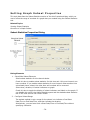
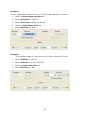
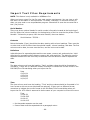
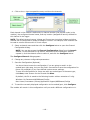
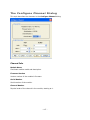
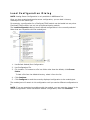
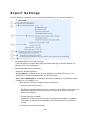
Use this dialog to customize how your data is formatted when you export a data file.
1.
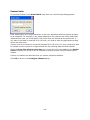
Use default Boxcar Pro export settings
Click this button to export data using the default settings for Onset's Boxcar Pro
software, which are listed below.
2.
Export table data column separator
Select the desired separator.
When Comma is selected as the column separator, the default file type is .csv,
which can be imported automatically into Microsoft Excel.
When Tab or Semicolon is selected for the column separator, the default file type
changes to .txt instead of .csv.
Other options: Select or deselect options as desired.
• Include line number column
By default, exported files include line numbers. Uncheck this box if you do not
want line numbers included in the file (for example, to export in Onset's
BoxCar-like format)
• Include plot title in header
Deselect this option if you do not want the plot title included in the header.
This option is primarily for compatibility with Onset's BoxCar Pro software
format.
• Always show fractional seconds
- 143 -