1
D-Link DMG-112A N300 Wireless Range Extender User Manual
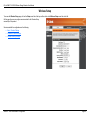
Basic Wireless Settings
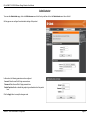
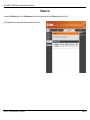
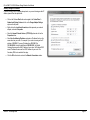
Click the Basic menu of the Wireless Setup to configure the basic wireless settings
of this product.
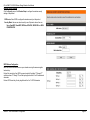
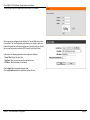
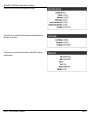
Driver Version: Display the wireless driver version of this product.
Network Mode: Here we can select which 802.11 wireless modes to use. Options
to choose from are 802.11b only, 802.11g only, 802.11b/g mixed mode, and
802.11b/g/n mixed mode. If you are not sure, select the 802.11 b/g/n mixed
option.
Network Name (SSID): Enter the wireless network name (SSID).
Broadcast Network Name (SSID): Enable or disable the Broadcast Network Name
function for this product.
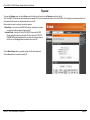
AP Isolation: Here we can choose to enable the AP isolation feature on this
product.
MBSSID AP Isolation: Here we can choose to enable the AP isolation feature on
this product.
BSSID: Display the BSSID of the product.
Frequency (Channel): Here we can select a wireless channel manually, or select
the Auto Select option to allow the repeater to automatically select the channel
with the least interference.
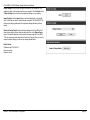
Channel Bandwidth: Here we can select the wireless bandwidth range used.
Options to choose from are 20 and 20/40.
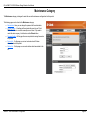
Guard Interval: Here we can select the guard interval. Options to choose from are
Long and Auto.
20/40 Coexistence: Enable or disable the 20/40 Coexistence feature on this
product.
Section 3 - Web User Interface Configuration
Page 21