1
OBJ_BUCH-8-001.book Page 51 Monday, May 3, 2004 12:30 PM
Phyaction C
6
MALFUNCTIONS, SERVICE AND GUARANTEE
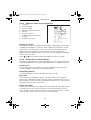
6.1
Malfunctions
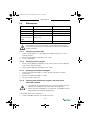
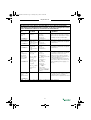
Component
Problem
Solution
Phyaction C
Equipment cannot be
switched on
See §6.1.1.
Equipment does not react to
commands or a fault report
appears
See §6.1.3.
Foreign language on the
screen
Change the language. See
§4.10.2.
Furring
Replace the sponges
Bad conduction
Replace the sponges
EL sponges
6.1.1
1.
2.
3.
4.
6.1.2
1.
2.
3.
4.
5.
6.
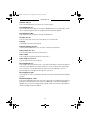
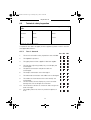
Equipment cannot be switched on
Check if the mains voltage has failed.
Check if the main switch is switched on (“I”).
Check if the power cord and the fuses are in order. If necessary, replace
the fuse. See §6.1.2.
Contact your dealer if the equipment still cannot be switched on.
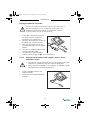
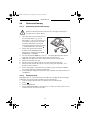
Replacing a fuse
Switch the main switch off (“O”).
Unplug the power cord from the equipment.
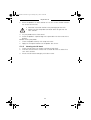
Pull the fuse holder carefully out of the equipment. If necessary, use a
screwdriver.
Replace the fuse. If necessary, order new fuses from your dealer.
Install the fuse holder and plug in the power cord.
Switch the main switch on again (“I”).
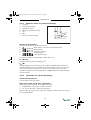
6.1.3
Equipment does not react to commands or a fault report
appears
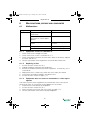
The safety system of the equipment has ascertained a fault. You cannot
continue to work. An instruction usually appears on the screen.
1. Disconnect the connection to the patient.
2. Switch the main switch off (“O”).
3. Wait 5 seconds and switch the main switch on again (“I”).
4. Contact your dealer if the error message reappears.
51