1
Cracking Passwords Version 1.1
7 of 45
file:///D:/password10.html
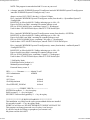
3. Download the psexec tool from http://technet.microsoft.com/en-us/sysinternals/bb897553.aspx and
unzip it
4. run as follows:
C:\> psexec \\hostname -u username -p password -s -f -c gsecdump.exe -s > hash.txt
hostname is the name of the PC where you want psexec to run. AKA the target.
username is the username to login to the remote PC.
password is the password of the above username. If you don't put in it here you be prompted to enter it.
If you are prompted the password won't be displayed.
-s tells the process to runas the system account
-f copies the program to the target pc even if it exists
-c copies the program to the target pc
gsecdump.exe is the utility you want to run
-s tells gsecdump to dump the SAM/AD hashes
the > character redirects the output to a file called hash.txt
NOTE: If you have a firewall installed on the remote system this will not work.
5. copy the hash.txt file to a floppy or USB thumb drive if you are going to use BackTrack to crack the
hashes
3.1.2.3 Using pwdump
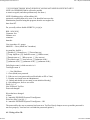
1. Download one of the pwdump files from http://en.wikipedia.org/wiki/Pwdump and unzip it.
2. Login to the system as an administrator and get to a command prompt (Start, Run, cmd). Since this my
system I know administrator password. You could also try to use metasploit to attack your system to
get to a command prompt.
3. run the pwdump utility you downloaded
C:\> pwdump7 >c:\hash.txt
pwdump7 will dump the SAM to the screen and the > character redirects the output to a file called
hash.txt
4. copy the hash.txt file to a floppy or USB thumb drive if you are going to use BackTrack to crack the
hashes
3.1.2.4 Cached Credentials
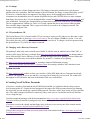
When a user logs into a domain their password is cached in the registry so that in the event that the Domain
Controller or network goes down the user can still login to their PC. To export these registry keys you need a
tool call cachedump. It can be downloaded from ftp://ftp.openwall.com/john/contrib/cachedump/
The readme.txt in the zip contains everything you want to know about where the cached credentials are
stored, how cached credentials work, how they are hashed, and how the tool works. Cachedump does not
work on Windows Vista. Vista changed the way that cached creditionals work.
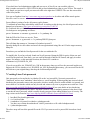
You can also download the fgdump with source file from http://www.foofus.net/fizzgig/fgdump/ and get
cachedump and its source code.
To use:
1.
2.
3.
4.
5.
Extract the cachedump.exe from the zip
Login to the PC as an administrator
Goto a cmd prompt (Start, Run, cmd)
C:\> cd \path to cachedump.exe
C:\> cachedump.exe -v
2/15/2010 3:48 PM