1
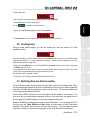
The software is installed on your computer. When installation is complete, the VirtualDJ icon
appears on your desktop.
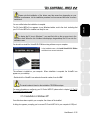
- Double-click the VirtualDJ icon and enter the serial number, then click OK.
FRANÇAIS
ENGLISH
- In the installation menu, click Install VirtualDJ DJC Edition
and follow the on-screen instructions.
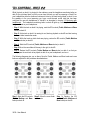
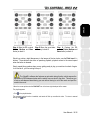
For more information on configuring your DJ Control MP3 E2, please refer to chapter 5.2. The DJ
Control MP3 e2 control panel.
DEUTSCH
The serial number is found on the installation CD-ROM's envelope.
NEDERLANDS
3.1.3. Installation on Mac
ESPAÑOL
ITALIANO
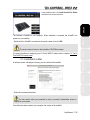
A welcome screen is displayed, informing you as to what will be installed.
- Follow the on-screen instructions.
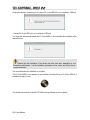
You may need to enter your password in order to proceed if administrator access is
required on your system.
Once files have been copied to your computer, the drivers will be installed.
User Manual – 7/32