1
Specifications
Item
Model
Imager
Native
Resolution
Projection
Distance
Projection
Screen Size
Focus
Throw Ratio
Vertical
Keystone
Projection Modes
Standard Input
Resolutions
SDTV/EDTV/
HDTV
Horizontal
Frequency
Vertical
Frequency
Safety
Certifications
Operating
Temperature
Dimensions
(WxHxD)
Power Input
Power
Consumption
Standby
Lamp
Lamp Life
Speakers
Input Ports
Security
Troubleshooting
If you experience a problem with your projector, please refer to the following
information. If a problem persists, please contact your local retailer or service
center.
Description
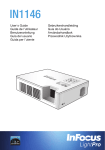
IN1142
DMD WXGA 0.45"
Image Problems
1280x800 WXGA
P No image appears on-screen
0.9-2.4 m (3'0" to 7'11")
• Ensure the power cord is correctly and securely connected.
20"-150" (0.5m to 3.81m)
• Make sure the projector is switched on.
• Ensure the pins of connectors are not crooked or broken.
Manual
1.4
P Image is out of focus
• Adjust the Focus Dial.
±40°
Table Top, Front Projection, Rear Projection
up to SXGA+ (60Hz)
• M
ake sure the projection screen is between the required distance 0.9 to
2.4 meters (2ft 11in to 7ft 10in) from the projector. See page 5.
P Image is too small or too large
• Move the projector closer to or further from the screen.
480i, 480p, 576i, 576p, 720p, 1080i
Audio Problems
P No sound
30.5 - 91.1kHz
• D
uring music playback, press t/u on the remote control or / on the
control panel.
50 - 85Hz
CE, CB, FCC
Note
When the projector temperature reaches 85°C, the projector automatically shuts down due to
the built-in temperature protection. This is not a malfunction. Let the projector cool down before
switching it on again.
0 - 40°C (32ºF-104ºF)
170 x 42.5 x 138mm (6.7" x 1.7" x 5.4")
AC adapter 100~240 V, 50Hz/60Hz
Typical 60W@110Vac
<0.5W
LED
20,000 Hours
1Wx1
HDMI
Kensington Slot
Regulatory Model: IN1142
Part Number: 4J.10801.001
www.infocus.com/support