1
3. Back panel instruction:
Back panel of ONU from left to right in turn is CATV Port,
PON Port, RJ45 Ports, a bunch port, a replacement switch and a
power supply jack, as following illustrate.
3.1
E8008U/E8009U
3.2
E8010U/E8012U
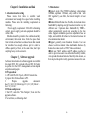
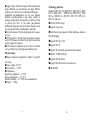
5. Firstly, upgrade Boot code, as following dos prompt
input ”rxboot” click the ”file” and choose “send file” ,
then “Boot3713_00XX_SPI_8Mb.tkf” you want to upgrade, as
following char:
Click “open”, start to upgrade”bootcode”, as following chart::
3.3
E8011U/E8014U
3.4
E8013U/E8015U
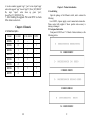
4. Indication light instruction
The signification of indicator from left to right is as following:
3
12