1
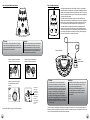
JamHub® – What is it?
Left Brain:
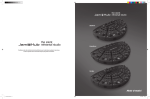
A JamHub is a multi-input, multi-audio channel device
designed specifically to allow musicians to jam or rehearse quietly and play more often. This typically leads
to improving the band’s skills very rapidly. Scientific
studies show that better quality practicing leads to faster
skills development. Some say, “Practice doesn’t make perfect, perfect practice makes perfect.” Use your JamHub
to make the best rehearsals possible.
Simply plug in your practice gear, like a modeling amp,
a keyboard, your microphone, and your headphones.
Have your band mates do the same. Everyone can create a mix that’s right for them and you’re ready to go.
You’ll find with a JamHub that you can play longer,
without disturbing others, and without burning out your
ears. Most importantly, because there aren’t several loud
amps in a small room muddying up the music, the clarity
of your jam is greatly enhanced and rehearsals are much
more productive.
Lastly, with the JamHub’s SoleMix™ controls, you control
what you hear. So volume wars are a thing of the past.
Bass player too loud? Just reach over to your JamHub
section and turn him/her down. And the bass player can
turn up the drums and turn down your guitar so he/she
can lock into the groove. Everyone hears what they need
to hear to ensure the band is improving faster.
Table of Contents
Left Brain:
he Table of Contents below will help guide you
T
through each section of the manual and get you to
things quickly and efficiently.
Right Brain:
A JamHub lets you jam with your band anywhere,
anytime in near silence. And the experience rocks.
Each musician picks a color section and plugs in their
instruments, microphones and headphones, then,
using their section’s SoleMix controls, creates
their own perfect mix.
You’ll hear yourself with amazing new clarity and no
more volume wars. So, not only will you be jamming
more often, but you’ll also be getting better faster and
working out totally new arrangements to the same old
songs.
Improving and enjoying your music has never been this
easy.
Right Brain:
The Table of Contents below is probably not necessary
because we know you’re just going to flip through
the manual until you find the picture you think best
answers your question. That’s why we included so
many illustrations.
Contents
Safety Warning............................................................................................................................................... 2
Introduction................................................................................................................................................... 3
a new approach.................................................................................................................................... 3
How to Make the Most of this Document.......................................................................................................... 3
What is it?..................................................................................................................................................... 4
Getting Started: an overview........................................................................................................................... 6
Step 1: turn down knobs................................................................................................................................. 6
Step 2: connections........................................................................................................................................ 7
Step 3: setting trim levels............................................................................................................................... 8
Step 4: using stage control.............................................................................................................................. 8
Step 5: adjusting headphone volume............................................................................................................... 9
Step 6: using the SoleMix™ control section..................................................................................................9,10
Step 7: setting up the SoleMix remote........................................................................................................... 11
SoleMix controls: a closer look...................................................................................................................... 12
What’s up with the “R” section............................................................................................................. 12
Using the 1-R switch........................................................................................................................... 13
Effects engine and settings.................................................................................................................. 13
Guide to the effects engine.................................................................................................................. 14
JamHub Model Comparisons......................................................................................................................... 15
Useful Diagrams.......................................................................................................................................15,16
Hook-up diagrams............................................................................................................................... 15
Ins and Outs diagrams........................................................................................................................ 16
Trim Controls: a detailed review..................................................................................................................... 17
Additional GreenRoom and TourBus Features
Phantom Power................................................................................................................................... 17
Additional TourBus Features: Recording......................................................................................................... 18
Menu Structure and Soft Keys.............................................................................................................. 18
Home Menu........................................................................................................................................ 19
Metronome Functions.......................................................................................................................... 19
Utility Menu........................................................................................................................................ 19
Directory............................................................................................................................................ 20
Mark and Delete Mark Functions.......................................................................................................... 20
Summary..................................................................................................................................................... 20
FAQs .............................................................................................................................................21,22
Other things to know........................................................................................................................... 22
Warranty..................................................................................................................................................... 23
4
5