1
WCM 4.0 Installation (Quick Setup)
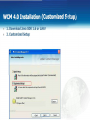
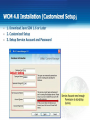
1. Download Java SDK 1.6 or Later
2. Quick Setup to Install
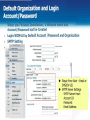
3. Default Service Account and Password
We*ContTDt M < D I ^ [ 4 0
Ready t o J m t a f l (he Program
l/V&O Content Manager
Ihe « t » d * read* to begn nstalatjon*
C M total tobegn the nstalatton.
ff you want to review or change any of your rtitaftabon settings, ckk Back. Cfcck Cancel to
Server Irfomarjcn:
r^alCcrrooriwits Database Server Content Server. PuMsh Server,
Irtrtal Peth;C\r>ogram H w \ p T fie*eaich\WebOT Content Managed
Share FoWer:C:l^ogram Hes\DT ftetearch»We60T Content Manage«\L**WY\
Supermtr pajajrrjrd:IO*S
Database Superuser: dbadmin
Database Superuser Password ; 12345
Database service account; Postgres
Database service password : Post_~gres
tattMK
Service Account rijmePostojw
Database Service Account Password Post_^jres
HHBBaTTOTTW^T
[Wet Server Port:f»l
Web Server Port: 80
<*atk
Intel
1 [
Cancel
Please use IE Explorer to setup WCM
|