1
US008793595B2
(12) United States Patent
.Appehnan
(54)
(10) Patent N0.:
(45) Date of Patent:
(56)
USER DEFINABLE CO-USER LISTS WITH
STATUS INDICATORS
US 8,793,595 B2
*Jul. 29, 2014
References Cited
U.S. PATENT DOCUMENTS
(75) Inventor:
Barry Appelman, Great Falls, VA (US)
(73) Assignee: Facebook, Inc., Menlo Park, CA (US)
(*)
Notice:
Subject to any disclaimer, the term of this
patent is extended or adjusted under 35
4,653,090 A
3/1987 Hayden
5,136,501
5,245,656
5,276,736
5,327,486
5,347,306
8/1992
9/1993
l/l994
7/1994
9/1994
A
A
A
A
A
U.S.C. 154(b) by 0 days.
(Continued)
This patent is subject to a terminal dis
claimer.
FOREIGN PATENT DOCUMENTS
WO
WO
(21) Appl. N0.: 13/615,157
(22) Filed:
“Hey Baby, Call Me at My IP Address”; Peter Wayner; BYTE Maga
Zine; Apr. 1996.
Apr. 11,2013
(Continued)
Primary Examiner * Cao “Kevin” Nguyen
Related US. Application Data
(74) Attorney, Agent, or Firm * Keller Jolley Preece
Continuation of application No. 13/347,277, ?led on
Jan. 10, 2012, which is a continuation of application
No. 12/469,347, ?led on May 20, 2009, now Pat. No.
8,099,667, which is a continuation of application No.
10/866,304, ?led on Jun. 14, 2004, now Pat. No.
7,539,942, which is a continuation of application No.
08/803,692, ?led on Feb. 24, 1997, now Pat. No.
(57)
Systems and methods are disclosed for tracking and display
graphical interface. The invention provides user de?nable
on-line co-user lists, or “buddy lists,” which track speci?c
(52)
the buddy list system. The buddy list system attempts to
match co-users currently logged into the system with the
(2006.01)
(2006.01)
entries on the user’s buddy list. Any matches are displayed to
the user. As co-users logon and logoff, a user’s buddy list is
updated to re?ect these changes. An indication can also be
added to show that a co-user just logged on or just left the
US. Cl.
USPC
(58)
co-users in real-time automatically. When a user logs on to a
system, one or more of the user’ s buddy lists are presented to
Int. Cl.
G06F 13/00
G06F 15/00
ABSTRACT
ing the logon status of selected co-users of an on-line or
network system in real time to a tracking user in a unique
6,750,881.
(51)
4/1997
12/1997
OTHER PUBLICATIONS
Prior Publication Data
US 2013/0091438 A1
(63)
97/14234
97/46955
Sep. 13, 2012
(65)
Silverman et a1.
Loeb et a1.
Chaum
Wolff et 31.
Nitta
......................................... .. 715/753; 715/853
Field of Classi?cation Search
USPC ....... .. 715/735, 706, 810, 7394740, 733, 853,
system.
715/7514753, 759, 765, 744
See application ?le for complete search history.
USER
54 Claims, 7 Drawing Sheets
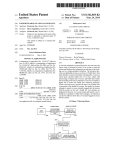
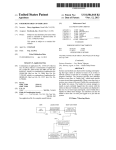
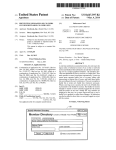
LOGON SYSTEM
LOGON SYSTEM
NOTIFIEs BUDDY
SYSTEM ABOUT
USER
USER
LOGS ON
\200
BUDDY LIST SYSTEM
BUDDY LIST
S
SYSTEM FETCHES
USER’S BUDDY LIST
\202
K204
206
I1
I
....
........
; BUDDY LIST ENTRIES I
: COMPARED TO Loeom
;L _________________
[210
SYSTEM RECORDS
LOGON SYSTEM
NOTIFIES BUDDY LIST
SYSTEM ABOUT
LOGONS/LOGOUTS
[208
BUDDY LIST SYSTEM
DISPLAYS BUDDY LISTS
WITH INDICATOR MARKINGS
US 8,793,595 B2
Page 2
(56)
5,471,525
5,483,586
5,506,891
5,533,110
References Cited
Carla J. Fermann, Distributed Consulting in a Distributed Environ
ment, ACM SIGUCCS XVIII 1990, pp. 117-120.
U.S. PATENT DOCUMENTS
Cotton, Kali95 Help Files, 1996.
CUSeeMe Activity, http://web.cortland.edu/?teach/methods/obj2/
A
A
A
A
5,557,659 A
11/1995
1/1996
4/1996
7/1996
Domoto et al.
Sussman
Brown
Pinardet a1.
9/1996 Hyde-Thomson
5,568,540 A
10/1996 Greco et al.
5,583,920
5,588,107
5,592,534
5,608,786
12/1996
12/1996
1/1997
3/1997
A
A
A
A
5,610,910 A
5,644,657 A
5,652,789 A
5,689,662 A
5,726,984 A
5,742,905 A
5,752,025 A
5,774,668 A
5,790,548 A
5,793,365 A *
5,796,395
5,805,164
5,812,773
5,835,087
5,862,203
A
A
A
A
A
Wheeler, Jr.
Bowdenet al.
Ito
Gordon
3/1997 Focsaneanu et al.
7/1997
7/1997
11/1997
3/1998
4/1998
5/1998
6/1998
8/1998
8/1998
8/1998
9/1998
9/1998
11/1998
1/1999
Capps et al.
Miner et al.
Nakajima et al.
Kubler et a1.
Pepe et al.
Shakib etal.
Choquier et a1.
Sistanizadeh et al.
Tang etal. .................. .. 715/758
De Hond
Blumet a1.
Norin
HerZ etal.
Wulkan et al.
5,864,874 A
1/1999 Shapiro
5,880,731 A
5,892,764 A
3/1999 Liles etal.
4/1999 Riemann et al.
5,892,856 A
5,956,485 A
4/1999 Cooperet a1.
9/1999 Perlman
5,960,173 A *
5,978,672 A
6,052,372
6,104,711
6,108,704
6,144,848
6,389,127
6,448,978
6,449,344
A
A
A
A
B1
B1
B1
6,677,968
6,750,881
7,454,709
7,539,942
8,099,667
B1
B1
B1
B1
B1
2012/0179971
2013/0091433
2013/0091434
2013/0110858
2013/0110933
2013/0111608
2013/0117690
A1
A1
A1
A1
A1
A1
A1
9/1999
Tang etal. .................. .. 709/201
11/1999 Hartmaier et a1.
4/2000 Gittins
8/2000 Voit
8/2000
11/2000
5/2002
9/2002
Hutton et al.
Walsh et al.
Vardiet al.
Salvador
9/2002 Gold?nger et al.
1/2004
6/2004
11/2008
5/2009
1/2012
7/2012
4/2013
4/2013
5/2013
5/2013
5/2013
5/2013
Appelman
Appelman
Appelman
Appelman
Appelman
Appelman
Appelman
Appelman
Appelman
Appelman
Appelman
Appelman
OTHER PUBLICATIONS
Sharon Belville et al., Zephyr at CERN, Jul. 15, 1993, [online],
[retrieved on Jan. 27, 2003]. Retrieved from the Internet: URL:http://
con sult.cern .ch/writeup/ zephyr/main .htrnl.
“Dial 1-800-Internet”; Nathan Muller; BYTE Magazine; Feb. 1996.
“Tomorrow’s TV Today,” Netwatch, Time Magazine, Oct. 10, 1994.
Abbe Cohen et al., Inessential Zephyr, [online], [retrieved on Jan. 28,
2003]. Retrieved from the Internet: URL:http://www.mit.edu/afs/
sipb/proj ect/do c/ izephyr/htrnl/ izephyr.html.
Ackerman et al., “Social Activity Indicators: Interface Components
for CSCW Systems”, Nov. 1995.
Angwin, Talk is cheap: buddy lists spark race to harness the power of
‘presence’, The Wall Street Journal, Mar. 23, 2001.
AOL 1996 Annual Report.
Arndt, “PowWow: Voice Chat with a Difference!” Sixteen Bits, Jan.
cueeme2.html, retrieved Mar. 18, 2013.
Dorcey, “CU-SeeMe Desktop VideoConferencing Software” 1995.
Dourish et al., “Awareness and Coordination in Shared Workspaces”
1992.
Earll M. Murman et al., Perspectives on Project Athena, ACM
SIGUCCS SVIII 1990, pp. 287-296.
Edward Baig, How to Practice Safe Sur?ng, Business Week, Sep. 9,
1996, p. 120.
Finding Several Users, Jul. 14, 1994, [online], [retrieved on Jan. 27,
2003]. Retrieved from the Internet: URL:http://consult.cern.ch/
writeup/zephyr/ subsecti on star2i2i3 i2 .htrnl.
Gaj ewska et al., “Argohalls: Adding Support for Group Awareness to
the Argo Telecollaboration System”, 1995.
Gedney et al., Eudora for Macintosh Version 3 .0, User Manual, 1996.
Gold?nger et al., ICQ Help Files, Nov. 1996.
Greenberg, “It should have been my idea,” 3 1, 3 Computerworld, Jan.
20, 1997.
Hunt, “3DO Delivers First Entertainment Product for the Internet;
Meridian 59 Is World’s First Internet 3-D Graphical MUD Game
Netscape Navigator” Sep. 17, 1996.
Hunt, 3DO Reports Pro?table Second Quarter Results; Revenues Up
to $26.8 Million.
Installing Cornell CU-SeeMe version 1.0a, http://hoopleiny.tripod.
com/cornell.htm, May 29, 2003.
Internet Archive4Only on AOL: Interactivity, http://web.archive.
org/web/ 1996122015 590 8/http://www.aol.com/only/interactivity.
htrnl, Oct. 1996.
Invalidity Contention, US. District Court Northern District of Cali
fornia (Oakland Division), Civil Case No. 4: 12-cv-04230-PJH, Feb.
15, 2013, 23 pages.
Invalidity Contention, US. District Court Northern District of Cali
fornia (Oakland Division), Civil Case No. 4: 12-cv-04230-PJH, Feb.
15, 2013, Exhibit A-1, 405 pages.
Invalidity Contention, US. District Court Northern District of Cali
fornia (Oakland Division), Civil Case No. 4: 12-cv-04230-PJH, Feb.
15, 2013, Exhibit A-2, 417 pages.
Invalidity Contention, US. District Court Northern District of Cali
fornia (Oakland Division), Civil Case No. 4: 12-cv-04230-PJH, Feb.
15, 2013, Exhibit A-3, 441 pages.
Invalidity Contention, US. District Court Northern District of Cali
fornia (Oakland Division), Civil Case No. 4: 12-cv-04230-PJH, Feb.
15, 2013, Exhibit A-4, 427 pages.
Invalidity Contention, US. District Court Northern District of Cali
fornia (Oakland Division), Civil Case No. 4: 12-cv-04230-PJH, Feb.
15, 2013, Exhibit A-5, 435 pages.
Invalidity Contention, US. District Court Northern District of Cali
fornia (Oakland Division), Civil Case No. 4: 12-cv-04230-PJH, Feb.
15, 2013, Exhibit A-6, 417 pages.
Keizer, Gregg, “Comprehensive Collaboration Comes Cheap”,
CNET Reviews NetMeeting 1.0 Beta 1, Jul. 16, 1996, http://www.
cnet.com, pp. 1-2.
Kirmse, History of Meridian 59, 1994-2000, http://www.meridian59.
com/about-early-history.php, May 2000.
Kohler, Xzewd Help, http://web.mit.edu/outland/share/lib/xzewd/
help/.
Kohler, Xzewd Manual Pages, Nov. 21, 1992.
Loevstrand, “Being Selectively Aware with the Khronika System”
1991.
Mardam-Bey, mIRC v3.92 Help Files, 1996.
C. Anthony DellaFera et al., The Zephyr Noti?cation Service, pp.
Mark Moridian, Internet Online Services: Communication, Interac
tive Content, v2, p. 7, Oct. 1996.
O’Hara, Meridian 59 User’s Guide, Jan. 27, 1997.
Patterson, “Noti?cation Servers for Synchronous Groupware”, 1996.
Robert S. French et al., The Zephyr Programmer’s Manual, Protocol
Version ZEPHO.2, Apr. 5, 1989, pp. 1-82.
Root, “Design ofa Multi-MediaVehicle for Social Browsing” 1988.
1-9.
Schmeidler, qu1 Manual Pages, Sep. 1, 1996.
1997.
Beckley et al., “Eudora Version 3.0 for Windows User Manual”, Oct.
1996.
US 8,793,595 B2
Page 3
(56)
References Cited
OTHER PUBLICATIONS
Sellers, “Announce: *Free* 3D Graphical MUD Available Dec. 15”
Article
<[email protected]>#1/1
in
Usenet
newsgroup rec.games.rpg, Dec. 9, 1995.
Sohlenkamp et al., “Integrating Communication, Cooperation, and
Awareness: The DIVA Virtual Of?ce Enviroment”, 1994.
Xhtalk 2.9 Speci?cation; Klaus Hartenstein; Nov. 1992.
Zephyr Answers, [online], [retrieved on Jan. 27, 2003]. Retrieved
from the Internet: URL:http://web.mit.edu/answers/zephyr/.
Zephyr on Athena (AC-34) Draft, [online], [retrieved on Jan. 27,
2003]. Retrieved from the Internet: URL:http://web.mit.edu/olh/
zephyr/TOC .htrnl.
Zephyr(1) Manual Page, Jul. 1, 1988, [online], [retrieved on Jan. 27,
2003]. Retrieved from the Internet: URL:http://www.tru64unix.
compaq.com/demos/ossc -v5 la/man-htm/2ephyr-manhtm.
U.S. Appl.
U.S. Appl.
U.S. Appl.
U.S. Appl.
U.S. Appl.
U.S. Appl.
No.
No.
No.
No.
No.
No.
10/866,304,
10/866,304,
10/866,304,
10/866,304,
10/703,663,
10/703,663,
Mar. 30, 2007, Of?ce Action.
Dec. 27, 2007, Of?ce Action.
Jul. 21, 2008, Of?ce Action.
Jan. 14, 2009, Notice ofAllowance.
Jun. 20, 2007, Of?ce Action.
Dec. 27, 2007, Of?ce Action.
U.S. Appl. No. 10/703,663, Apr. 25, 2008, Notice ofAllowance.
U.S. Appl. No. 10/703,663, Oct. 16, 2008, Supplemental Notice of
Allowability.
U.S. Appl. No.
U.S. Appl. No.
U.S. Appl. No.
U.S. Appl. No.
U.S. Appl. No.
U.S. Appl. No.
U.S. Appl. No.
U.S. Appl. No.
U.S. Appl. No.
U.S. Appl. No.
U.S. Appl. No.
U.S. Appl. No.
U.S. Appl. No.
U.S. Appl. No.
U.S. Appl. No.
U.S. Appl. No.
U.S. Appl. No.
U.S. Appl. No.
12/469,347, Apr. 11, 2011, Of?ce Action.
12/469,347, Sep. 13, 2011, Notice ofAllowance.
13/347,277, Jul. 5, 2012, Of?ce Action.
13/347,277, Nov. 28, 2012, Of?ce Action.
13/347,277, Jul. 5, 2013, Of?ce Action.
13/615,148, Mar. 5, 2013, Of?ce Action.
13/720,250, Aug. 1, 2013, Of?ce Action.
13/719,071, May 22,2013, Of?ce Action.
13/347,277, Sep. 18, 2013, Notice ofAllowance.
13/615,148, Sep. 24, 2013, Notice ofAllowance.
13/615,148, Oct. 16, 2013, Notice ofAllowance.
13/720,250, Sep. 16, 2013, Notice ofAllowance.
13/720,295, Oct. 4, 2013, Of?ce Action.
13/720,528, Sep. 12, 2013, Of?ce Action.
13/720,528, Oct. 28, 2013, Notice ofAllowance.
13/720,528, Jan. 21, 2014, Notice ofAllowance.
13/719,071, Dec. 13, 2013, Notice ofAllowance.
13/720,295, Dec. 23, 2013, Notice ofAllowance.
* cited by examiner
US. Patent
Jul. 29, 2014
Sheet 1 0f7
1
LOGON
SYSTEM
US 8,793,595 B2
V
4
>
BUDDY LIST
26
SYSTEM
‘/
FIG.1
US. Patent
Jul. 29, 2014
Sheet 2 0f7
US 8,793,595 B2
/30
Group Name
32
/
“Home List"
.
“W k [Stu
or
Buddy List
I
Screen Name/Address
L09 Status
“John Smith”
“Jane Doe”
“Simon Roe”
“in”
“Out”
“In”
FIG . 2a
34
36
Permission List
User Name
“John Smith”
“Jane Doe”
\
Block Status
“none”
“all”
Exclusion List
“Simon Roe" “ail except”
“Bob Jones” “none except”
38
/
Inclusion List
US. Patent
Jul. 29, 2014
Sheet 3 0f7
Buddy Lists
US 8,793,595 B2
BE}
Buddies
Online
Home List (2/33
40
A
John Smith
IN
Jane Roe
OUT
Simone Roe
IN
/
V
e
y
Chat
Keyword: BuddyView
[- 50
My Buddy Lists
[E
Buddy List Name
Buddies
Home List
3
a F]
Member
Directory
v
A: [X]
B= E]
Create
Edit
Delete
View
C: 5
Preferences
Help
Keyword: Buddy
FIG. 4
US. Patent
Jul. 29, 2014
Sheet 4 0f7
US 8,793,595 B2
KBO
Create a Buddy List
2 :[Il]
Create a Buddy List
STEP 1; Entera Buddy Listgroup
Buddy List Group Name
STEP 2: Enter a screen name and
click “Add Buddy”
I
STEP 3: When finished click “Save”
Enter a Screen Name
Buddies on List
[2
Add Buddy
lil
Remove Buddy
Save
Cancel
Help
HQ). 5
K70
Buddy List Preferences
Buddy List Preferences
E [Q]
Show me my Buddy List(s) immediately after I sign onto AOL
Play sound when buddies sign on
Play sound when Buddies sign off
@ Allow all members to add me to their list/invitations
Q Block all members from adding me to their lists/invitations
U/
0 Allow only the members below
W
O Block only the members below
Sound Library
(Separate screen names with a comma. Example: name 1, name 2, name 3)
Save
Cancel
Help
FIG. 6
US. Patent
Jul. 29, 2014
Sheet 5 0f7
US 8,793,595 B2
K 80
Search Member Directory
Member Directery Create or Modify Your Pro?le % Profile
Quick SearchI [Advanced Searcrl
Search entire profile for the following
Optional Fields:
Member Name
Location (city/state)
I seamh l I He‘ll 8‘ MO I
II] Return only members online
K 90
Locate Member Online
2|
Enter the member’s screen name to find out
what area of the service he or she is
currently usingv
OK
FIG. 8
US. Patent
Jul. 29, 2014
Sheet 6 0f7
US 8,793,595 B2
K 100
To:
Send Instant Message
lA‘l'H A llQAl |B||1llll|
|
A
v
Send
Available?
FIG. 9
[I
Group Invite (Chat or URL)
Buddy Chol
[go
Qw'lll’rl‘w
E
a
Message To Send (Default: You are invited to:)
Location (Default chat)
Private Chat Room
Send
0 Keyword/Favorite Place
Cancel
Help
FIG. 10
H
US. Patent
Jul. 29, 2014
USER
US 8,793,595 B2
Sheet 7 0f 7
BUDDY LIST SYSTEM
LOGON SYSTEM
LOGON SYSTEM
NOTIFIES BUDDY
USER
LOGS ON
' SYSTEM ABOUT
USER
V
BUDDY LIST
SYSTEM FETCHES
USER’S BUDDY LIST
\200
I
: BUDDYIJSTENTRES
r————>I COMPARED TO LOGONI
'
SYSTEM RECORDS
f
210
LOGON SYSTEM
NOTIFIES BUDDY LIST
SYSTEM ABOUT
LOGONS/LOGOUTS
FIG. 11
I,
f
208
BUDDY LIST SYSTEM
DISPLAYS BUDDY LISTS
WITH INDICATOR MARKINGS
US 8,793,595 B2
1
2
USER DEFINABLE CO-USER LISTS WITH
STATUS INDICATORS
face. The invention provides user de?nable on-line co-user
lists, or “buddy lists”, that track speci?c co-users in real-time
automatically.
CROSS REFERENCE TO RELATED
APPLICATION
A user can create many separate buddy lists of co-users,
either with intersecting or disjoint lists of users, and label
these buddy lists according to the user’s preference. The user
This application is a continuation of Ser. No. 13/347,277
?led Jan. 10, 2012, which is a continuation of US. patent
can update a buddy list or create new buddy lists whenever
necessary. When a user logs on to a system, the user’s set of
application Ser. No. 12/469,347, ?led May 20, 2009, now
allowed, which is a continuation of US. patent application
buddy lists is presented to the buddy list system. The buddy
list system attempts to match co-users currently logged into
the system with the entries on the user’s buddy list. Any
Ser. No. 10/866,304, ?led Jun. 14, 2004, now US. Pat. No.
7,539,942, which is a continuation of US. patent application
Ser. No. 08/803,692, ?led Feb. 24, 1997, now US. Pat. No.
matches are displayed to the user. As co-users logon and
logoff, a user’s buddy list is updated to re?ect these changes.
6,750,881. Each of the aforementioned applications and pat
ents are hereby incorporated by reference in their entirety.
An indication can also be added to show that a co-user just
logged on or just left the system.
The details of the preferred embodiment of the present
invention are set forth in the accompanying drawings and the
description below. Once the details of the invention are
known, numerous additional innovations and changes will
BACKGROUND
1. Field of the Invention
This invention relates to on-line communication networks,
and particularly to interpersonal communications on such
networks.
2. Description of Related Art
An important aspect of an “online” system, such as the
20
become obvious to one skilled in the art.
DESCRIPTION OF DRAWINGS
users/processes on that system and a methodology for com
FIG. 1 is a block diagram ofa typical network system 10 in
which the invention can be implemented.
FIG. 2a is a set of symbolic data records showing the basic
types of data used by one embodiment of the invention for a
municating with them through some selected protocol. When
buddy list, and the conceptual relationship of data elements.
proprietary system operated by America Online, Inc. (AOL)
25
or the public Internet system, is knowledge of the people/
a person “logs on” to a network system, they are in effect
identifying themselves to the system and announcing their
30
presence. On most systems, this presence is unique to every
user who is on the system. For example, on the AOL network
this presence is known as the “screen name”, but on other
systems it could be an Internet Protocol (IP) address or some
other unique identi?er.
FIG. 2b is a set of symbolic data records showing the basic
types of data used by one embodiment of the invention for a
permissions list, and the conceptual relationship of data ele
ments.
FIG. 3 is a graphical display of one implementation of the
invention, showing a buddy list window.
35
FIG. 4 is a graphical display of one implementation of the
An Internet Service Provider (ISP) is, in a sense, an online
system because every user has an associated IP network
address and may also have a user id and password. There can
also be a hierarchy of logon systems, where an ISP is used to
invention, showing a buddy list setup window.
connect to a ?rst network, and then once connected the user 40
invention, showing a buddy list preferences window.
FIG. 5 is a graphical display of one implementation of the
invention, showing a buddy list create window.
FIG. 6 is a graphical display of one implementation of the
can log on to another system with a different identity. These
secondary systems can be in parallel (i.e., a user connects to
an ISP and then logs on to multiple systems), or a combina
tion of parallel and hierarchical (i.e., a user logs on to multiple
systems in parallel once connected to the ISP, and then from
one of those parallel systems logs on to yet other systems.
FIG. 7 is a graphical display of one implementation of the
invention, showing a search member directory window.
45
Thousands to millions of users may be accessing such com
plex networks at any point in time.
A problem with networks on any size is tracking personal
relationships and maintaining knowledge of the people/users/
50
processes on that system. In the AOL network, a user could
use a LOCATE function to inquire from the system if another
FIG. 8 is a graphical display of one implementation of the
invention, showing a member location window.
FIG. 9 is a graphical display of one implementation of the
invention, showing an instant message window.
FIG. 10 is a graphical display of one implementation of the
invention, showing a buddy chat window.
FIG. 11 is a ?owchart showing an implementation of the
invention.
Like reference numbers and designations in the various
drawings indicate like elements.
user was currently logged into the system. In the CompuServe
DETAILED DESCRIPTION
network, a user can use a more limited “WHO’S HERE”
function to determine who is present in a forum conference.
55
The present invention addresses the problem of tracking
Throughout this description, the preferred embodiment
personal relationships and maintaining knowledge of the
and examples shown should be considered as exemplars,
people/users/processes on that system with a unique way of
establishing and maintaining user de?nable on-line co-user
lists.
rather than as limitations on the present invention.
60
SUMMARY
The invention implements a real time noti?cation system
that tracks, for each user, the logon status of selected co-users
of an on-line or network system and displays that information
in real time to the tracking user in a unique graphical inter
65
Overview
The invention implements a real time noti?cation system
that tracks, for each user, the logon status of selected co-users
and displays that information in real time to the tracking user
in a unique graphical interface. The invention provides user
de?nable on-line co-user lists, or “buddy lists”, that track
speci?c co-users in real-time automatically. Such automatic
US 8,793,595 B2
3
4
monitoring is signi?cant, because in a system of any size
a user’s Block Status code is equivalent to “all except”, then
there would be no way for a user to track the comings and
goings of thousands or millions of users each moment in time.
all co-users except those entered in a linked Exclusion List 36
may enter that user into their buddy lists. If a user’s Block
An important component of the buddy list system is that a
Status code is equivalent to “none except”, then only co-users
user can create many separate buddy lists of co-users, either
entered in a linked Inclusion List 38 may enter that user into
with intersecting or disjoint lists of co-users, and label these
buddy lists according to the user’s preference. The user can
have one of an Inclusion List 36 and an Exclusion List 48.
the co-user’s buddy lists. In one embodiment, a user may only
update a buddy list or create new buddy lists whenever nec
essary. When a user logs on to a system, the user’s set of
Example Implementation
buddy lists is presented to the buddy list system. The buddy
FIG. 3 is a graphical display of one implementation of the
invention, showing a Buddy List window 40 with a buddy list
named “Home List” in a large scrollable area. Buddy list
list system attempts to match co-users currently logged into
the system with the entries on the user’s buddy list. Any
matches are displayed to the user. As co-users logon and
names are like categories. Other buddy lists can be shown in
the same display. Indented underneath each buddy list are the
logoff, a user’s buddy list is updated in real-time (or near
real-time, taking into account network and processing delays)
to re?ect these changes. An indication can also be added to
show that a co-user just logged on or just left the system.
Hardware System
20
By way of example only, FIG. 1 is a block diagram of a
typical network system 10 in which the invention can be
implemented. The network system 10 includes a plurality of
name to indicate logged in, graying a name to indicated
logged out) or other symbols (e.g., checkmarks to indicate
logged in), etc. In still another embodiment, only logged in
user stations 12 that preferably include a processor chassis 14
having a network link. The network link is for receiving and
transmitting data in analog or digital form over a communi
names (or addresses) of user-selected co-users comprising
that list. In the example shown, the “Home List” includes
three co-users and their status as “IN” (i.e., currently logged
into the system) or “OUT” (i.e., currently logged out of the
system). Any desired method or technique can be used to
indicate log status, such as distinct attributes (e.g., holding a
25
members of a buddy list are displayed. In one embodiment, an
asterisk or other symbol appears next to the screen name of
the most recent co-user to log into the system, and parenthe
cations link 16, such as a serial link, local area network,
wireless link, parallel link, etc. Also coupled to a typical
ses are placed around the screen name of the most recent
processor chassis 14 is a display 18, a keyboard 20, and a
co-user to log out of the system.
pointing device 22 (e.g., a mouse).
30
The communications link 16 couples each user station 12
as a “clien ” to a logon system 24, which is typically a soft
In the preferred embodiment, a user can “minimize” a
buddy list to suppress display of all the co-users in that group.
This is preferably implemented so that a double click on the
ware program executing on a remote server somewhere on a
buddy list name will cause all the screen names listed beneath
network. The logon system 24 communicates with a “Buddy
List System” 26, which is preferably a software program
to disappear. In the preferred embodiment, minimized buddy
35
lists are indicated by a “+” symbol next to the buddy list name.
executing on a server somewhere on the network. The Buddy
Double-clicking on the buddy list name again displays all of
List System 26 maintains a database 28 for storing user infor
mation. The database 28 may be of any type, such as relational
or hierarchical, and may be centralized or distributed. For
example, the database 28 may be stored at least inpart on each
the hidden co-users under that name. A user can also keep tabs
on each list by checking out the numbers posted in parenthesis
40
user’ s own station 12. In such a case, the database 28 contents
would be transmitted to the Buddy List System 26 when the
user logged into the system.
Data Structure
next to the buddy list names. This number tells the user how
many people on that list are logged in out of the total number
of screen names on the buddy list. In the illustrated example,
2/3 means that two of the three people on the “Home List” are
currently online.
45
In the preferred embodiment, when the user ?rst logs into
the system, the Buddy List window 40 opens, informing the
user which of the user’s buddy list members are currently
FIG. 2a is a set of symbolic data records showing the basic
online. The user can either close this window, or leave it open
types of data used by the Buddy List System 26, and the
conceptual relationship of data elements. A Group Name
while visiting other areas of the system. If the Buddy List
table 30 stores user-de?ned group names for buddy lists. Each
50
user may de?ne multiple buddy lists by group names (two
being shown by way of example). Each group name in the
Group Name table 30 has an associated Buddy List table 32,
moment.
The illustrated Buddy List window 40 shows a number of
comprising multiple records. Each Buddy List table 32 record
corresponds to a co-user (“buddy”) that the user wishes to
window 40 is left open, the user has a current, real-time list of
all the user’s buddies in who are online at any particular
55
track. In the preferred embodiment, the record includes data
buttons for setting up or using buddy lists. Included buttons in
the preferred embodiment are: LOCATE, for determining
which “chat room” a buddy is in at a particular moment; IM,
for sending an “Instant Message”; SETUP, for creating and
elements for the screen name (or address, such as an Internet
editing buddy lists or setting buddy list preferences; and
address) of a particular co-user to be tracked, and the logon
BUDDY CHAT, for inviting buddies to a private chat or a
status of that user (e.g., codes for “In” or “Out”).
FIG. 2b is a set of symbolic data records showing the basic
types of data used by one embodiment of the invention for a
favorite place in the system.
60
Setup
Permissions List 34, and the conceptual relationship of data
elements. Each user in the system has an associated Block
Status code. If a user’s Block Status code is equivalent to
FIG. 4 is a graphical display of one implementation of the
invention, showing a Buddy List Setup window 50 with a
“none”, then no co-user may enter that user into the co-user’ s 65 buddy list named “Home List” in a scrollable area. Buttons
buddy lists. If a user’ s Block Status code is equivalent to “all”,
then all co-users may enter that user into their buddy lists. If
are provided for creating a new buddy list; editing a selected
buddy list; deleting a buddy list; viewing the members of a
US 8,793,595 B2
5
6
selected buddy list; accessing a Member Directory for the
system; and accessing a preferences windows. In the pre
ferred embodiment, each buddy list is shown in the scrollable
FIG. 7 is a graphical display of one implementation of the
invention, showing a Search Member Directory window 80.
In the preferred embodiment, this feature is accessed from the
area with a count of the number of co-users in each list.
Buddy List Setup window 50 (FIG. 4), and allows searching
FIG. 5 is a graphical display of one implementation of the
invention, showing a Buddy List Create window 60. A user
a system directory in known fashion for screen names or
addresses of co-users, for entry into buddy lists.
can enter a buddy list group name and a screen name for each
co-user to be tracked. A list of buddies on a particular list are
Locate
also displayed, along with a button allowing removal of an
existing buddy. After entry of all necessary data in such a
window, the user’s Group Name table 30 and the appropriate
Buddy List table 32 are updated using conventional data
processing techniques. Editing a buddy list can be done from
FIG. 8 is a graphical display of one implementation of the
invention, showing a member location window 90. In the
preferred embodiment, this feature is accessed from the
Buddy List window 40 (FIG. 3). Selecting a co-user’s name
from a buddy list and activating the LOCATE button will
the same or a similar window.
FIG. 6 is a graphical display of one implementation of the
invention, showing a Buddy List Preferences window 70. In
the preferred embodiment, these Preferences include the fol
cause the system to determine whether the selected co-user is
in a chat area or not. If no co-user is selected and the LOCATE
button is activated, a member location window 90 is displayed
with the input ?eld blank, for entry of a co-user name. This
lowing:
Show me my Buddy List(s) immediately after I sign onto
AOL. This option opens the Buddy List window 40
(FIG. 3) when the user logs on to the system.
Play sound when buddies sign-on. This option enables a
feature using the existing locate functions of the system.
20
Instant Messages
sound to play when one of the co-users on a user’ s buddy
list program logs on (“BuddyIn”).
Play sound when buddies sign-off. This option enables a
Once a co-user is displayed on a user’s buddy list, indicat
25
sound to play when one of the co-users on a user’ s buddy
list program logs off (“BuddyOut”).
graphical display of one implementation of the invention,
showing an Instant Message window 100. In the preferred
embodiment, the Instant Message window is automatically
Allow all members to add me to their lists/invitations. This
option grants permission for all co-users to add the user
to their buddy lists and send the user “Buddy Chat Invi
tations” and other information. If set, the appropriate
user record in the Permissions List table 34 is marked
with a code for “all” in the Block Status ?eld.
Block all members from adding me to their lists/invita
tions. This option restricts all co-users from adding the
user to their buddy lists and from sending the user
“Buddy Chat Invitations” and other information. If set,
the appropriate user record in the Permissions List table
34 is marked with a code for “none” in the Block Status
?eld.
30
is pre-?lled with the selected co-user’ s name and the cursor is
positioned in the text entry area ready for text to be typed to be
35
sent to the targeted co-user. The Instant Message function can
also be activated by highlighting a co-user name in the buddy
list and clicking on the IM button in the Buddy List window
40 (FIG. 3).
Buddy Chat
40
FIG. 10 is a graphical display of one implementation of the
invention, showing a Buddy Chat window 110. As imple
mented on the AOL on-line system, the Buddy Chat function
can be used to send an invitation to one or more co-users to a
45
private “chat room” or a favorite place in the system. In the
preferred embodiment, this function can be initiated by
selecting a co-user name and activating the BUDDY CHAT
button in the Buddy List window 40 (FIG. 3). The Buddy Chat
Status ?eld, and an Inclusion List 38 is linked to the user
for storing the names of included co-users.
Block only the members below. This option grants permis
displayed by activating (e. g., by clicking or double clicking)
a co-user’ s name on a buddy list. The “To:” line of the window
Allow only the members below. This option restricts all
members from adding the user to their buddy lists and
from sending the user “Buddy Chat Invitations” and
other information, except for those co-users speci?cally
listed where provided in the window. If set, the appro
priate user record in the Permissions List table 34 is
marked with a code for “none except” in the Block
ing that the co -user is currently logged into the network
system, the preferred embodiment of the invention enables a
simple way of communicating with that co-user. FIG. 9 is a
window 110 is displayed, allowing the user to add additional
50
names to the Screen Names to Invite ?eld either manually or
by selecting additional names from the Buddy List window
40 and again activating the BUDDY CHAT button. A mes
sion for all other members to add the user to their buddy
lists and send the user “Buddy Chat invitations” and
other information, except for those co-users speci?cally
listed where provided in the window. If set, the appro
sage can be sent to each invitee via the Message to Send ?eld.
In the preferred embodiment, the Inclusion List 38 and the
Exclusion List 36 options are mutually exclusive. In this way,
In the preferred embodiment, an entire buddy list group can
be added to the Buddy Chat window 110 by selecting a group
name from the Buddy List window 40 and activating the
BUDDY CHAT button or double-clicking.
To talk privately with the selected co-users, the riser selects
the Private Chat Room radio button and enters a “Buddy Chat
Room Name” in the provided edit box. If the edit box is left
blank, a Buddy Chat Room Name is automatically created for
the user. Upon selecting Send, each selected co-user will
a user can control who sees the user logging on and off the
receive a message inviting them to access and display a
priate user record in the Permissions List table 34 is
marked with a code for “all except” in the Block Status
?eld, and an Exclusion List 36 is linked to the user for
55
storing the names of excluded co-users.
Sound Library. Allows a user to select sound events for
“BuddyIn” and “Buddy-Out”.
system. Although the user can be placed on the buddy list of
a co-user, if the user blocks visibility through the use of these
controls, the co-user does not see the logon/logoff status of
that user.
60
Buddy Chat Room (chat rooms are an existing feature of the
65
AOL system).
To share those places a user likes best on the AOL system,
the user selects the Keyword/Favorite Place radio button and
US 8,793,595 B2
7
8
enters a “Keyword” (i.e., a shortcut word de?ning an address)
to a system site in the provided edit box, either manually or by
using a “drag and drop” action from a list of the user’s favorite
ous modi?cations may be made without departing from the
preferred embodiment is event driven, meaning that updates
places in the system. Upon selecting Send, each selected
to a buddy list are based on to change in the logon status of all
spirit and scope of the invention. For example, while the
co-user will receive a message inviting them to access and
co-users or of the selected co-users on a user’s buddy list,
display that online site.
updates can instead be performed on a periodic basis, where
FIG. 11 is a ?owchart showing an implementation of the
invention. A User logs in to a Logan System in conventional
the buddy list system polls the logon system for logon status
fashion (Step 200). The Logon System performs normal
changes, or vice versa. Accordingly, it is to be understood that
the invention is not to be limited by the speci?c illustrated
logon procedures (e.g., requesting a user ID and/or a pass
embodiment, but only by the scope of the appended claims.
word) and noti?es the Buddy List System about the User (i.e.,
What is claimed is:
passes the User’s ID, address, or screen name to the Buddy
List System) (Step 202). The Buddy List System accesses that
1. A method comprising:
User’s Buddy Lists from a database, which may be, for
example, on the user’s station 12 (Step 204). The entries in the
User’s Buddy Lists are then compared to the records of the
displaying a list of names on a display of a computing
device, each name being associated with a co-user of a
communications system selected by a user of the com
munications system;
Logan System (Step 206). This step is shown in dotted outline
determining, using at least one processor, which co-users
in the list of names are currently logged into the com
to indicate that the comparison can be done by passing
records from the Logon System to the Buddy List System, or
vice versa, or could be done a separate system. The Buddy
20
munications system;
List System then displays a Buddy List window showing the
displaying a ?rst indication in connection with a name that
status (i.e., logged in or not) of the co-users on the User’s
is associated with a co-user that is currently logged into
the communications system; and
Buddy Lists with any of various indicator markings (Step
208).
Thereafter, while the User’s Buddy List window is open,
the Logon System noti?es the Buddy List System about new
logons/logoffs of co-users (Step 210), causing a new compare
of the User’ s Buddy List entries to the Logon System records
25
munications system, the message interface comprising a
text area for composing an electronic message to the
co-user associated with the selected name.
(Step 206). Again, the compare may be performed anywhere.
For example, the Logon System may maintain a copy of a
displaying a message interface on the display of the com
puting device uponuser selection of the name associated
with the co-user that is currently logged into the com
30
User’s Buddy Lists, and notify the Buddy List System only
2. The method as recited in claim 1, wherein the electronic
message comprises an instant message.
3. The method as recited in claim 1, further comprising
displaying an addressee line automatically ?lled with the
upon a logon status change for a co-user on the User’ s Buddy
Lists. The Buddy List System then updates the indicated
status of the displayed co-users (Step 208).
selected name.
35
Software Implementation
4. The method as recited in claim 1, further comprising
automatically positioning a curser in the text area upon dis
play of the message interface.
5. The method as recited in claim 1, wherein the ?rst
The invention may be implemented in hardware or soft
ware, or a combination of both. However, preferably, the
invention is implemented in computer programs executing on
programmable computers each comprising at least one pro
cessor, at least one data storage system (including volatile and
non-volatile memory and/or storage elements), at least one
input device, and at least one output device. Program code is
applied to input data to perform the functions described
herein and generate output information. The output informa
40
when the co-user of the communications system logs out of
the communications system.
7. The method as recited in claim 6, wherein the ?rst
45
indication comprises a symbol.
50
desired. In any case, the language may be a compiled or
interpreted language.
Each such computer program is preferably stored on a
indication comprises a symbol.
8. The method as recited in claim 7, wherein the symbol
comprises a checkmark.
9. The method as recited in claim 8, wherein the second
tion is applied to one or more output devices, in known
fashion.
Each program is preferably implemented in a high level
procedural or object oriented programming language to com
municate with a computer system. However, the programs
can be implemented in assembly or machine language, if
indication is updated in real-time.
6. The method as recited in claim 1, further comprising
displaying a second indication in place of the ?rst indication
55
10. The method as recited in claim 6, wherein the ?rst
indication comprises bolding of a name.
11. The method as recited in claim 10, wherein the second
indication comprises graying of a name.
12. The method as recited in claim 1, wherein the message
interface comprises a window.
13. A graphical user interface produced on a computing
storage media or device (e.g., ROM or magnetic diskette)
readable by a general or special purpose programmable com
device having a display associated therewith, the graphical
puter, for con?guring and operating the computer when the
user interface comprising:
storage media or device is read by the computer to perform the
procedures described herein. The inventive system may also
a list of names, each name being associated with a co-user
60
storage medium, con?gured with a computer program, where
a ?rst indication displayed in connection with a name that
is associated with a co-user determined to be currently
the storage medium so con?gured causes a computer to oper
ate in a speci?c and prede?ned manner to perform the func
tions described herein.
A number of embodiments of the present invention have
been described. Nevertheless, it will be understood that vari
of a communications system selected by a user of the
communications system;
be considered to be implemented as a computer-readable
logged into the communications system; and
65
wherein, upon selection of the name associated with the
co-user that is currently logged into the communications
system, a message interface is displayed, the message
US 8,793,595 B2
10
32. The computer-readable storage medium as recited in
claim 31, Wherein the symbol comprises a checkmark.
33. The computer-readable storage medium as recited in
claim 30, Wherein the ?rst indication comprises bolding of a
interface comprising a text area for composing an elec
tronic message to the co-user associated With the
selected name.
14. The graphical user interface as recited in claim 13,
Wherein the electronic message comprises an instant mes
sage.
15. The graphical user interface as recited in claim 13,
Wherein the message Window comprises an addressee line
automatically ?lled With the selected name.
16. The graphical user interface as recited in claim 13,
Wherein a cursor is automatically positioned in the text area
5
name.
34. The computer-readable storage medium as recited in
claim 31, Wherein the second indication comprises a symbol.
35. The computer-readable storage medium as recited in
claim 33, Wherein the second indication comprises graying of
10 a name.
18. The graphical user interface as recited in claim 17,
36. The computer-readable storage medium as recited in
claim 25, Wherein the message interface comprises a WindoW.
37. The method as recited in claim 1, further comprising:
displaying a ?rst selectable element; and
displaying a locate interface, the locate interface alloWing
further comprising displaying a second indication in place of
the user to select a co-user and determine if the co-user
upon display of the message interface.
17. The graphical user interface as recited in claim 13,
Wherein the ?rst indication is updated in real-time.
is engaged in any chat sessions;
the ?rst indication When the co-user of the communications
system logs out of the communications system.
Wherein the locate interface is displayed in response to user
selection of the ?rst selectable element.
38. The method as recited in claim 37, Wherein the ?rst
selectable element is a button.
39. The method as recited in claim 1, further comprising:
19. The graphical user interface as recited in claim 18,
Wherein the ?rst indication comprises a symbol.
20. The graphical user interface as recited in claim 19,
Wherein the symbol comprises a checkmark.
21. The graphical user interface as recited in claim 18,
Wherein the ?rst indication comprises bolding of a name.
22. The graphical user interface as recited in claim 19,
Wherein the second indication comprises a symbol.
23. The graphical user interface as recited in claim 21,
Wherein the second indication comprises graying of a name.
24. The graphical user interface as recited in claim 13,
Wherein the message interface comprises a Window.
displaying a name ?eld including an area for entering an
additional name of an additional co-user of the commu
25
displaying a ?rst selectable element on the display;
Wherein upon user selection of the ?rst selectable element
an additional co-user associated With the additional
name is entered into the name ?eld is added to the list of
names associated With the user of the communications
25. A non-transitory computer-readable storage medium
system.
including a set of instructions that, When executed, by a
computing device having a display, cause the computing
device to:
display a list of names, each name being associated With a
co-user of a communications system selected by a user
35
determine Which co-users in the list of names are currently
logged into the communications system;
communications system.
40
associated With a co-user that is currently logged into the
communications system; and
ciated With the co-user that is currently logged into the
45
claim 29, further comprising instructions that, When
executed, cause the computing device to display a second
indication in place of the ?rst indication When the co-user of
the communications system logs out of the communications
system.
31. The computer-readable storage medium as recited in
claim 30, Wherein the ?rst indication comprises a symbol.
a ?rst selectable element; and
a locate interface, the locate interface alloWing the user to
select a co-user and determine if the co-user is engaged
in any chat sessions;
to the co-user associated With the selected name.
26. The computer-readable storage medium as recited in
claim 25, Wherein the electronic message comprises an
instant message.
27. The computer-readable storage medium as recited in
claim 25, Wherein the message Window comprises an
addressee line automatically ?lled With the selected name.
28. The computer-readable storage medium as recited in
claim 25, Wherein a cursor is automatically positioned in the
text area upon display of the message interface.
29. The computer-readable storage medium as recited in
claim 25, Wherein the ?rst indication is updated in real -time to
re?ect the real-time.
30. The computer-readable storage medium as recited in
42. The method as recited in claim 41, Wherein the second
selectable element comprises a remove button.
43. The graphical user interface as recited in claim 13,
further comprising:
display a message interface upon selection of a name asso
communications system, the message interface com
prising a text area for composing an electronic message
40. The method as recited in claim 39, Wherein the ?rst
selectable element comprises an add button.
41. The method as recited in claim 1, further comprising:
displaying a second selectable element on the display;
Wherein upon user selection of the second selectable ele
ment, a selected name in the list of names is removed
from the list of names associated With the user of the
of the communications system;
display a ?rst indication in connection With a name that is
nications system; and
Wherein the locate interface is displayed in response to user
selection of the ?rst selectable element.
44. The graphical user interface as recited in claim 43,
Wherein the ?rst selectable element is a button.
45. The graphical user interface as recited in claim 13,
further comprising:
55
a name ?eld including an area for entering an additional
name of an additional co-user of the communications
system; and
a ?rst selectable element;
Wherein upon user selection of the ?rst selectable element
60
an additional co-user associated With the additional
name is entered into the name ?eld is added to the list of
names associated With the user of the communications
system.
46. The graphical user interface as recited in claim 45,
Wherein the ?rst selectable element comprises an add button.
47. The graphical user interface as recited in claim 13,
further comprising:
a second selectable element;
US 8,793,595 B2
11
12
wherein upon user selection of the second selectable ele
ment, a selected name in the list of names is removed
from the list of names associated With the user of the
a ?rst selectable element;
Wherein upon user selection of the ?rst selectable element
an additional co-user associated With the additional
name is entered into the name ?eld is added to the list of
names associated With the user of the communications
communications system.
48. The graphical user interface as recited in claim 47,
Wherein the second selectable element comprises a remove
system.
button.
49. The computer-readable storage medium as recited in
52. The computer-readable storage medium as recited in
claim 51, Wherein the ?rst selectable element comprises an
add button.
53. The computer-readable storage medium as recited in
claim 25, further comprising instructions that, When
executed, cause the computing device to display:
a ?rst selectable element; and
a locate interface, the locate interface alloWing the user to
claim 25, further comprising instructions that, When
select a co-user and determine if the co-user is engaged
executed, cause the computing device to display:
display a second selectable element;
in any chat sessions;
Wherein the locate interface is displayed in response to user
selection of the ?rst selectable element.
50. The computer-readable storage medium as recited in
claim 49, Wherein the ?rst selectable element is a button.
51. The computer-readable storage medium as recited in
claim 25, further comprising instructions that, When
executed, cause the computing device to display:
a name ?eld including an area for entering an additional
name of an additional co-user of the communications
system; and
Wherein upon user selection of the second selectable ele
ment, a selected name in the list of names is removed
from the list of names associated With the user of the
communications system.
20
54. The computer-readable storage medium as recited in
claim 53, Wherein the second selectable element comprises a
remove button.