Transcript
Product specification
Features:
WEIGHT
This Ropeless Jump rope builds in a count up or down timer with
individual automatically when you begin jumping for 2 seconds.
The calorie consumption value will be displayed immediately when
you stop jumping .
To start over, press [Sn Key which allows you to keep the weight,
but clear the counted jumps, time and Calories.
This jumping rope will shut down automatically if not activated
within 8 minutes, To resume operation, press [Sn key once only.
Count-down : 99mOOs(max)
Count up : 99m59s(max)
Weight:20-110Kg
Jumps: 9999
Calories: 999
BBB
BBBB
BBB
BB=BB
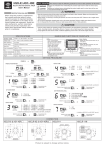
JUMPS
KCAL
TIMER
LCD Display and Keypads·
SET
Press to set Weight andlimer
set~ng
UP
Increase Weight andlimer in
DN
Decrease Weight and Timer in setting mode
roods
8T
Wakeupun it orQuido::8tart toj u~
User Manual and set up Procedure
1, POWER ON
When first to install a battery into the unit or Reset key is pressed,
all LCD segments will be on. At the same time, there is "BEEP"
sound comes oul.
2. Time setting
After Power on, it will go to time setting. The "minute" digit will be
flashing to indicate the timing.
Press [UP] or [ON] key to adjust the minute digits. Press and hold
[UP] or (ON] key to adjust to your desired workout time.
Press (SET] key once to confirm time and goes to Weight
setting mode.
3, Weight setting
After set time, it will go to weight setting mode, the default weight
is50kg.
The unit in red will be flashing. The range of weight is 20-11 Okg.
Press [UP) or [ON] key to adjust the weight in kg. Press and hold
[UP] or [ON] to adjust your body weight.
Press [set] key once, to confirm weight unit setting and ready
to start exercise.
4. Count up timer mode
If the time setting is 00:00, the unit
will go to count up mode automatically.
The first 2 seoonds are used to validate
the Jumping pattern. If the Jumps
keep running, the timer will start count
up and the number of jumps including
first two second will be counted.
Otherwise it will be treated as
mis-triggering, the jumps will be ignored.
The Count up timer will be stopped automatically when no jumps
within 2 seconds or the timer reached 99:59. and the calories
consumption will be displayed
To start over, press the [ST], the time, jumps and calories will be
cleared,but not Weighl.
OR press [SET] to go back to 2. Set
time procedure
5. Count down timer mode
If the time setting is NOTOO:OO, the unit will go to count down mode automatically. The first 2
seconds are used to validate the Jumping pattern. If the Jumps keep running. the timer will
start count down and the number of j umps including first two second be counted.Otherwise
it will be treated as mis-triggering, the jumps will be ignored .
To start over, press 1ST] to go back to 1. Set time procedure
OR press the (ST], the time, jumps and calories will be cleared, but not Weight and replay the
count down mode again.
6. AUTO OFF
If there is no key or jumps within 8 minutes, the unit will enter sleep mode. LCD will be
turned off. Press [ST] key once to wake up the unit and enter standby mode.
7. Calorie bum calculation:
Calories=MET x Weight (kg) x Duration (min) 160
MET: Metabolic equivalent. for rope jump. the MET is 10
BATIERY LIFE REQUIREMENT
Battery: AAAx 2pcs 3V