1
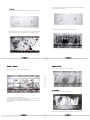
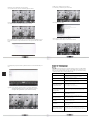
Downloads. move to "Downloads", press ok to enter in.
You can check the status here when downloading apks from internet.
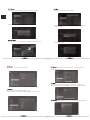
OOBE: move to "OOBE". press ok to enter in.
It is a direct way to refresh the system on the TV Box.
Email: move to "Email", press ok to enter in.
It is a direct way for you to send and receive email of your account.
Press next to finish the setting.
You can configure Email for most accounts in just a few steps. Move to Email address, press ok
to input your mail address and password.Follow the icon "next" right under the button to finish
setting.
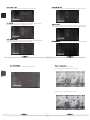
For example,when you input with a letter "g".There will search out a result of relative letter "g" in
local.
Search: move to "Search", press ok to enter in.
It is an option to search message in local and from Internet.
Chapter 8 T r o u b l e s h o o t i n g
Warning
Under no circumstances should you try to repair the TV Box by yourself, as this will invalidate
the warranty. Do not open the TV Box as there is a risk of electric shock. If a fault occurs, first
check with points listed below before taking the TV Box for repair. If you are unable to remedy
a problem by following hints, consult your dealer for help.
Problem
No power
No picture
No sound or distorted sound
Solution
-Check if the power adaptor is properly connected to the power and the TV Box.
-Press the power on the remote controller to turn on the power.
- R e c o n n e c t with HDMI cable or AV cable.
- C h e c k if the TV is switched on.
-Adjust the volume.
- C h e c k that the speakers are connected correctly.
The box does not respond
to the Remote Control
Upgrade: move to "Upgrade", press ok to enter in. It is a system update function.
Insert with update software on the SD card, click "Upgrade" icon to choose
local upgrade. After upgrade finished, system will restart automatically.
Player does not respond to
some operating commands
during playback
No sound during movies
playback
The contents of the USB flash
drive cannot be read
Slow operation of the USB
flash drive
No sound with HDMI
connection
The TV screen is blank and
the player LED is blinking
- A i m the remote control directly at the sensor on the front of the TV Box.
- R e d u c e the distance to the TV Box.
-Replace the batteries in the remote control.
-Operations may not be permitted. Refer to the user manual.
- Possibility of system halted, re-insert with power adaptor to restart.
-The audio codec may not be supported by the TV Box. You can change to
the supported audio on playing menu.
-Check the volume.
- T h e USB flash drive format is not compatible with the box.
-If one of the USB can not be read, please turn off the TV Box for 30
seconds and restart the TV Box.
- B i g file size or high resolution USB flash drive takes longer time to
read and display on the TV screen.
-Check the connection between the TV and the HDMI jack of box.
-Check your TV system s e t u p .
-Check the volume.
-Turn off your TV Box. wait 30 seconds, turn it on again.
-If under H D M I status, c h e c k if H D M I c o n n e c t i o n is correct or
c h a n g e another H D M I cable, set the output resolution of this TV Box
into 720p.