1
Section 1.3 Main Setup
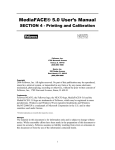
The first screen you will see is the MediaFACE® 5.0 main setup screen.
Figure 1.1 – The main MediaFACE® 5.0 Setup screen
Step 1:
Select a setup language. English is pre-selected as the default. To choose
another language, click once on the name and proceed to the next step.
Step 2:
(a)
(b)
Select install options. First, you must choose to install either the Full
or Trial version. The Full version requires a serial number to be
entered and gives you the full capability of the program. The Trial
version is a try-and-buy version of MediaFACE® 5.0 and will expire
after 10 days. The Trial version has all the features of the full version,
with the exception that fingerprinting of audio CDs is limited to 100
successful identifications of songs, and the image library of 500
images available in the full version will contain only 25 images. If
installing the Trial version downloaded from the NEATO website, no
images will be installed. They may be added from within the program
after activation. During the Trial try-and-buy period, use your own
images.
Select Image Libraries. If installing the Full version, click once in the
All Libraries checkbox to install all available image libraries.
Otherwise check only the libraries you wish to install. If you are
installing from the downloaded web trial version, the image library
structure will be installed, but it will be empty. You can use other
images on your computer. If you install the downloaded version as a
full version with a serial number, you can populate the image library
from the NEATO web site (see “Tools”).
5