1
CHAPTER 4: ADMINISTRATIVE FUNCTIONS
51
Network Configuration
Use these descriptions to customize the network configuration settings, such as IP Address,
Ethernet speed, and others, on your Dominion KX unit.
Important: The device must be rebooted before Network Configuration changes
take effect.
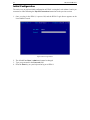
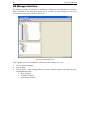
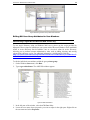
1. On the Setup menu, click Configuration, and then click Network. The Network
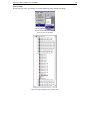
Configuration window appears.
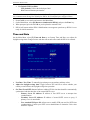
Figure 48 Network Configuration Window
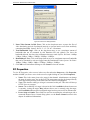
Some parameters that may be unfamiliar:
• Manager Name: Type a unique name for the device. The default name for a Dominion
KX unit is: “Dominion-KX” and for a KX101 unit is KX_KIM-<last five digits of
serial number>, for example, a KX101 with serial number S00002 would have a default
name of KX_KIM-00002. Remote users will see and use this name to identify this
particular device. However, if an RRC user has created a Connection Profile for a device,
that user will see the Description field from the Profile instead.
Note: Spaces are NOT permitted in the Manager Name.
•
•
Enable Modem Interface: (Dominion KX only) Enables the device’s internal modem
port to allow remote users to dial into the device. Default value = Disabled.
Use Default TCP Port 5000: Besides the initial download of Raritan Remote Client and
KX Manager (which occurs over secure HTTPS Port 443), all communication to and