1
Epson Research and Development
Vancouver Design Center
Page 135
12.3 180° SwivelView™
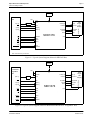
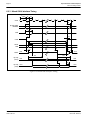
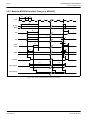
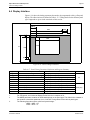
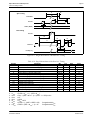
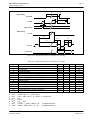
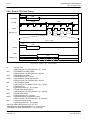
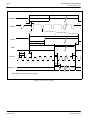
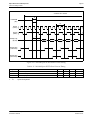
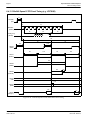
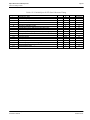
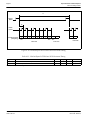
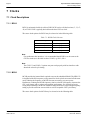
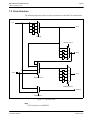
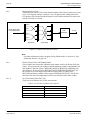
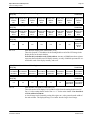
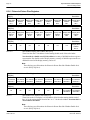
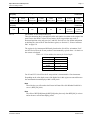
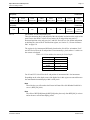
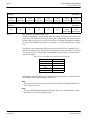
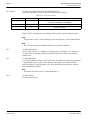
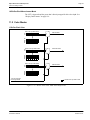
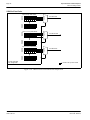
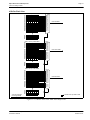
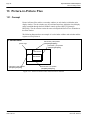
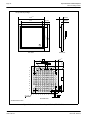
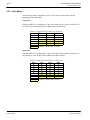
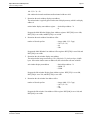
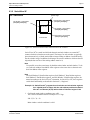
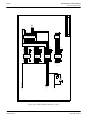
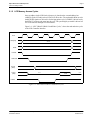
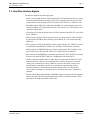
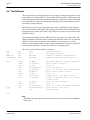
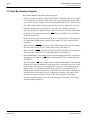
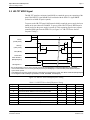
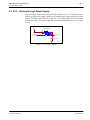
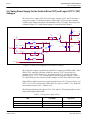
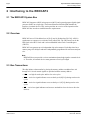
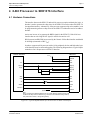
The following figure shows how the programmer sees a 480x320 landscape image and how
the image is being displayed. The application image is written to the SED1376 in the
following sense: A–B–C–D. The display is refreshed by the SED1376 in the following
sense: D-C-B-A.
display start address
(panel origin)
D
D
480
image seen by programmer
= image in display buffer
B
C
320
320
SwivelView
window
A
B
SwivelView
window
A
C
physical memory
start address
480
image refreshed by SED1376
Figure 12-2: Relationship Between The Screen Image and the Image Refreshed in 180° SwivelView.
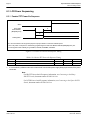
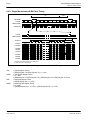
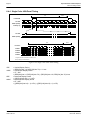
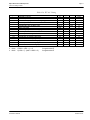
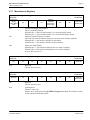
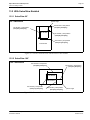
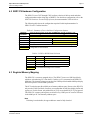
12.3.1 Register Programming
Enable 180° SwivelView™ Mode
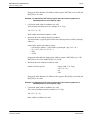
Set SwivelView™ Mode Select bits to 10.
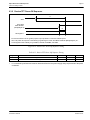
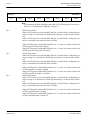
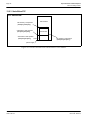
Display Start Address
The display refresh circuitry starts at pixel “D”, therefore the Display Start Address register
must be programmed with the address of pixel “D”. The example in the figure shows a 480pixel wide display, and if we assume 8-bpp display mode, the Display Start Address will
be 95FFh (the Display Start Address register is 0-based and in 32-bit increment).
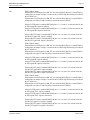
Memory Address Offset
The Memory Address Offset register should be normally set to be the same as the display
width, e.g. 480 pixels or 78h (the Memory Address Offset register is in 32-bit increment).
This value may be increased to create a virtual display.
Hardware Functional Specification
Issue Date: 00/08/10
SED1376
X31B-A-001-04